Freedom251 › Disk Space Analyzers
Neodisk
What Neodisk is
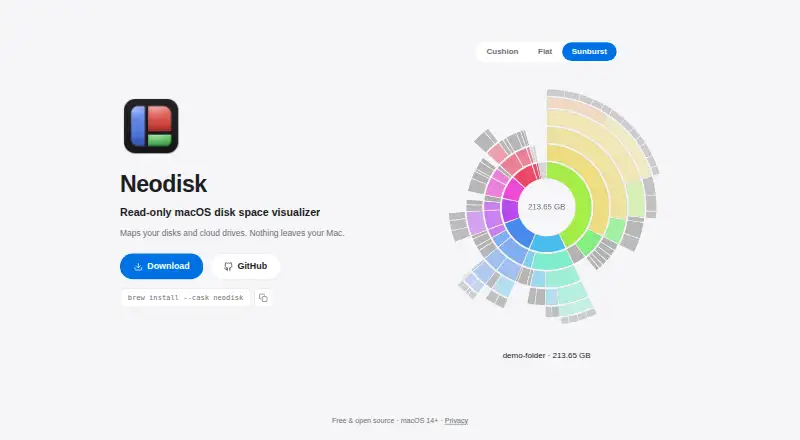
Neodisk is a free, open-source, read-only disk-space visualizer for macOS 14 or later, with Linux also listed as a platform. It maps local disks and cloud drives by scanning files, folders, and apps, then presents storage through Cushion, Flat, and Sunburst views. Treemap visualization and file-type breakdowns show how space is distributed. Scans and visualizations are processed locally, so scan data and file names remain on the Mac. An optional Google Drive connection displays storage quota and file metadata using read-only access; Neodisk says it does not read, download, or modify file contents. Google data supports on-device visualization, search, and analysis, not advertising, analytics, or AI/ML training. Tokens are stored in macOS Keychain, and signing out revokes access and deletes cached data. Neodisk says it has no analytics, tracking, or data collection. Installation is available through Homebrew.
Who it suits
It suits Mac or Linux users who want visual disk analysis without modifying files. It also fits users seeking optional Google Drive metadata visualization processed locally.
What it does well
- Read-only disk visualization
- Local processing keeps scan data on Mac
- Includes three visualization views
- Offers file-type breakdowns
- No analytics or tracking
What to know first
- Google Drive connection is optional and metadata-only
- macOS plan requires version 14 or later
- Free trial is not offered
- Some protections depend on macOS settings
Plans
| Plan | Billed and limits | Price |
|---|---|---|
| Free & open source | macOS 14+ | Free |
As neodisk.app lists them, read 12 Oct 2026. The maker's own page has the final word.
Verdict
Neodisk focuses on local, read-only storage visualization with optional Google Drive metadata. Its privacy controls and open-source free plan may appeal to users who prefer on-device processing.
Facts from Neodisk's own pages
- Analytics and tracking
- The maker says Neodisk has no analytics, tracking, or data collection. · neodisk.app, 12 Oct 2026
- Connection security
- Google sign-in uses OAuth authorization code flow with PKCE and a unique state value, and Google communications use HTTPS/TLS. · neodisk.app, 12 Oct 2026
- Google data use
- Google user data is used for on-device visualization, search, and analysis, not for advertising, analytics, or AI/ML training. · neodisk.app, 12 Oct 2026
- Google Drive
- Neodisk can optionally connect to Google Drive to visualize storage quota and file metadata. · neodisk.app, 12 Oct 2026
- Google Drive access
- It requests the drive.metadata.readonly scope and does not read, download, or modify file contents. · neodisk.app, 12 Oct 2026
- Install
- The homepage provides the Homebrew command `brew install --cask neodisk`. · neodisk.app, 12 Oct 2026
- Local data protection
- Google Drive metadata is cached in Neodisk's private per-user Application Support directory and protected by macOS account controls and disk encryption when enabled. · neodisk.app, 12 Oct 2026
- Local processing
- Disk scans and their visualizations are processed locally, and scan data and file names do not leave the Mac. · neodisk.app, 12 Oct 2026
- No Neodisk server
- Google Drive metadata is processed and stored on the Mac and is not sent to a Neodisk or other third-party server. · neodisk.app, 12 Oct 2026
- Sign-out
- Signing out revokes access and deletes stored tokens and the cached scan. · neodisk.app, 12 Oct 2026
- Support
- Questions can be raised by opening a GitHub issue. · neodisk.app, 12 Oct 2026
- Token storage
- Google sign-in tokens are stored in macOS Keychain and are not written to the scan cache. · neodisk.app, 12 Oct 2026
- Visualizations
- The homepage lists Cushion, Flat, and Sunburst views. · neodisk.app, 12 Oct 2026
- What it does
- Neodisk is a read-only disk space visualizer that maps disks and cloud drives. · neodisk.app, 12 Oct 2026
Where Neodisk stands on Freedom251
- Disk Space Analyzers#79 of 105