Freedom251 › Microsoft 365 Backup Software
NAKIVO Backup & Replication
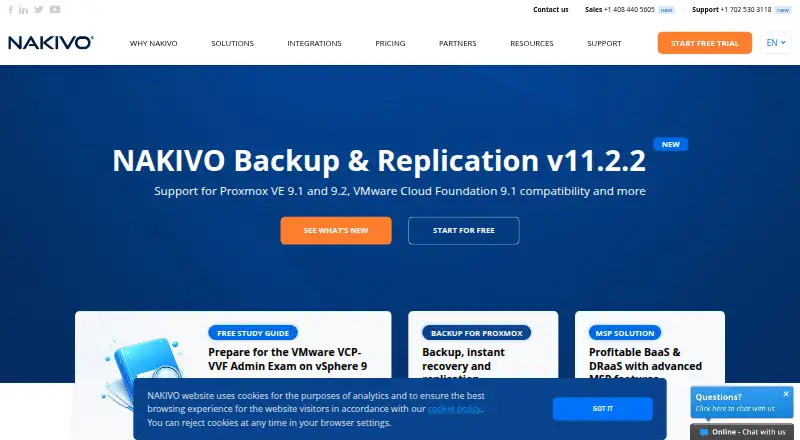
What NAKIVO Backup & Replication is
NAKIVO Backup & Replication handles backup, replication, failover, backup copies, granular restores, and disaster recovery workflows for virtual, physical, cloud, and SaaS environments. It supports image-based, application-aware, incremental backups and replication. Coverage includes VMware, Hyper-V, Nutanix AHV, Proxmox VE, Amazon EC2, Microsoft 365, Oracle Database, Windows and Linux machines, and NFS/SMB file shares. Backups can retain up to 1,000 recovery points through GFS rotation. Site Recovery workflows can automate disaster recovery actions across VMware, Hyper-V, Nutanix AHV, and Amazon EC2. The software can run as a virtual appliance or be installed on a supported machine or NAS device. For physical machine backups, NAKIVO says it protects data with AES 256-bit encryption. Linux repositories can be encrypted with a password, and repository self-healing checks data integrity and repairs errors where possible. Active Directory integration and an HTTP API support monitoring, automation, and orchestration connections. The product is available for web, Windows, Linux, self-hosted use, and through an API. Subscription starts at $2.50 a month per workload; Perpetual starts at $229, paid once per CPU socket. A 15-day trial enables all features. NAKIVO was founded in 2012 and is headquartered in Sparks, Nevada, United States.
Who it suits
It suits organizations protecting a mix of virtual, physical, cloud, and SaaS workloads, especially where disaster recovery workflows and granular restores matter. Teams can deploy it as an appliance or install it on a supported machine or NAS device, with API and Active Directory integration available.
What it does well
- Covers virtual, physical, cloud, and SaaS environments.
- Supports up to 1,000 recovery points with GFS rotation.
- Automates Site Recovery actions across four named environments.
- Offers virtual appliance and machine or NAS deployment.
- Physical backups use AES 256-bit encryption, according to NAKIVO.
- Includes an HTTP API and Active Directory integration.
What to know first
- No free plan; the trial lasts 15 days.
- Does not support NFSv3 ACL data backup and recovery.
- Mobile backup is not supported.
Limits
There is no free plan; the trial is limited to 15 days. NAKIVO does not support backup and recovery of ACL data via NFSv3.
Plans
| Plan | Billed and limits | Price |
|---|---|---|
| Perpetual | per CPU socket · starting price | $229, paid once |
| Subscription | per workload · starting price | $2.50 a month |
As nakivo.com lists them, read 8 Oct 2026. The maker's own page has the final word.
Getting started
- Visit https://www.nakivo.com/backup-replication/.
- Start the 15-day free trial with all features enabled.
- Choose a virtual appliance or installation on a supported machine or NAS device.
- Use the web, Windows, Linux, self-hosted, or API platform options.
Verdict
Choose NAKIVO Backup & Replication if you need backup and recovery across varied workloads, with automated disaster recovery and configurable deployment. Look elsewhere if mobile backup or NFSv3 ACL data recovery is required. Subscription pricing starts at $2.50 a month per workload, while Perpetual starts at $229, paid once per CPU socket.
Questions
Is there a free plan or trial?
There is no free plan. NAKIVO offers a 15-day free trial with all features enabled.
How much does it cost?
Subscription starts at $2.50 a month per workload. Perpetual starts at $229, paid once per CPU socket.
Which workloads are supported?
Coverage includes VMware, Hyper-V, Nutanix AHV, Proxmox VE, Amazon EC2, Microsoft 365, Oracle Database, Windows and Linux machines, and NFS/SMB file shares.
How can it be deployed?
It can run as a virtual appliance or be installed on a supported machine or NAS device.
Does it support NFSv3 ACL data?
NAKIVO states that backup and recovery of ACL data via NFSv3 is not supported.
Facts from NAKIVO Backup & Replication's own pages
- Backup types
- It supports image-based, application-aware, incremental backup and replication. · helpcenter.nakivo.com, 8 Oct 2026
- Deployment
- The solution can be deployed as a virtual appliance or installed on a supported machine or NAS device. · helpcenter.nakivo.com, 8 Oct 2026
- Disaster recovery
- Site Recovery workflows can automate DR actions across VMware, Hyper-V, Nutanix AHV, and Amazon EC2 environments. · helpcenter.nakivo.com, 8 Oct 2026
- Encryption
- For physical machine backups, NAKIVO states that it uses AES 256-bit encryption to secure backup data. · helpcenter.nakivo.com, 8 Oct 2026
- Founded
- 2012 · nakivo.com, 28 Sept 2026
- Headquarters
- Sparks, Nevada, United States · nakivo.com, 28 Sept 2026
- Integrations
- The product supports Microsoft Active Directory integration and an HTTP API for monitoring, automation, and orchestration integrations. · di2.nakivo.com, 8 Oct 2026
- Notable limitation
- NAKIVO states that it does not support backup and recovery of ACL data via NFSv3. · helpcenter.nakivo.com, 8 Oct 2026
- Purpose
- The product provides backup, replication, failover, backup copy, granular restore, and disaster recovery orchestration for virtual, physical, cloud, and SaaS environments. · helpcenter.nakivo.com, 8 Oct 2026
- Repository protection
- Repositories installed on Linux can be encrypted with an encryption password, and repository self-healing can verify data integrity and repair errors where possible. · nakivo.com, 8 Oct 2026
- Retention
- A backup can retain up to 1,000 recovery points with GFS rotation. · helpcenter.nakivo.com, 8 Oct 2026
- Support
- NAKIVO offers Standard Support and 24/7 Support; subscription licenses include 24/7 Support for the licensed period. · helpcenter.nakivo.com, 8 Oct 2026
- Trial
- NAKIVO’s licensing guide says users can start a 15-day free trial with all features enabled. · nakivo.com, 8 Oct 2026
- Workload coverage
- Supported platforms include VMware, Hyper-V, Nutanix AHV, Proxmox VE, Amazon EC2, Microsoft 365, Oracle Database, Windows and Linux machines, and NFS/SMB file shares. · helpcenter.nakivo.com, 8 Oct 2026
Where NAKIVO Backup & Replication stands on Freedom251
- Microsoft 365 Backup Software#8 of 25
- Disaster Recovery Software#8 of 25
- Backup and Disaster Recovery Software#13 of 36
- Server Backup Software#17 of 33
- NAS Backup Software#24 of 45
- Virtual Machine Backup Software#15 of 26
- Backup software#119 of 151