Freedom251 › Study Planner Apps
myHomework Student Planner
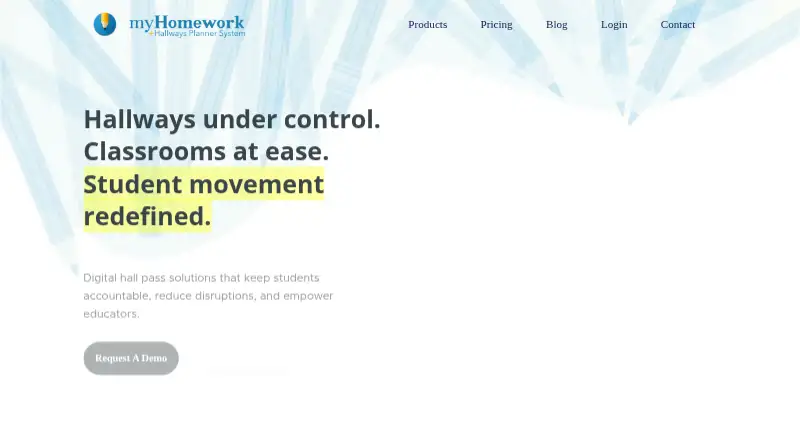
What myHomework Student Planner is
myHomework Student Planner helps students keep track of assignments, projects, tests, classes, and due dates. Its schedule supports time-based, period-based, and block-based class arrangements. The iPhone app displays classes and assignments in month, week, or day calendar views, and the apps can be used as planners without a network connection. Students can join a Teachers.io class to get its syllabus, schedule, attachments, and announcements. Homework can also be imported from Canvas, D2L, Google Classroom, Blackboard, Schoology, and other systems; a premium account can automatically update the planner with new assignments after import. Premium users can share homework with a classmate or invite a coach to view their planner. The free Basic plan includes assignment and class tracking, due-date reminders, device sync, and upcoming homework widgets, with ads. Premium costs $4.99 a year and adds features including file attachments, external calendar access, sharing, and homework import. It is available on the web, Windows, macOS, iOS, Android, and as a browser extension.
Who it suits
It suits students who want to organize coursework and class schedules across devices, including when offline. Premium may suit students who want homework import, attachments, or planner sharing.
What it does well
- Tracks assignments, projects, tests, classes, and due dates.
- Supports three class schedule formats.
- Apps can be used without a network connection.
- Free plan includes due-date reminders and device sync.
What to know first
- The free Basic plan includes ads.
- Premium costs $4.99 a year.
- Users must be at least 13 to create an account.
Limits
The free Basic plan includes ads and does not include Premium features such as homework import, file attachments, external calendar access, or planner sharing. Premium costs $4.99 a year.
Plans
| Plan | Billed and limits | Price |
|---|---|---|
| myHomework Basic | Free with ads · Track assignments, projects, tests and more · Track classes · Due date reminders · Device sync · Upcoming homework widgets | Free |
| myHomework Premium | 4.99 per year · Basic features · Ads free · All themes · File attachments · Enhanced app widgets · External calendar access · Share planner or homework · Import homework | $4.99 a year |
As myhomeworkapp.com lists them, read 5 Oct 2026. The maker's own page has the final word.
Getting started
- Visit https://myhomeworkapp.com/.
- Choose the free Basic plan or Premium at $4.99 a year.
- Use the web app, a desktop or mobile app, or the browser extension.
- Add classes and assignments, or join a Teachers.io class to download its materials.
- Import homework from a supported system; Premium can update imported assignments automatically.
Overview
myHomework Student Planner is a digital planner for tracking assignments, tests, projects, classes, and due dates. It is best suited to students who want one schedule across several devices and whose schoolwork can benefit from imports or shared planner access. Its free tier covers core tracking; Premium is the step up for importing, attachments, and sharing.
Key features
Schedules can be organized by time, period, or block, making the planner adaptable to different school timetables. The iPhone app presents classes and assignments in month, week, and day calendar views. Basic includes assignment and class tracking, due-date reminders, device sync, and upcoming-homework widgets, so students can manage routine planning without paying.
Teachers.io classes can provide a syllabus, schedule, attachments, and announcements. Homework can also be imported from Canvas, D2L, Google Classroom, Blackboard, Schoology, and other systems. Premium can automatically update assignments after import, which reduces repeated entry for students using compatible school systems; students who enter work manually may have less reason to upgrade.
Premium adds file attachments, external calendar access, all themes, enhanced widgets, ad-free use, and the ability to share homework with a classmate or invite a coach to view a planner. The company also offers an API for bringing homework into an account, with access arranged by contacting it. The apps can be used offline as planners, though imports and synchronization are useful when connected. Support is by email. School, district, and university pricing depends on service level and implementation needs and requires contacting the company.
Pricing
myHomework Basic: free, with ads. It includes assignment, project, test, and class tracking, due-date reminders, device sync, and upcoming-homework widgets. It is the sensible starting point for students who only need a central place to record work; it omits imports, attachments, sharing, and the other Premium extras.
myHomework Premium: $4.99 a year. It includes Basic features without ads, plus all themes, file attachments, enhanced widgets, external calendar access, planner or homework sharing, and homework import. The annual price is aimed at students who will use those additions regularly, particularly imports or shared access. No seat or usage quota is stated for these plans.
Platforms
myHomework is available on web, Windows, macOS, iOS, Android, and as a Chrome extension. That breadth makes it a practical option for students moving between phone and computer, while the month, week, and day calendar views are specifically described for iPhone.
Who it's for
Choose myHomework if you want assignment tracking and class scheduling across devices, or if your classes use Teachers.io or a system supported by homework imports. It is less compelling if you need sharing or import features on a free plan, or if your school requires a different workflow. Users must be at least 13 to create an account; younger students may use it with parent or guardian help and approval.
Pros and cons
- Pros: Basic includes reminders, device sync, and widgets at no cost, giving students a functional planner without a subscription.
- Pros: Multiple schedule formats and broad platform support suit varied timetables and device habits.
- Pros: Premium imports and automatic updates can cut down on manually re-entering school assignments.
- Cons: Imports, file attachments, sharing, and external calendar access require Premium, so the free plan is limited for collaborative or integrated workflows.
- Cons: Basic includes ads, and several convenience features such as all themes and enhanced widgets are reserved for Premium.
Alternatives
Study Planner Apps is a useful starting point if you want to compare planners rather than choose a single app immediately.
Consider Power Planner if its free plan's one-semester scope, five grades per class, single repeating bulk task or event entry, and one photo attachment per item fit your needs. Choose Adapt if you want a revision planner with limited revision content and practice questions on its free plan. Fasti may fit students who plan around events and recurring blocks, with a free cap of 30 events and recurring blocks and two starter schedule imports.
MyStudyLife is worth comparing if its free plan's full planner, capped at five tasks at a time, and first AI timetable scan match your needs. Save My Exams is another option if you are seeking access to Premium study resources. Consider Helium if open-source software and a free plan are priorities. Study-Track may suit students planning with up to three friends on its free plan, while Altitask is an option if you want a task-and-project tool with a browser extension.
Verdict
myHomework is a strong fit for students who want dependable cross-device assignment tracking and can get value from school-system imports or sharing. Its free plan handles everyday tracking; the main reason to look elsewhere is needing those integration and collaboration features without paying for Premium.
Verdict
myHomework combines assignment tracking, class schedules, and several routes for bringing homework into a planner. The free plan covers core tracking, while import and sharing features are among the reasons to consider Premium.
Questions
Is myHomework Student Planner free?
Yes. Basic is free with ads. Premium costs $4.99 a year.
Which platforms are available?
It is available on the web, Windows, macOS, iOS, Android, and as a browser extension.
Can it import homework?
Homework can be imported from Canvas, D2L, Google Classroom, Blackboard, Schoology, and other systems. Homework import is included with Premium.
Can students use it offline?
The company says its apps can be used as planners without a network connection.
Is there pricing for schools?
Organization pricing for schools, districts, and universities depends on service level and implementation needs; contact the company.
Facts from myHomework Student Planner's own pages
- Age
- The privacy policy says users must be at least 13 to create an account, while the help page says younger students may use myHomework with parent or guardian help and approval. · myhomeworkapp.com, 5 Oct 2026
- API
- The company says it offers an API designed to bring homework from other systems into a myHomework account, with use arranged by contacting the company. · m.myhomeworkapp.com, 5 Oct 2026
- Audience and history
- The company says it has focused since 2009 on helping students and schools adopt digital planning skills. · m.myhomeworkapp.com, 5 Oct 2026
- Automatic updates
- The help page says a premium account can automatically update the planner with new assignments after import. · m.myhomeworkapp.com, 5 Oct 2026
- Calendar
- The iPhone app provides calendar views of assignments and classes by month, week, or day. · myhomeworkapp.com, 5 Oct 2026
- Class scheduling
- The planner supports time-based, period-based, and block-based class schedules. · myhomeworkapp.com, 5 Oct 2026
- Founded
- 2009 · myhomeworkapp.com, 28 Sept 2026
- Offline use
- The company says its apps can be used as planners without a network connection. · myhomeworkapp.com, 5 Oct 2026
- Other imports
- The help page says homework can be imported from Canvas, D2L, Google Classroom, Blackboard, Schoology, and other systems. · m.myhomeworkapp.com, 5 Oct 2026
- Privacy policy date
- The posted privacy policy says it was last changed on May 14, 2018. · myhomeworkapp.com, 5 Oct 2026
- Purpose
- myHomework describes its student planner as a place to track assignments, projects, tests, classes, and due dates. · m.myhomeworkapp.com, 5 Oct 2026
- School pricing
- Organization pricing for schools, districts, and universities depends on the service level and implementation needs, and requires contacting the company. · m.myhomeworkapp.com, 5 Oct 2026
- Security
- The privacy policy says website sign-in and app synchronization use HTTPS and that account passwords are stored encrypted in its databases. · myhomeworkapp.com, 5 Oct 2026
- Sharing
- Premium users can share homework with a classmate or invite a coach to view their planner. · m.myhomeworkapp.com, 5 Oct 2026
- Support
- The help page invites users with problems to email the company and says it will respond as soon as possible. · m.myhomeworkapp.com, 5 Oct 2026
- Teachers.io
- Students can join a Teachers.io class to download its syllabus, schedule, attachments, and announcements. · myhomeworkapp.com, 5 Oct 2026
Where myHomework Student Planner stands on Freedom251
- Study Planner Apps#10 of 38