Freedom251 › Database Design Tools
Model Xtractor
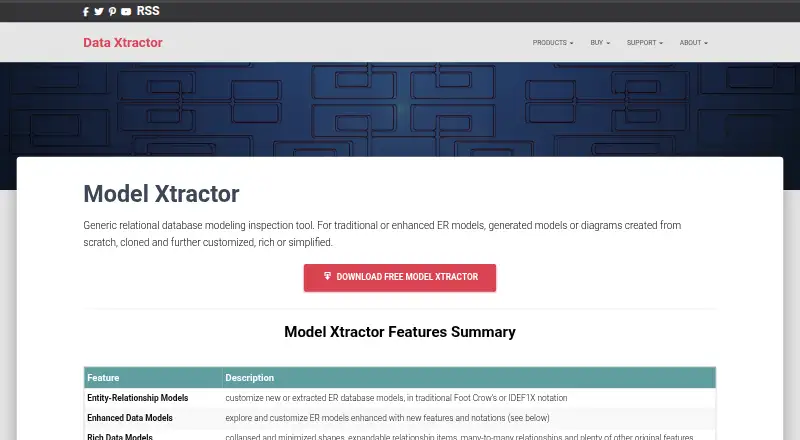
What Model Xtractor is
Model Xtractor is a Windows desktop tool for inspecting relational database models. It works with traditional or enhanced ER models, generated models, and diagrams created from scratch. Its one-time reverse engineering operation extracts information about database tables, views, columns, and relationships. The maker lists support for SQLite, Firebird, Microsoft SQL Server CE, Access, MySQL, MariaDB, PostgreSQL, SQL Server, Oracle, IBM Db2, SAP ASE, SAP SQL Anywhere, Snowflake, Redshift, Azure, and Amazon Aurora.
Users can select detailed generated views such as Detailed, Structural, and Relationships, or simplified Simple, Topological, and Graph views. They can add virtual joins, chains, aliases, and many-to-many connectors without changing the connected database. Diagrams can be saved as an image or PDF. The maker says Xtractor applications cannot modify remote database data or metadata, while model extensions are stored in a local user database. Saved database passwords are encrypted there and masked in the connection string property; by default, user data is kept in Xtractor.db in the user's AppData\\Local\\Xtractor folder. Model Xtractor is free. Forward engineering is not supported.
Who it suits
Model Xtractor suits people who need to inspect relational models across supported databases without needing to be database-modeling experts. It is a fit for Windows users who want to examine existing structures and customize diagrams without changing the connected database.
What it does well
- Free plan at no cost.
- Extracts tables, views, columns, and relationships.
- Supports a broad range of listed databases.
- Offers detailed and simplified model views.
- Virtual connectors do not change the connected database.
- Diagrams can be saved as images or PDFs.
What to know first
- Available only for Windows desktop.
- Forward engineering is not supported.
- The maker describes products other than Data Xtractor as provided as-is without support.
Limits
Model Xtractor is free, but it does not support forward engineering. The maker describes products other than Data Xtractor as provided as-is and without support.
Plans
| Plan | Billed and limits | Price |
|---|---|---|
| Model Xtractor | Version 3.0 · database modeling inspection tool | Free |
As data-xtractor.com lists them, read 11 Oct 2026. The maker's own page has the final word.
Getting started
- Visit https://data-xtractor.com/model-xtractor/.
- Download the Windows desktop application.
- Connect to a supported database for a one-time reverse engineering operation.
- Choose a generated model view or create a diagram from scratch.
- Save a diagram as an image or PDF.
Verdict
Choose Model Xtractor if you need a free Windows tool to inspect existing relational database structures and shape their diagrams. Look elsewhere if your workflow requires forward engineering or a platform other than Windows desktop.
Questions
How much does Model Xtractor cost?
Its free plan is listed as free.
Does Model Xtractor offer a free trial?
No. It has a free plan instead.
Which platform does it support?
It is a Windows desktop application; the maker says all downloads are for Windows.
Which databases can it inspect?
The maker lists SQLite, Firebird, Microsoft SQL Server CE, Access, MySQL, MariaDB, PostgreSQL, SQL Server, Oracle, IBM Db2, SAP ASE, SAP SQL Anywhere, Snowflake, Redshift, Azure, and Amazon Aurora.
Can it create or modify a connected database?
It performs reverse engineering, not forward engineering. The maker says Xtractor applications cannot modify remote database data or metadata.
Where does it store user data and passwords?
By default, user data is stored in Xtractor.db under the user's AppData\\Local\\Xtractor folder. The maker says saved database passwords are encrypted in its local database and masked in the connection string property.
Facts from Model Xtractor's own pages
- Audience
- The maker presents Model Xtractor as a tool to help users understand relational data models without needing to be an expert. · data-xtractor.com, 11 Oct 2026
- Credential handling
- The maker says saved database passwords are encrypted in its local database and masked in the connection string property. · data-xtractor.com, 11 Oct 2026
- Database support
- The maker lists support for SQLite, Firebird, Microsoft SQL Server CE, Access, MySQL, MariaDB, PostgreSQL, SQL Server, Oracle, IBM Db2, SAP ASE, SAP SQL Anywhere, Snowflake, Redshift, Azure, and Amazon Aurora. · data-xtractor.com, 11 Oct 2026
- Diagram export
- Diagrams can be saved as an image or PDF. · data-xtractor.com, 11 Oct 2026
- Installation platform
- The maker states that all downloads are for Windows. · data-xtractor.com, 11 Oct 2026
- Local data
- By default, user data is stored in the SQLite file Xtractor.db under the user's AppData\Local\Xtractor folder. · data-xtractor.com, 11 Oct 2026
- Model customization
- Users can create virtual custom joins, chains, aliases, and many-to-many connectors without changing the connected database. · data-xtractor.com, 11 Oct 2026
- Model views
- It can customize rich generated models such as Detailed, Structural, and Relationships, as well as simplified Simple, Topological, and Graph models. · data-xtractor.com, 11 Oct 2026
- Purpose
- Model Xtractor is a relational database modeling inspection tool for traditional or enhanced ER models, generated models, and diagrams created from scratch. · data-xtractor.com, 11 Oct 2026
- Reverse engineering
- It extracts information about database tables, views, columns, and relationships in a one-time reverse engineering operation. · data-xtractor.com, 11 Oct 2026
- Security
- The maker says Xtractor applications cannot modify remote database data or metadata, while model extensions are saved in the local user database. · data-xtractor.com, 11 Oct 2026
- Support
- The maker describes products other than Data Xtractor as free, provided as-is, and without support. · data-xtractor.com, 11 Oct 2026
Where Model Xtractor stands on Freedom251
- Database Design Tools#16 of 35