
MockStage
What MockStage is
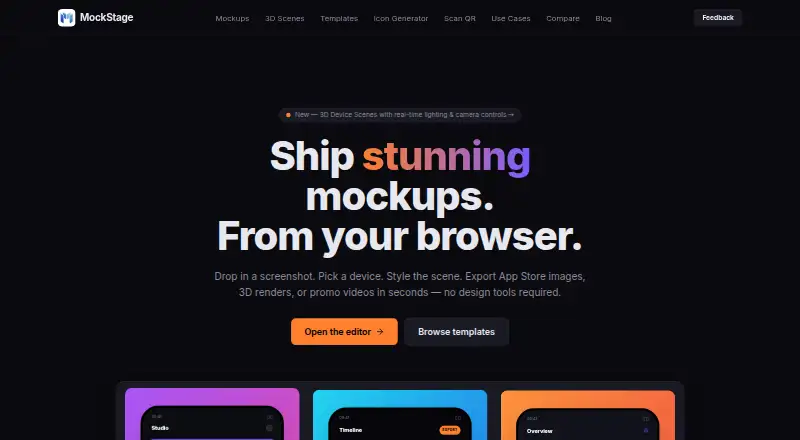
MockStage is a browser-based mockup generator for app store assets, device scenes, promotional videos, and social layouts. Its 2D tools create App Store and Play Store screenshots with device frames, panoramas, and text overlays. In the 3D editor, users can arrange phones, tablets, laptops, and watches in one scene, then move, resize, rotate, angle, and light them in the browser. The editor uses real-time three.js rendering and can export MP4 or WebM video; video exports are free during the public beta. MockStage also generates icons for iOS, Android, macOS, and Web/PWA, with interactive device homescreen previews. Templates include store listings, landing-page heroes, social squares, Twitter banners, and YouTube thumbnails. Files can be exported as PNG, JPG, SVG, MP4, or WebM, and device shots can be used in Framer, Webflow, or Next.js. Creating and exporting does not require registration; a free account lets users save projects to the cloud. The Free Public Beta plan costs nothing during the Free Public Beta and includes all premium features, high-resolution 2D templates, 3D animated scenes, custom audio, video exports, and zero watermarks.
Who it suits
MockStage suits indie developers, designers, and marketing teams creating app store visuals, device scenes, icons, or social assets. It may also suit users who want to create and export in a browser without registering.
What it does well
- Creates 2D screenshots and 3D device scenes
- Exports PNG, JPG, SVG, MP4, and WebM
- Generates icons for four listed platforms
- Mockups and exports need no registration
- Free Public Beta includes video exports
What to know first
- Video exports are free during the public beta
- Cloud project saving requires a free account
Limits
The Free Public Beta plan is billed during the Free Public Beta. The listed plan includes all premium features, high-resolution 2D templates, 3D animated scenes, custom audio, video exports, and zero watermarks.
Plans
| Plan | Billed and limits | Price |
|---|---|---|
| Free Public Beta | During the Free Public Beta · All premium features · high-resolution 2D templates · 3D animated scenes · custom audio · video exports · zero watermarks | Free |
As mockstage.in lists them, read 7 Oct 2026. The maker's own page has the final word.
Getting started
- Open https://www.mockstage.in/ in a browser.
- Create mockups and export files without registering, or create a free account to save projects to the cloud.
- Choose a template or mockup category, such as App Store, Play Store, landing page, social media, or 3D scenes.
- Arrange devices or create an app icon, then export in a supported format.
- Use the Free Public Beta plan for its included features and exports.
Verdict
MockStage covers store screenshots, device scenes, icons, and promotional formats in one browser-based tool. Users can export without an account, while cloud project saving requires one.
Questions
How much does MockStage cost?
The Free Public Beta plan costs nothing (billed During the Free Public Beta).
Can I use MockStage without an account?
Yes. You can create mockups and export files without registering. A free account lets you save projects to the cloud.
What can I make with MockStage?
It creates 2D store screenshots, 3D device scenes, animated promo videos, social carousel mockups, and app icons.
Which file formats can I export?
The listed formats are PNG, JPG, SVG, MP4, and WebM.
Which platforms does MockStage support?
MockStage is available on the web.
Where can I use exported device shots?
The landing-page use case names Framer, Webflow, and Next.js.
Facts from MockStage's own pages
- 2D mockups
- Its 2D tools create store screenshots with device frames, panoramas, and text overlays. · mockstage.in, 7 Oct 2026
- 3D scenes
- The site says its 3D device renders use real-time three.js rendering and can be rotated, angled, and lit in the browser. · mockstage.in, 7 Oct 2026
- Account requirement
- Users can create mockups and export files without registering; free accounts are available to save projects to the cloud. · mockstage.in, 7 Oct 2026
- Analytics and feedback
- The privacy policy says Google Analytics via Firebase runs only with explicit cookie-banner consent, and feedback submissions may include an email address, category, and message stored in Firebase Firestore. · mockstage.in, 7 Oct 2026
- File privacy
- The privacy policy says image uploads, resizing, cropping, icon generation, 3D renders, ZIP compression, and MP4 generation run locally in the browser; source designs are not uploaded unless users choose to save a project to the cloud. · mockstage.in, 7 Oct 2026
- Icon generator
- The app icon generator creates icons for iOS, Android, macOS, and Web/PWA and previews them in interactive device homescreens. · mockstage.in, 7 Oct 2026
- Integrations
- The landing-page use case says exported device shots can be used in Framer, Webflow, or Next.js. · mockstage.in, 7 Oct 2026
- Intended users
- The homepage describes MockStage as a browser-based mockup generator for indie developers, designers, and marketing teams. · mockstage.in, 7 Oct 2026
- Multi-device layouts
- Users can compose phones, tablets, laptops, and watches in a single scene, then drag, resize, and rotate them. · mockstage.in, 7 Oct 2026
- Security
- The privacy policy says Firebase databases use schema-validated Firestore Security Rules to prevent unauthorized access, modification, or deletion. · mockstage.in, 7 Oct 2026
- Support
- The site directs questions and concerns to its Feedback modal in the navigation bar. · mockstage.in, 7 Oct 2026
- Templates
- Templates include presets for App Store, Play Store, landing hero, social square, Twitter banner, and YouTube thumbnail designs. · mockstage.in, 7 Oct 2026
- Video exports
- The 3D editor renders MP4 or WebM files in the browser; the homepage says video exports are free during the public beta. · mockstage.in, 7 Oct 2026
- What it does
- MockStage is a browser-based mockup generator for App Store and Play Store assets, 3D device scenes, animated MP4 promo videos, and social carousel mockups. · mockstage.in, 7 Oct 2026
Where MockStage stands on Freedom251
- Mockup Libraries#8 of 27