Freedom251 › Music Learning Apps
Minuet
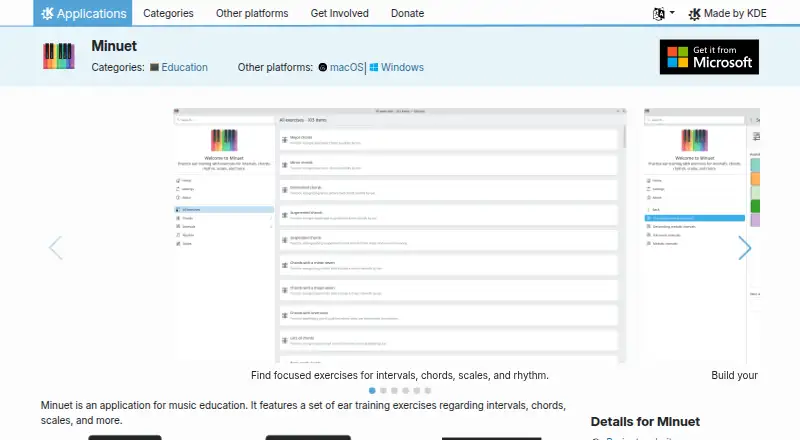
What Minuet is
Minuet is a free music education app for practicing musical listening skills. Its exercises cover intervals, chords, scales, and rhythm patterns, including patterns with rests. For note identification, it provides feedback through a keyboard and staff. Users can sing intervals and scales and receive live feedback on pitch and timing, or clap written rhythms and see where each beat lands. Exercise settings let users adjust tempo, instruments, test length, and microphone feedback. Minuet is available for Linux, macOS, and Windows, and is licensed under GPL-2.0+. Linux installation options include AppStream stores, distribution package managers, and Flathub. KDE offers nightly builds for testing on Flatpak, Windows, and macOS. The Minuet page links to a handbook and community support through the KDE forum, the kde-edu mailing list, and #kde-edu on Libera.chat. KDE's privacy policy says its software generally transfers no information from a device except after an explicit user action; where telemetry is present, it is opt-in and disabled by default.
Who it suits
Minuet suits learners who want to practice intervals, chords, scales, note identification, or rhythm on a desktop computer. It is available on Linux, macOS, and Windows.
What it does well
- Free desktop app under GPL-2.0+.
- Covers intervals, chords, scales, and rhythm.
- Provides live pitch and timing feedback.
- Exercise settings include tempo and instruments.
- Available for Linux, macOS, and Windows.
What to know first
- No mobile apps are listed.
- Nightly builds are offered for testing.
Plans
| Plan | Billed and limits | Price |
|---|---|---|
| Free | Free desktop app; Linux distribution package or Flathub | Free |
As apps.kde.org lists them, read 7 Oct 2026. The maker's own page has the final word.
Getting started
- Visit the Minuet page on KDE’s website.
- On Linux, install through an AppStream store, a distribution package manager, or Flathub.
- On Windows or macOS, use the available desktop build.
- Choose exercise settings such as tempo, instruments, test length, and microphone feedback.
- Use the handbook or KDE community channels for help.
Minuet is a focused music-education app for building practical ear-training skills through interval, chord, scale, note, rhythm, singing and clapping exercises. It suits students, musicians and teachers who want adjustable drills on a computer, particularly learners who value immediate pitch, timing and beat feedback. Its strongest case is breadth in one free package; its main limitation is that the experience is desktop-only, with no mobile app.
Overview
Minuet brings several core ear-training tasks into one application rather than separating them into single-purpose drills. You can work on intervals, chords and scales, identify notes with both keyboard and staff feedback, recognize rhythm patterns that include rests, and practise written rhythms by clapping. That range makes it useful for learners building a general foundation or instructors assembling varied practice sessions.
The feedback is especially practical for active musicians. While you sing intervals and scales, Minuet gives live pitch and timing feedback, so the exercise addresses intonation and rhythmic placement rather than recognition alone. Clapping exercises show where each beat lands, providing a visual check on whether your performance lines up with the written rhythm. These tools are better suited to deliberate practice than to casual, game-like progression.
Key features
Broad ear-training coverage
Interval and chord exercises target harmonic recognition, while scale work and note identification support reading and pitch awareness. Rhythm-pattern drills include rests, an important test of silence as well as sound. Because these areas sit together, a learner can move from identifying material to reproducing it without changing apps.
Performance feedback
Live singing feedback reports pitch and timing during interval and scale exercises. Clapping analysis places each beat visually against the written rhythm. These features make Minuet a stronger choice for singers and rhythm students than an app limited to multiple-choice listening.
Adjustable practice controls
You can change tempo, instruments, test length and microphone feedback. Slower tempos and shorter tests can make early practice manageable; longer tests and different instruments support sustained work once the basics are secure. Microphone-feedback controls also let users tailor how much performance guidance they receive.
Pricing
Minuet is free: the Free plan costs nothing and is a free desktop app distributed through a Linux distribution package or Flathub. There are no paid tiers or subscription terms to weigh, making the complete cost predictable for students, teachers and independent learners.
The trade-off is scope rather than price. Minuet does not offer a mobile app, so practice away from a Linux, macOS or Windows computer is not part of this product. Users seeking phone-based drills or a broader service ecosystem may prefer a freemium alternative.
Platforms
Minuet runs on Linux, macOS and Windows. Linux users can install it through AppStream stores, distribution package managers or Flathub. KDE also provides nightly installers for Flatpak, Windows and macOS for people who want to test development builds, though a stable release is the sensible choice for routine study. The latest listed release is Minuet 26.08.1, dated 2026-09-10.
The software is GPL-2.0+ licensed. KDE’s privacy policy says its software generally does not transfer information from a device except after an explicit user action; where telemetry exists, it is opt-in and disabled by default. Help is available through the handbook, KDE forum, kde-edu mailing list and #kde-edu on Libera.chat.
Who it's for
Choose Minuet if you are learning music theory or musicianship and want interval, chord, scale, note and rhythm practice in one free computer application. Singers benefit from live pitch and timing checks, while rhythm students gain beat-by-beat clapping feedback. Teachers can also use the adjustable tempo, instruments and test length to shape exercises for different ability levels.
Look elsewhere if mobile practice is essential, or if you want a progression system designed around short phone sessions. Minuet’s value is concentrated in configurable desktop exercises rather than portability or a subscription content catalogue.
Pros and cons
- Pro: Covers intervals, chords, scales, note identification and rhythm, reducing the need to switch between specialist tools.
- Pro: Live singing feedback addresses both pitch and timing, giving vocal practice a concrete performance check.
- Pro: Clapping visualisation shows where beats land, making written-rhythm accuracy easier to diagnose.
- Pro: Tempo, instrument, test-length and microphone controls support gradual progression and repeatable practice routines.
- Pro: Free distribution on Linux, macOS and Windows removes subscription cost and supports open-source use under GPL-2.0+.
- Con: No mobile app means practice requires a desktop or laptop.
- Con: Learners seeking a game-style progression path or mobile-first routine may find its exercise-focused format less motivating.
Alternatives
Ear Training Software and Music Learning Apps round up broader choices. Complete Ear Trainer is a better fit for mobile access and structured mode progression: it runs on Android, iOS, macOS, web and Windows, with a free first chapter of each mode and a 6.99 USD one-time full version.
Pick Functional Ear Trainer for a freemium app spanning Android, iOS, macOS and Windows when functional-hearing practice is your priority. Perfect Ear suits users wanting Android, iOS or macOS access with free downloads and small one-time exercise packs such as the 0.99 USD Interval Exercises Pack.
Auris is a web and mobile option with limited free access, while its Yearly plan is €4.99 a month. Coco offers game-based Android, iOS and web practice; its free tier includes early levels and daily workouts with session limits.
Nootka is the closest open-source alternative for Android, Linux, macOS and Windows, and is free. Note Precision: Intervals targets interval work on Android, iOS and macOS with a free Level 1. SightSing is the choice for iOS and web sight-singing, offering free Levels 1–3 and an all-levels plan at $4.99 a month.
Verdict
Minuet is a strong recommendation for learners and teachers who want broad, adjustable ear-training exercises with meaningful singing and rhythm feedback at no cost. Choose it when a desktop workflow is acceptable and open-source licensing matters. Look elsewhere when mobile access, gamified progression or a dedicated subscription curriculum is more important than an all-in-one desktop practice tool.
Verdict
Minuet brings several ear-training activities together, including singing and clapping feedback. Its listed availability is limited to desktop platforms.
Questions
Is Minuet free?
Yes. Its listed plan is Free.
Which platforms does Minuet support?
Minuet is available for Linux, macOS, and Windows.
Does Minuet have a mobile app?
No. Mobile apps are not available.
What can I practice with Minuet?
Exercises cover intervals, chords, scales, and rhythm patterns, including rests. It also supports note identification, singing intervals and scales, and clapping written rhythms.
What license does Minuet use?
Minuet is listed under the GPL-2.0+ license.
How can Linux users install Minuet?
Linux installation options include AppStream stores, distribution package managers, and Flathub.
Facts from Minuet's own pages
- Clapping feedback
- Users can clap written rhythms and see where each beat lands. · apps.kde.org, 7 Oct 2026
- Development builds
- KDE offers nightly Minuet installers for testing, including Flatpak, Windows, and macOS builds. · apps.kde.org, 7 Oct 2026
- Exercise settings
- Users can adjust tempo, instruments, test length, and microphone feedback. · apps.kde.org, 7 Oct 2026
- Help and support
- The Minuet page links to its handbook, KDE forum, kde-edu mailing list, and #kde-edu on Libera.chat for help. · apps.kde.org, 7 Oct 2026
- Latest listed release
- The page lists Minuet 26.08.1, dated 2026-09-10, as a release. · apps.kde.org, 7 Oct 2026
- License
- Minuet is listed under the GPL-2.0+ license. · apps.kde.org, 7 Oct 2026
- Note identification
- Users can identify notes with keyboard and staff feedback. · apps.kde.org, 7 Oct 2026
- Privacy
- KDE's software privacy policy says KDE software generally does not transfer information from user devices except following an explicit user action, and any telemetry is opt-in and disabled by default where present. · kde.org, 7 Oct 2026
- Purpose
- Minuet is a music education application with ear training exercises for intervals, chords, scales, and more. · apps.kde.org, 7 Oct 2026
- Rhythm exercises
- Minuet includes exercises for recognizing rhythm patterns, including rests. · apps.kde.org, 7 Oct 2026
- Singing feedback
- Minuet provides live pitch and timing feedback while users sing intervals and scales. · apps.kde.org, 7 Oct 2026
- Supported platforms
- The KDE page lists Linux, Windows, and macOS availability; it offers Linux installation through AppStream stores, distribution package managers, and Flathub. · apps.kde.org, 7 Oct 2026
Where Minuet stands on Freedom251
- Music Learning Apps#14 of 40
- Ear Training Software#9 of 23