Freedom251 › Minecraft Schematic Tools
Minecraft Structure Forge
What Minecraft Structure Forge is
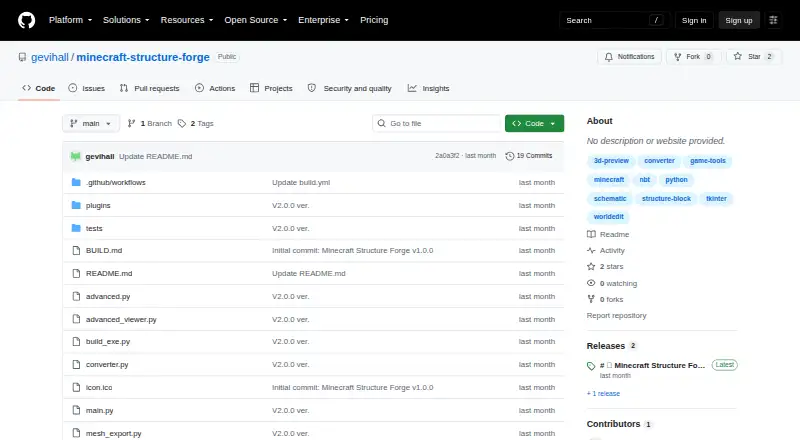
Minecraft Structure Forge is a free Windows desktop utility for converting Minecraft structure files, especially .schematic input, into vanilla .nbt structure block files. Its one-click workflow accepts drag-and-drop files and provides a 3D preview that can be rotated, zoomed, and panned. Before export, users can replace one block type with another using autocomplete and rotate builds by 90, 180, or 270 degrees. Russian and English are listed as language options. The v2.0.0 alpha release adds .litematic loading and preview, multi-region browsing, individual-region export, block statistics, Y-level filtering, block search and highlighting, texture rendering, automatic texture loading from a textures folder, and dynamic lighting. It is described as optimized for large schematics and files of 500k+ blocks. The maker labels that release as still in development, so bugs or missing features may occur. A portable Windows executable runs without installation. Developers can instead install requirements.txt and run python main.py. The project uses the MIT License and lists Telegram and GitHub for support.
Who it suits
The tool suits Minecraft builders, server administrators, and mapmakers who need to preview, edit, and export structure files without conversion scripts. It is intended for Windows desktop use and supports several Minecraft-related formats.
What it does well
- One-click .schematic to .nbt conversion
- Rotatable, zoomable 3D preview
- Block replacement with autocomplete
- Supports multiple structure file formats
- Portable Windows executable needs no installation
What to know first
- v2.0.0 alpha may contain bugs
- Windows is the listed platform
- World import is not supported
- Alpha features remain in development
Verdict
Minecraft Structure Forge focuses on previewing, editing, and exporting Minecraft structures through a portable Windows tool. Its broad format and preview support is balanced by the alpha release status and lack of world import.
Facts from Minecraft Structure Forge's own pages
- 3D preview
- Users can rotate, zoom, and pan a build before conversion. · github.com, 3 Oct 2026
- Additional tools
- The v2.0.0 alpha release adds block statistics, Y-level layer filtering, and block search and highlighting. · github.com, 3 Oct 2026
- Advanced tools
- The v2.0.0 alpha release lists block statistics, Y-level layer filters, and search and highlight. · github.com, 4 Oct 2026
- Audience
- The maker says it is for builders, server admins, and mapmakers. · github.com, 4 Oct 2026
- Block editing
- Users can replace one block type with another, with autocomplete. · github.com, 4 Oct 2026
- Capacity
- The v2.0.0 alpha release says it is optimized for large schematics and supports files up to 500k+ blocks. · github.com, 4 Oct 2026
- Conversion
- The README describes one-click .schematic to .nbt conversion. · github.com, 3 Oct 2026
- Download
- The README recommends a portable Windows .exe that needs no installation; the release page links the executable and source archives. · github.com, 4 Oct 2026
- Editing
- The app supports replacing one block type with another, with autocomplete, and rotating builds by 90°, 180°, or 270°. · github.com, 3 Oct 2026
- Intended users
- The maker says it is built for builders, server admins, and mapmakers who want to share or import builds without conversion scripts. · github.com, 3 Oct 2026
- Languages
- The README lists Russian and English language options. · github.com, 3 Oct 2026
- License
- The project is licensed under the MIT License. · github.com, 3 Oct 2026
- License and contribution
- The project says it uses the MIT License and welcomes issues and pull requests. · github.com, 4 Oct 2026
- Litematica
- The v2.0.0 alpha release supports loading and previewing .litematic files, browsing multiple regions, and extracting regions as .schematic or .nbt. · github.com, 4 Oct 2026
- Other controls
- The README lists 90°, 180°, and 270° rotation and Russian and English language options. · github.com, 4 Oct 2026
- Preview and input
- The app supports drag and drop and a 3D preview that can be rotated, zoomed, and panned. · github.com, 4 Oct 2026
- Purpose
- Converts Minecraft .schematic files into vanilla .nbt structure block files. · github.com, 4 Oct 2026
- Release status
- The latest listed release is labeled alpha and says it is still in development, with possible bugs or missing features. · github.com, 4 Oct 2026
- Rendering
- The v2.0.0 alpha release describes Minecraft texture rendering, automatic texture loading from a textures folder, and dynamic lighting. · github.com, 4 Oct 2026
- Source use
- The README says developers can install requirements.txt and run the app with python main.py. · github.com, 3 Oct 2026
- Support
- The README lists Telegram and GitHub contact links and invites users to support the project through Buy Me a Coffee. · github.com, 4 Oct 2026
- Textures
- The v2.0.0 alpha release describes Minecraft texture rendering, automatic texture loading from a textures folder, and dynamic lighting. · github.com, 3 Oct 2026
Where Minecraft Structure Forge stands on Freedom251
- Minecraft Schematic Tools#25 of 42