Freedom251 › Minecraft Character Customizers
Minecraft Skin Randomizer
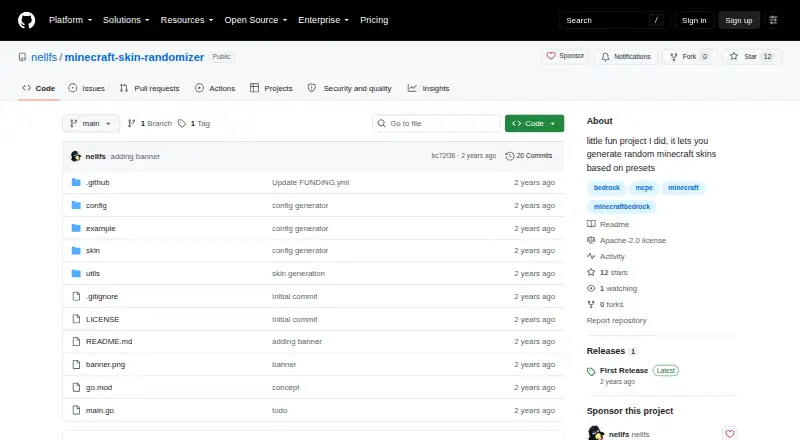
What Minecraft Skin Randomizer is
Minecraft Skin Randomizer is a free Linux program that builds Minecraft skins by combining parts stored in folders. The maker designed it with Minecraft Bedrock in mind and says it also works with Java skins. It can draw from base, head, body, left and right arm, and left and right leg components; adding more parts creates more possible combinations. Each component can be customized by placing it in the corresponding folder. The project includes an example JSON configuration for the base, head, body, arms, and legs. Running the program requires supplying a configuration file with the `--config` flag. The `edit_skin` setting determines the path used for the generated skin, and the listed export format is PNG. For Bedrock, the described process is to select a custom skin in the game and replace its local skin file with the generated one. The project is available for Linux and self-hosted use, and its repository lists an Apache-2.0 license. The maker describes it as a small project for generating random skins from presets. The source code lists making the first release as a TODO.
Who it suits
Minecraft players who want to create random skins from their own component parts may find it useful, particularly those using Bedrock or Java skins. It also suits people comfortable providing a configuration file and managing local skin files.
What it does well
- Works with Bedrock and Java skins.
- Users can customize each skin component.
- More source parts create more possible combinations.
- Generated skins are listed as PNG.
- Repository lists an Apache-2.0 license.
What to know first
- Running it requires a configuration file.
- Bedrock use involves replacing a local skin file.
- Making the first release is listed as a TODO.
Plans
| Plan | Billed and limits | Price |
|---|---|---|
| Free | No listed usage limits | Free |
As github.com lists them, read 8 Oct 2026. The maker's own page has the final word.
Getting started
- Open the project repository at https://github.com/nellfs/minecraft-skin-randomizer.
- Prepare source parts in the folders for their component categories.
- Use the example JSON configuration as a starting point and set the source folder and output path.
- Run the program with a configuration file specified through `--config`.
- For Bedrock, select a custom skin in the game and replace its local skin file with the generated skin.
Minecraft Skin Randomizer combines custom skin components from a folder into PNG skins, with Minecraft Bedrock players as its primary audience and Java skins supported too. It suits players who want to build a pool of mix-and-match parts and generate variations locally; those seeking a graphical editor should look elsewhere.
Overview
This is a small, preset-based project rather than a full skin-design suite. You supply the parts, organize them in folders, and the program assembles combinations. That makes it useful for generating variety from components you already have, but it does not replace the work of creating or sourcing those components.
Setup involves a configuration file passed with the --config flag. An example JSON configuration covers the base, head, body, arms, and legs, while the edit_skin setting determines where the generated skin is written. The maker describes the first release as a TODO, so users should expect a project whose release status is unfinished.
Key features
- Folder-based parts: Place components in their corresponding folders to customize the combinations. More source parts mean more possible combinations, which benefits users assembling a broad component library.
- Separate limb components: The component categories include base, head, body, left and right arms, and left and right legs. This supports more varied combinations than treating the whole body as a single piece.
- PNG output: Generated skins are saved to the configured output path as PNG files.
- Bedrock and Java: The creator designed the program with Bedrock in mind and says it also works with Java skins. The described Bedrock workflow involves selecting a custom skin in the game and replacing its local skin file with the generated one.
The workflow is deliberately local: the README describes using Minecraft skin files, not external service integrations. The project lists an Apache-2.0 license. It makes no security or compliance claims and describes no support channel or terms.
Pricing
The Free plan costs nothing, with no listed usage limits. There is no free trial because the software is free. This suits players who can manage the configuration and local file workflow without paid support or a guided editing experience; there is no cheaper tier that gives up features.
Platforms
Minecraft Skin Randomizer is listed for Linux and self-hosted use. It outputs PNG skins and supports both Minecraft editions, though the creator's intended workflow centers on Bedrock. Players looking for a browser or mobile app should choose a different tool.
Who it's for
Choose it if you want to generate Minecraft skin variations from your own organized parts, especially for a local Bedrock workflow, and are comfortable configuring a program. It is a weaker fit if you want to draw skins in an editor, generate them from text or AI, or avoid managing files and paths.
Pros and cons
- Pro: Independent body and limb folders allow component-level variation rather than requiring a complete skin for every look.
- Pro: Free use with no listed usage limits makes it practical for generating combinations from a growing parts collection.
- Con: Configuration through a JSON file and the --config flag adds setup work for users who expect a point-and-click tool.
- Con: The source code marks the first release as unfinished, which may deter players who want a project with a completed release.
Alternatives
For a broader set of options, browse Minecraft Character Customizers.
- Minecraft Launcher is also free to download and runs on Android, iOS, Linux, macOS, and Windows. Pick it for launcher access rather than component-based skin generation; access to games requires ownership or a time-limited demo.
- NeedCoolerShoes is a free option for Android, iOS, and web. Choose it if you prefer those platforms to a Linux, self-hosted workflow.
- MC Skin Creator offers a free browser-based maker with AI skin generation, 2D and 3D previews, and 64x64 PNG downloads without an account. Choose it for visual editing and previews instead of folder-based combinations.
- Minecraft Skin Generator offers five free generations; its one-time Hobbyist plan costs $2.49, paid once and adds 50 generations at $0.05 per generation. Choose it if you want a generation quota rather than assembling local component folders.
- Monster MCPE Skin Editor is a free online editor with no installation or account needed. Pick it when you want an online editing workflow.
- Skin Maker is an Android app where creating, saving, exporting, and sharing skins are free, with ads; AI generation and premium packs use credits. Choose it if you want a mobile workflow or those credit-based extras.
- SkinForge Minecraft Skin Studio offers a free web editor with a full pixel editor, 3D preview, and PNG export, plus a one-time Starter plan at $0.99, paid once. Choose it for browser-based pixel editing and previews.
- SkinForge: AI Skin Maker is an iOS option with one free first skin and token-based paid plans. Choose it if you want an iOS AI skin-maker instead of local part combinations.
Verdict
Minecraft Skin Randomizer is a sensible free choice for Linux users who want to build many Bedrock- or Java-compatible skin variations from their own component library. Its appeal is unlimited, folder-based combination; its main drawback is the configuration and local-file workflow, compounded by an unfinished first release. Choose it for customization by recombination, not for a polished editor or guided skin creation.
Verdict
Minecraft Skin Randomizer offers a folder-based way to combine custom skin parts into PNG output. Expect a configuration step, and note that the source code lists its first release as unfinished.
Questions
How much does Minecraft Skin Randomizer cost?
The Free plan costs nothing.
Which Minecraft editions does it support?
The creator designed it with Bedrock in mind and says it also works with Java skins.
What file format does it export?
PNG.
What platforms are listed?
Linux and self-hosted.
Is the project open source?
The repository lists an Apache-2.0 license.
How do I run it?
Provide a configuration file with the `--config` flag. The example configuration includes settings for source parts and the output path.
Facts from Minecraft Skin Randomizer's own pages
- Bedrock workflow
- The described Bedrock workflow selects a custom skin in the game and replaces its local skin file with the generated skin. · github.com, 8 Oct 2026
- Combination count
- The README says using more skins provides more possible combinations. · github.com, 8 Oct 2026
- Configuration
- Running the program requires a configuration file specified with the `--config` flag. · github.com, 8 Oct 2026
- Customization
- Users can customize every skin part by placing it in its corresponding folder. · github.com, 8 Oct 2026
- Example configuration
- The repository includes an example JSON configuration with settings for the base, head, body, arms, and legs. · github.com, 8 Oct 2026
- Game support
- The creator designed the software with Minecraft Bedrock in mind and says it also works for Java skins. · github.com, 8 Oct 2026
- Generation method
- It generates a skin from combinations of parts stored in a folder, with more parts yielding more combinations. · github.com, 8 Oct 2026
- Integrations
- The README describes local Minecraft skin-file use and does not list external service integrations. · github.com, 8 Oct 2026
- License
- The repository lists an Apache-2.0 license. · github.com, 8 Oct 2026
- Output
- The example configuration includes an edit_skin path for the generated skin and a randomizer_folder path for source parts. · github.com, 8 Oct 2026
- Output location
- The `edit_skin` setting specifies where the generated skin is written. · github.com, 8 Oct 2026
- Presets
- The project describes generating random Minecraft skins based on presets. · github.com, 8 Oct 2026
- Project description
- The maker describes it as a little fun project for generating random Minecraft skins based on presets. · github.com, 8 Oct 2026
- Purpose
- The program mixes and matches different skin parts to create a new random Minecraft skin. · github.com, 8 Oct 2026
- Release status
- The source code lists making the first release as a TODO. · github.com, 8 Oct 2026
- Security
- The repository page does not provide security or compliance claims. · github.com, 8 Oct 2026
- Support
- The repository page does not describe a support channel or support terms. · github.com, 8 Oct 2026
- Target game
- The maker says it was created with Minecraft Bedrock in mind and also works for Java skins. · github.com, 8 Oct 2026
- Who it is for
- The creator calls it a little fun project for generating random Minecraft skins from presets. · github.com, 8 Oct 2026
Where Minecraft Skin Randomizer stands on Freedom251
- Minecraft Character Customizers#12 of 24