Freedom251 › Minecraft Character Customizers
SkinForge Minecraft Skin Studio
What SkinForge Minecraft Skin Studio is
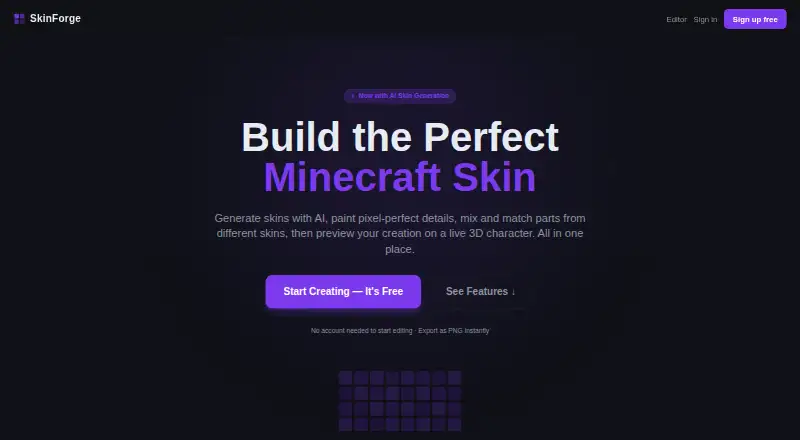
SkinForge Minecraft Skin Studio is a web-based editor for making Minecraft skins, from AI generation through pixel editing and PNG export. Describe a design to generate a complete skin, or work with the editor’s pencil, eraser, fill bucket, colour picker, layers, undo, and redo. A live rotating 3D character preview includes walking and running poses; you can also paint on the character and turn it to reach different sides. To revise an existing skin, upload it and describe a restyle; AI remix changes its look while retaining its UV layout. You can assemble a design from parts of different skins, then save work to a cloud library to browse or share with the community. Finished skins download as 64×64 PNG files for Minecraft. Editing and exporting are available without an account, and new accounts receive three AI credits without a card. The editor is always free. One-time options are 0.99 USD, 3.99 USD, and 9.99 USD; higher plans add more AI credits, remix, or priority support. SkinForge says it is not affiliated with Mojang.
Who it suits
It suits Minecraft players who want to design or revise skins in a browser, with both pixel tools and AI generation. It also fits users who want to mix skin parts or preview a design on a 3D character before exporting.
What it does well
- Edit without an account and export a PNG instantly.
- Generate skins from descriptions using AI.
- Paint on a rotating 3D character.
- Save, browse, and share skins through a cloud library.
What to know first
- Free access includes three AI credits for new accounts.
- AI remix starts with the 3.99 USD one-time Creator plan.
- Priority support is listed only on the 9.99 USD one-time Pro plan.
Limits
The Free editor includes the pixel editor, 3D preview, and PNG export, but no AI credits are included in its listed plan. Starter costs $0.99, paid once and includes 10 AI credits; Creator costs $3.99, paid once and includes 50, while Pro costs $9.99, paid once and includes 200. AI remix is included in Creator and Pro, and priority support is included in Pro.
Plans
| Plan | Billed and limits | Price |
|---|---|---|
| Free editor | Full pixel editor · 3D preview · PNG export | Free |
| Starter | 10 AI credits · 10 AI generations · Full pixel editor · 3D preview · PNG export | $0.99, paid once |
| Creator | 50 AI credits · 50 AI generations · Full pixel editor · 3D preview · PNG export · AI remix | $3.99, paid once |
| Pro | 200 AI credits · 200 AI generations · Full pixel editor · 3D preview · PNG export · AI remix · Priority support | $9.99, paid once |
As skinforge.com.au lists them, read 30 Sept 2026. The maker's own page has the final word.
Getting started
- Open https://www.skinforge.com.au/ in a browser.
- Start editing without an account, or create an account for 3 free AI credits.
- Use the pixel editor, describe a skin for AI generation, or upload a skin for remix.
- Preview or paint on the 3D character and adjust its view.
- Download the finished skin as a 64×64 PNG.
- Choose a one time paid plan if you need additional AI credits or plan specific features.
Verdict
SkinForge combines conventional pixel editing with AI generation, remixing, 3D painting, and preview. The editor is free; paid one-time plans add AI credits and, at higher levels, remix or priority support.
Questions
What does SkinForge cost?
The Free editor costs nothing. Starter is $0.99, paid once, Creator is $3.99, paid once, and Pro is $9.99, paid once.
Can I edit skins for free?
Yes. The editor is always free, and editing and PNG export can start without an account.
How many free AI credits do new accounts get?
New accounts receive 3 free AI credits without a card.
Which platforms does SkinForge support?
SkinForge is web based.
What can I export?
Finished skins download as 64×64 PNG files.
Which plans include AI remix?
Creator and Pro include AI remix. Starter and the Free editor do not list it.
Facts from SkinForge Minecraft Skin Studio's own pages
- 3D painting
- Users can paint directly on the 3D character and rotate it to reach the back, sides, and top. · skinforge.com.au, 30 Sept 2026
- 3D preview
- Users can preview a skin on a rotating 3D Minecraft character in real time, including walking and running poses. · skinforge.com.au, 30 Sept 2026
- AI generation
- Users can describe a skin and have AI generate a complete Minecraft skin. · skinforge.com.au, 30 Sept 2026
- AI remix
- Users can upload an existing skin and describe a restyle; the AI keeps its UV layout while transforming its look. · skinforge.com.au, 30 Sept 2026
- Cloud library
- The skin library lets users save skins to the cloud, browse their collection, and share skins with the community. · skinforge.com.au, 30 Sept 2026
- Free access
- The editor is always free, and new accounts receive 3 free AI credits with no card needed. · skinforge.com.au, 30 Sept 2026
- Minecraft relationship
- The site states SkinForge is not affiliated with Mojang. · skinforge.com.au, 30 Sept 2026
- Mix and match
- Users can combine body parts from different skins, such as taking a head from one skin and a torso from another. · skinforge.com.au, 30 Sept 2026
- No-account editing
- The site says users can start editing without an account and export a PNG instantly. · skinforge.com.au, 30 Sept 2026
- Pixel editor
- The pixel editor includes pencil, eraser, fill bucket, colour picker, layers, undo, and redo. · skinforge.com.au, 30 Sept 2026
- Purpose
- SkinForge is a Minecraft skin studio for generating, editing, previewing, and exporting Minecraft skins. · skinforge.com.au, 30 Sept 2026
- Skin export
- Finished skins can be downloaded as 64×64 PNG files for uploading to Minecraft. · skinforge.com.au, 30 Sept 2026
Where SkinForge Minecraft Skin Studio stands on Freedom251
- Minecraft Character Customizers#18 of 24