Freedom251 › AI Mind Map Tools
MindToMap
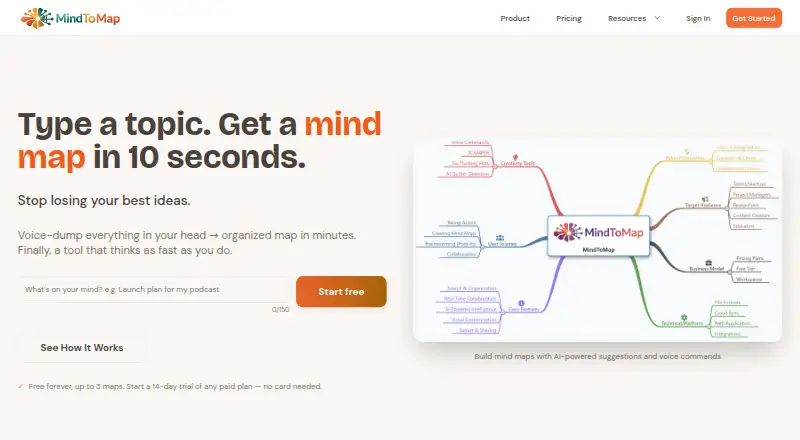
What MindToMap is
MindToMap turns topics and unstructured thoughts into mind maps, with AI tools to help develop and arrange ideas. Its AI can suggest topics, identify connections, challenge assumptions, and organize material into hierarchies. Users can also give voice commands to create and navigate map nodes, turn Post-it notes into maps, and convert nodes into tasks on an Action Board. Multiple users can edit a map at the same time, with live presence indicators and synchronization across devices. MindToMap works in a browser on desktop and mobile, and is available on Android and iOS. Users can export maps as PNG, PDF, JSON, Word, or PowerPoint files, and import FreeMind maps. The free plan allows up to three maps; deleting an old map makes room for another. Paid plans start at $3/mo, and a 14-day trial is available. Workspaces and maps are private by default, and support staff access content only with permission. The maker says traffic is encrypted with HTTPS/TLS and stored data uses Azure encryption for SQL Database and Blob Storage. Content sent to AI providers to produce requested responses is not used to train or fine-tune AI models, according to the maker.
Who it suits
MindToMap is designed for students, founders, researchers, and people who think quickly and non-linearly. It also suits groups that want to develop maps together and turn map ideas into tasks.
What it does well
- AI suggests topics, connections, and idea hierarchies.
- Voice commands create and navigate map nodes.
- Multiple users can edit maps simultaneously.
- Exports include PNG, PDF, JSON, Word, and PowerPoint.
- FreeMind maps can be imported.
What to know first
- The free plan is limited to three maps.
- Paid plans start at $3/mo.
Limits
The free plan allows up to three maps. Deleting an old map makes room for another.
Plans
| Plan | Billed and limits | Price |
|---|---|---|
| Free | Up to 3 maps | Free |
| Paid plan | Paid plans; page does not expose further plan details | $3 a month |
As mindtomap.com lists them, read 8 Oct 2026. The maker's own page has the final word.
Getting started
- Open the MindToMap website in a browser, or use Android or iOS.
- Start with the free plan or use the 14-day trial.
- Create a map from a topic, unstructured thoughts, or Post-it notes.
- Use AI suggestions or voice commands to develop and navigate map nodes.
- Invite collaborators to edit a map, or turn nodes into Action Board tasks.
Verdict
Choose MindToMap if you want AI-assisted mind maps, voice input, or simultaneous collaboration in a browser or mobile app. The free plan is capped at three maps; paid plans start at $3/mo, with a 14-day trial available.
Questions
How much does MindToMap cost?
A free plan is available, and paid plans start at $3/mo. A 14-day trial is also available.
What is the free plan limit?
The free plan allows up to three maps. Users can delete an old map to make room for another.
Which platforms can I use?
MindToMap works in a browser on desktop and mobile, and is available on Android and iOS.
Can people collaborate on a map?
Yes. Multiple users can edit maps simultaneously, with live presence indicators and synchronization across devices.
What can I import and export?
FreeMind maps can be imported. Exports include PNG, PDF, JSON, Word, and PowerPoint; the listed export formats also include FreeMind and MindMeister.
How does MindToMap handle AI content and privacy?
Workspaces and maps are private by default, and support staff access content only with permission. The maker says content sent to AI providers for requested responses is not used to train or fine-tune AI models.
Facts from MindToMap's own pages
- AI data use
- The maker says user content is sent to AI providers to generate requested responses and is not used to train or fine-tune AI models. · mindtomap.com, 8 Oct 2026
- AI features
- Its AI can suggest topics, identify connections, challenge assumptions, and organize ideas into hierarchies. · mindtomap.com, 8 Oct 2026
- Brainstorming and tasks
- Users can turn Post-it notes into mind maps and convert map nodes into tasks on an Action Board. · mindtomap.com, 8 Oct 2026
- Collaboration
- Multiple users can edit maps simultaneously, with live presence indicators and synchronization across devices. · mindtomap.com, 8 Oct 2026
- Export and import
- Mind maps can be exported as PNG, PDF, JSON, Word, or PowerPoint, and FreeMind maps can be imported. · mindtomap.com, 8 Oct 2026
- Free plan limit
- The free plan allows up to three maps; users can delete an old map to make room for another. · mindtomap.com, 8 Oct 2026
- Hosting and providers
- The service runs on Microsoft Azure and names OpenAI, Stripe, and Microsoft Azure as subprocessors. · mindtomap.com, 8 Oct 2026
- Intended users
- The maker describes the product as designed for students, founders, researchers, and fast, non-linear thinkers. · mindtomap.com, 8 Oct 2026
- Mobile access
- MindToMap works in a browser on desktop and mobile. · mindtomap.com, 8 Oct 2026
- Privacy
- Workspaces and maps are private by default, and support staff access content only with the user's permission. · mindtomap.com, 8 Oct 2026
- Security
- MindToMap says traffic is encrypted with HTTPS/TLS and stored data is encrypted using Azure encryption for SQL Database and Blob Storage. · mindtomap.com, 8 Oct 2026
- Support
- The maker provides help articles, video tutorials, and email support at [email protected]. · mindtomap.com, 8 Oct 2026
- Voice input
- The product supports voice commands for creating and navigating map nodes. · mindtomap.com, 8 Oct 2026
- What it does
- MindToMap turns topics and unstructured thoughts into structured mind maps, with AI assistance. · mindtomap.com, 8 Oct 2026
Where MindToMap stands on Freedom251
- AI Mind Map Tools#17 of 29