Microsoft Sticky Notes
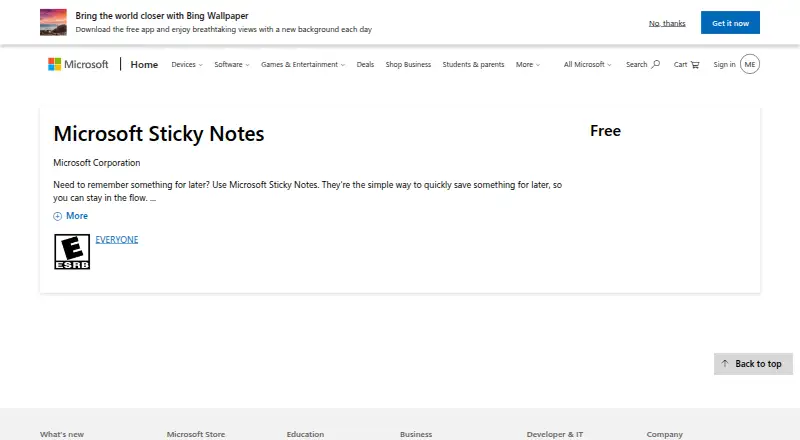
What Microsoft Sticky Notes is
Microsoft Sticky Notes is a free note app for quickly saving information for later. You can create notes by typing, writing with ink, or adding pictures, then apply text formatting and search saved notes. Notes may be shared and synchronized across supported devices and Microsoft apps. The listed platforms are Windows, web, iOS, and Android, with integrations for OneNote, Microsoft Launcher, and Outlook. On Windows, notes can stay on the desktop, be moved, or be closed back into the Notes list. Synced notes are available through OneNote.com, Outlook.com, and Outlook on the web, and appear in OneNote for iPhone, iPad, and Android. Microsoft Launcher for Android can display them too. Sync requires the same Microsoft account on each device; work or school accounts need an Exchange Online mailbox. Sticky Notes use that mailbox quota, and on-premises Exchange mailboxes cannot sync. The Windows app cannot keep notes above other applications or change font and text size internally. Deleting a note is permanent. The Free plan costs nothing.
Who it suits
It suits people who want quick typed, handwritten, or picture notes across Windows, mobile devices, and the web. It is also useful when OneNote, Outlook, or Microsoft Launcher are part of your workflow.
What it does well
- Free plan with no trial expiration
- Typed, ink, and picture notes
- Sync across listed devices and apps
- Search, formatting, and note sharing
- OneNote, Outlook, and Launcher integrations
What to know first
- Sync requires a Microsoft account
- Mailbox quota is used for sync and storage
- On-premises Exchange syncing is unsupported
- Deleted notes cannot be restored
Plans
| Plan | Billed and limits | Price |
|---|---|---|
| Free | Create typed, handwritten, and picture notes · Sync notes across supported devices and apps · Search and format notes | Free |
| Microsoft Sticky Notes | Free; sync and storage use the account’s mailbox quota | Free |
As microsoft.com lists them, read 21 Sept 2026. The maker's own page has the final word.
Verdict
Microsoft Sticky Notes covers quick note capture with broad Microsoft app and device access at no cost. Check the account, mailbox, and Windows limitations before relying on it for synchronized notes.
Facts from Microsoft Sticky Notes's own pages
- Account requirement
- To sync notes across devices, sign in with the same Microsoft account; work or school accounts require an Exchange Online mailbox for sync and storage. · support.microsoft.com, 12 Oct 2026
- Create notes
- Users can type, ink, or add a picture to a note. · microsoft.com, 12 Oct 2026
- Deletion
- Deleting a note is permanent and cannot be undone. · support.microsoft.com, 12 Oct 2026
- Desktop notes
- On Windows, users can stick notes to the desktop, move them around, or close them to the Notes list. · microsoft.com, 12 Oct 2026
- Exchange limitation
- Sticky Notes does not support on-premises Microsoft Exchange mailboxes for syncing. · support.microsoft.com, 12 Oct 2026
- Formatting
- Notes support text formatting. · microsoft.com, 12 Oct 2026
- Free plan
- Yes · microsoft.com, 21 Sept 2026
- Integrations
- OneNote,Microsoft Launcher,Outlook · microsoft.com, 21 Sept 2026
- Mailbox limit
- Sticky Notes count against the mailbox quota for email, calendar items, attachments, and other mailbox items. · support.microsoft.com, 12 Oct 2026
- Mobile access
- Sticky Notes appear in OneNote for iPhone, iPad, and Android; Microsoft Launcher for Android can also show them. · support.microsoft.com, 12 Oct 2026
- Note sharing
- Yes · microsoft.com, 21 Sept 2026
- Supported platforms
- web,windows,ios,android · microsoft.com, 21 Sept 2026
- Purpose
- Microsoft describes Sticky Notes as a way to quickly save something for later. · microsoft.com, 12 Oct 2026
- Security and privacy
- Microsoft’s privacy statement says it uses security technologies and procedures to help protect personal data, including encryption when transmitting highly confidential data over the internet. · microsoft.com, 12 Oct 2026
- Support
- Microsoft provides Sticky Notes help topics covering setup, creating and deleting notes, cross-device access, accessibility, and troubleshooting. · support.microsoft.com, 12 Oct 2026
- Sync
- Notes sync across devices and apps, including OneNote Mobile, Microsoft Launcher for Android, and Outlook for Windows. · microsoft.com, 12 Oct 2026
- Web access
- Synced sticky notes can be viewed on the web at OneNote.com or in Outlook.com and Outlook on the web. · support.microsoft.com, 12 Oct 2026
- Windows limitations
- The Windows app does not currently keep notes on top of other applications or let users change note font or text size from within the app. · support.microsoft.com, 12 Oct 2026
Where Microsoft Sticky Notes stands on Freedom251
- Note-taking apps#91 of 216