Zim
What Zim is
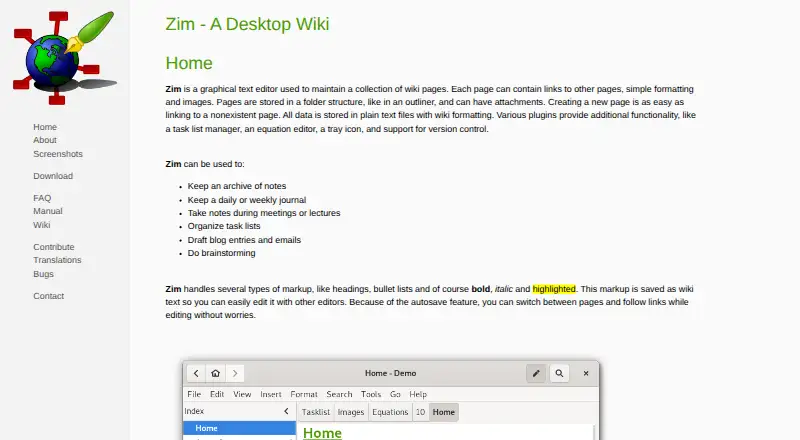
Zim is a desktop text editor for keeping a collection of connected wiki pages. It works offline on Linux, macOS, and Windows, and saves pages automatically as plain text files with wiki formatting. Images are kept in separate files linked from pages. You can arrange pages in a hierarchy; backlinks show which other pages refer to a page. Zim also reopens at the point where you last closed it.
The project describes Zim for personal notes, TODO lists, journals, meeting notes, brainstorming, and longer drafts. Included plugins provide spell checking, an equation editor, a task list, a tray icon, full-text search, and version-control support. Notebooks can be exported to HTML, LaTeX, Markdown, and reStructuredText. Zim integrates with Git, Mercurial, and Bazaar. It is free and open-source software, priced at $0. The listed Windows installer is for 64-bit Windows 11; the listed macOS app supports Big Sur through Sequoia. Zim is intended for one user, and notebooks do not have built-in encryption or password protection.
Who it suits
Zim suits individuals who want an offline notebook for notes, journals, task lists, meeting notes, brainstorming, or longer writing. Its linked pages, export formats, and version-control integrations may also suit users who want their notes arranged as a personal wiki.
What it does well
- Works offline on Linux, macOS, and Windows.
- Automatically saves pages and restores the last position.
- Hierarchical pages include backlinks to referring pages.
- Exports notebooks to four formats.
- Includes plugins for spelling, equations, tasks, search, and version control.
- Free and open-source software.
What to know first
- Designed for one user rather than shared notebook editing.
- No built-in encryption or password protection.
- The listed Windows installer supports only 64-bit Windows 11.
- The listed macOS app supports Big Sur through Sequoia.
Limits
Zim has no built-in notebook encryption or password protection, and it is intended for single-user use. The listed Windows installer is for 64-bit Windows 11, while the listed macOS app supports Big Sur through Sequoia.
Plans
| Plan | Billed and limits | Price |
|---|---|---|
| Zim | Completely free software; open source | Free |
As zim-wiki.org lists them, read 9 Oct 2026. The maker's own page has the final word.
Getting started
- Visit https://zim-wiki.org/.
- Choose the available Linux, macOS, or Windows route for your platform.
- Install and open Zim to create and organize a notebook of linked pages.
- Use plugins or export formats as needed.
Verdict
Choose Zim for a free desktop notebook built around linked pages, offline use, and plain-text storage. Look elsewhere if you need shared real-time editing or native notebook encryption and password protection.
Questions
How much does Zim cost?
Zim is free and open-source software. Its listed plan is free.
Does Zim work offline?
Yes. Zim supports offline access.
Which platforms does Zim support?
Zim is listed for Linux, macOS, and Windows. The listed Windows installer supports 64-bit Windows 11, and the listed macOS app supports Big Sur through Sequoia.
Can multiple people share a notebook in Zim?
Zim is a single-user program and is not intended for multiple people sharing one notebook. Users can work with version control such as Git or Mercurial.
Does Zim encrypt notebooks?
Zim notebooks do not natively support encryption or password protection. The FAQ suggests using an external encryption tool such as encfs.
What integrations does Zim list?
Zim lists Git, Mercurial, and Bazaar.
Facts from Zim's own pages
- Autosave
- Pages are saved automatically, and Zim reopens at the place where it was closed. · zim-wiki.org, 9 Oct 2026
- Collaboration
- Zim is described as a single-user program not intended for multiple people sharing one notebook, though users can work with version control such as Git or Mercurial. · zim-wiki.org, 9 Oct 2026
- Dependencies
- Some plugins have external dependencies that are not required for Zim's core functionality. · zim-wiki.org, 9 Oct 2026
- Export
- Zim supports exporting to HTML, LaTeX, Markdown, and reStructuredText formats. · zim-wiki.org, 9 Oct 2026
- Free plan
- Yes · zim-wiki.org, 20 Sept 2026
- Integrations
- Git,Mercurial,Bazaar · zim-wiki.org, 20 Sept 2026
- macOS support
- The listed macOS app supports macOS Big Sur through macOS Sequoia. · zim-wiki.org, 9 Oct 2026
- Note sharing
- No · zim-wiki.org, 20 Sept 2026
- Offline access
- Yes · zim-wiki.org, 20 Sept 2026
- Organization
- Pages can be organized hierarchically and linked pages show backlinks to pages that refer to them. · zim-wiki.org, 9 Oct 2026
- Platforms
- The download page lists Windows and macOS installers and packages for multiple Linux distributions and BSD flavors. · zim-wiki.org, 9 Oct 2026
- Plugins
- Included plugins include spell checking, an equation editor, a task list, a tray icon, full text search, and version control support. · zim-wiki.org, 9 Oct 2026
- Product
- Zim is a graphical text editor for maintaining a collection of linked wiki pages on a desktop. · zim-wiki.org, 9 Oct 2026
- Real-time collaboration
- No · zim-wiki.org, 20 Sept 2026
- Security
- Zim notebooks do not natively support encryption or password protection; the FAQ suggests using an external encryption tool such as encfs. · zim-wiki.org, 9 Oct 2026
- Storage
- Pages are saved as plain text files with wiki formatting, and images are stored as linked image files. · zim-wiki.org, 9 Oct 2026
- Support
- The project directs bug reports to its GitHub issue tracker and lists an IRC channel, public wiki, and mailing list as community resources. · zim-wiki.org, 9 Oct 2026
- Use cases
- The project describes Zim for personal notes, TODO lists, journals, meeting notes, brainstorming, and drafting longer documents. · zim-wiki.org, 9 Oct 2026
- Windows support
- The listed Windows installer is built and tested on 64-bit Windows 11; older versions and 32-bit systems are not supported by that installer. · zim-wiki.org, 9 Oct 2026
Where Zim stands on Freedom251
- Note-taking apps#88 of 216
- Personal Knowledge Management Software#26 of 32
- Wiki Software#27 of 33