Freedom251 › Business Intelligence Tools
Microsoft Power BI
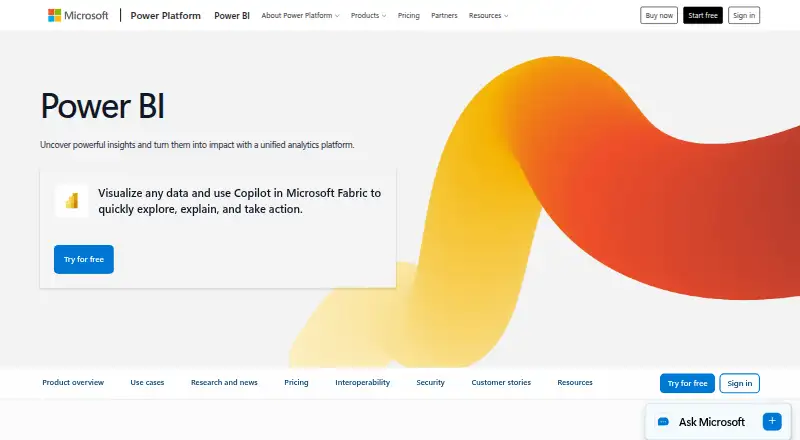
What Microsoft Power BI is
Microsoft Power BI is a business intelligence tool for exploring data and creating interactive reports and dashboards. A free account supports reports and dashboards for personal use, and Power BI Desktop is a free download for data exploration and report authoring. Sharing reports requires Pro or Premium. Native mobile apps are available for Windows, iOS and Android, and Power BI integrates with Microsoft 365, Azure, Purview, Dynamics 365 and Power Platform. Users can ask data questions in natural language, with Copilot generating visuals and reports. Insights can be shared through Microsoft Teams, PowerPoint, SharePoint and other apps; developers can embed interactive reports in their own applications. Pro costs $14 a month when paid yearly, and Premium Per User costs $24 a month when paid yearly. Power BI Embedded is listed at as little as $1 per hour; some plans have no listed price. The free account does not require a credit card.
Who it suits
Power BI suits people who need to explore data and create reports or dashboards, from personal use to sharing across apps. Developers can use its embedded reports for applications of their own.
What it does well
- Free account supports personal reports and dashboards.
- Desktop app is a free download.
- Integrates with Microsoft 365, Azure and other Microsoft services.
- Natural-language questions can produce visuals and reports.
- Supports embedding interactive reports in applications.
What to know first
- Sharing reports requires Pro or Premium.
- Pro costs $14 a month when paid yearly.
- Premium Per User costs $24 a month when paid yearly.
- Some plans have no listed price.
Limits
The free account supports personal report and dashboard creation, but sharing reports requires Pro or Premium. Pro includes 8 scheduled refreshes per day and 10 GB per license; Premium Per User includes 48 scheduled refreshes per day and 100 TB native storage.
Plans
| Plan | Billed and limits | Price |
|---|---|---|
| Free account | Create reports and dashboards for personal use · Power BI Desktop is available as a free download | Free |
| Power BI Pro | paid yearly · 8 scheduled refreshes per day · 10 GB/license | $14 a month |
| Power BI Premium Per User | paid yearly · 48 scheduled refreshes per day · 100 TB native storage | $24 a month |
| Power BI Embedded | Customer-facing reports, dashboards, and analytics in applications | On request |
| Fabric Capacity Reservation | — | On request |
| Fabric Capacity Pay-As-You-Go | — | On request |
As powerbi.microsoft.com lists them, read 27 Sept 2026. The maker's own page has the final word.
Getting started
- Open the Power BI website.
- Create a free account; no credit card is required.
- Download Power BI Desktop for data exploration and report authoring.
- Use the native app for Windows, iOS, or Android if you want mobile access.
- Upgrade to Pro or Premium to share reports.
Microsoft Power BI is a business intelligence platform for exploring data, creating reports and dashboards, and distributing insights. It is strongest for people and organizations that want analytics alongside Microsoft 365, Azure, and related services. Its free authoring tools make it approachable for personal analysis, but sharing reports requires a paid upgrade.
Overview
Power BI combines report creation with options for secure sharing, scheduled reporting, and embedded analytics. It supports hybrid deployment, hourly refresh frequency, row-level security, and natural-language queries. That breadth suits teams that need more than static charts, though the free account is limited to personal use when it comes to sharing reports.
Key features
Power BI Desktop is a free download for data exploration and report authoring. Users can also ask questions about data or describe a report in natural language, with Copilot generating visuals and reports in response. This gives analysts another route from a question to a view, while report creation remains available without a paid plan.
Sharing works across Microsoft Teams, PowerPoint, SharePoint, and other apps. Integrations with Microsoft 365, Azure, Purview, Dynamics 365, and Power Platform make it a practical choice for Microsoft-oriented organizations. Built-in security works with security and governance solutions; row-level security helps control what people can see. OneLake provides a centralized data foundation with open formats and consistent governance, and a unified capacity model is intended to scale access and simplify administration.
Scheduled reports and hourly refresh support recurring reporting rather than one-off analysis. Developers can use Power BI Embedded to put interactive reports in their own applications. Support includes technical help, service status, documentation, training, and community resources.
Pricing
The Free account costs nothing, requires no credit card, and includes report and dashboard creation for personal use, with Power BI Desktop available at no charge. It is a sensible place to build and explore reports, but not to share them: sharing requires Pro or Premium.
Power BI Pro costs $14 a month (billed paid yearly) per user. It adds report sharing, up to 8 scheduled refreshes per day, and 10 GB per license. This is the direct fit for individuals who need to distribute reports or teams buying access per user, though the annual billing term and per-user cost matter as seats grow.
Power BI Premium Per User costs $24 a month (billed paid yearly) per user. It allows up to 48 scheduled refreshes per day and 100 TB of native storage, making it the higher-capacity per-user option for heavier refresh and storage needs. Readers who do not need those larger limits may find Pro the more proportionate choice.
Power BI Embedded has variable pricing, with analytics starting as little as $1 per hour; contact sales for pricing. It is aimed at developers placing customer-facing reports, dashboards, and analytics inside applications, rather than ordinary per-user report sharing. Fabric Capacity Reservation and Fabric Capacity Pay-As-You-Go both have custom pricing. The reservation is an annual purchase with savings of 40.5% over pay-as-you-go prices; pay-as-you-go capacity can be scaled up or down and paused. Prices may vary by currency, country, and regional factors.
Platforms
Native mobile apps are available for Windows, iOS, and Android. Power BI Desktop is available as a free download for report authoring and data exploration, and deployment is hybrid.
Who it's for
Power BI suits individual analysts who want free report authoring, Microsoft-based teams that need controlled sharing across familiar apps, and developers embedding analytics in customer-facing applications. It is less suitable for someone who needs to share reports without moving beyond a free account or who does not need the Microsoft ecosystem and would rather use a self-hosted option.
Pros and cons
- Pro: Free personal report creation and a free Desktop download let individuals explore data before paying.
- Con: Free accounts cannot share reports, so collaboration requires an upgrade.
- Pro: Pro and Premium Per User specify refresh and storage limits, giving buyers a concrete basis for choosing between tiers.
- Con: Both per-user plans require yearly billing, and costs rise with each user who needs access.
- Pro: Microsoft app integrations, row-level security, and governance support suit organizations distributing analytics with access controls.
- Con: Embedded and Fabric capacity options use custom pricing, making costs less direct to compare in advance.
Alternatives
Business Intelligence Tools is a broader directory for comparing options in this category.
Choose Metabase if self-hosting and open-source software matter more than Power BI's Microsoft integrations; its Open Source edition is self-hosted under the AGPL license, with AI available using your own model and unlimited transform runs.
Zoho Analytics is worth considering for its free plan, which allows 2 users, 10,000 rows, and 5 workspaces; its Basic plan costs $24 a month billed annually.
Preset offers a free Starter plan for up to 5 users and 1 workspace, or a web-based Professional plan at $20 a month billed annually.
Mode is another option, with a Studio plan for up to 3 users and 10 MB per query, and Pro with 250 GB per month, 5 GB per query, and a minimum of 3 users.
KNIME Analytics Platform is a free, open-source alternative available for Linux, macOS, and Windows.
Databox has a free plan for one user, 3 data sources, 1 dashboard, 10 custom metrics, and 50 AI credits per month; consider it if those limits fit your needs.
Tableau is another freemium option, with self-hosted deployment and Creator priced at $75 a month billed annually; each new deployment requires a Creator license.
Pyramid Analytics offers a Community Edition for 3 users and Standard Edition for 30 users on a single server.
Verdict
Choose Power BI if you want free personal report authoring with a path to Microsoft-connected sharing, governed access, and embedded analytics. Its key trade-off is clear: sharing moves you to paid, yearly per-user plans, while capacity and embedded pricing call for a sales conversation.
Verdict
Power BI offers free personal report creation alongside paid options for sharing and additional capabilities. Consider the yearly per-user fees and the restriction on sharing from a free account when choosing a plan.
Questions
Is Power BI free?
Yes. The free account costs nothing and supports reports and dashboards for personal use. It does not require a credit card.
How much do paid plans cost?
Power BI Pro costs $14 per user each month when paid yearly. Premium Per User costs $24 per user each month when paid yearly.
Can I share reports on the free account?
No. Sharing reports requires upgrading to Pro or Premium.
Which platforms does Power BI support?
Native mobile apps are available for Windows, iOS, and Android. Power BI Desktop is available as a free download.
Can developers embed reports in their applications?
Yes. Power BI Embedded lets developers place interactive reports in their own applications. Its price is listed as starting at $1 per hour for analytics.
Who makes Power BI?
The listed maker is Microsoft Power BI, headquartered in Redmond, Washington, United States.
Facts from Microsoft Power BI's own pages
- Unified administration
- The unified capacity model helps scale access, simplify administration, and optimize costs. · powerbi.microsoft.com, 27 Sept 2026
- Industry recognition
- Microsoft was positioned as a Leader in Gartner's 2026 Magic Quadrant for Analytics and Business Intelligence Platforms. · powerbi.microsoft.com, 27 Sept 2026
- Deployment
- hybrid · microsoft.com, 21 Sept 2026
- Desktop app
- Power BI Desktop is available as a free download for data exploration and report authoring. · microsoft.com, 27 Sept 2026
- Embedded analytics
- Yes · microsoft.com, 21 Sept 2026
- Embedded reports
- Power BI Embedded lets developers place interactive reports into their own applications. · powerbi.microsoft.com, 27 Sept 2026
- Embedded starting price
- Power BI Embedded costs as little as $1 per hour for analytics. · powerbi.microsoft.com, 27 Sept 2026
- Encrypted storage
- OneLake provides a centralized data foundation with open formats and consistent governance. · powerbi.microsoft.com, 27 Sept 2026
- Free account
- Create rich, interactive reports with visual analytics at no charge. · microsoft.com, 27 Sept 2026
- Free plan
- Yes · microsoft.com, 21 Sept 2026
- Free plan limit
- Sharing reports requires upgrading to Pro or Premium. · microsoft.com, 27 Sept 2026
- Trial payment
- The free account and Fabric free account do not require a credit card. · microsoft.com, 27 Sept 2026
- Microsoft integrations
- Power BI integrates with Microsoft 365, Azure, Purview, Dynamics 365, and Power Platform. · powerbi.microsoft.com, 27 Sept 2026
- Natural language AI
- Users can describe reports or ask data questions in natural language, with Copilot generating visuals and reports. · powerbi.microsoft.com, 27 Sept 2026
- Natural-language queries
- Yes · microsoft.com, 21 Sept 2026
- Premium billing
- Power BI Premium Per User costs $24 per user each month when paid yearly. · microsoft.com, 27 Sept 2026
- Regional pricing
- Actual prices can vary by currency, country, and regional factors. · microsoft.com, 27 Sept 2026
- Pro billing
- Power BI Pro costs $14 per user each month when paid yearly. · microsoft.com, 27 Sept 2026
- Refresh frequency
- hourly · microsoft.com, 21 Sept 2026
- Row-level security
- Yes · microsoft.com, 21 Sept 2026
- Scheduled reports
- Yes · microsoft.com, 21 Sept 2026
- Security governance
- Power BI provides built-in security and works with security and governance solutions. · powerbi.microsoft.com, 27 Sept 2026
- Teams sharing
- Insights can be shared securely across Microsoft Teams, PowerPoint, SharePoint, and other apps. · powerbi.microsoft.com, 27 Sept 2026
- Paid from
- 14 · microsoft.com, 21 Sept 2026
Where Microsoft Power BI stands on Freedom251
- Business Intelligence Tools#2 of 89