Freedom251 › No-Code Database Software
MicroDB
What MicroDB is
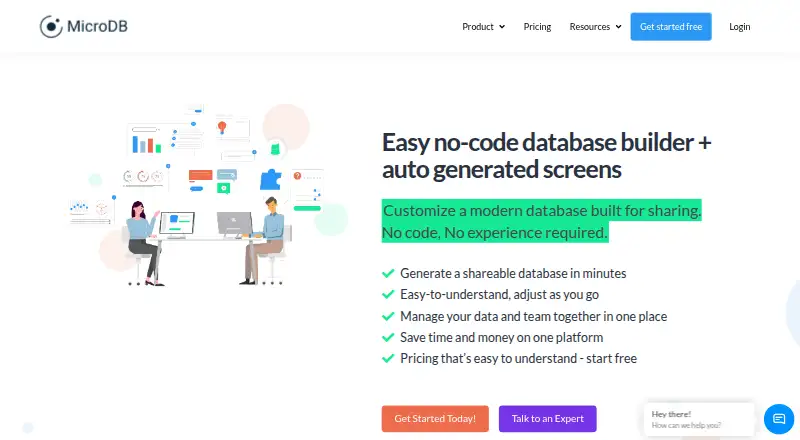
MicroDB is a no-code database builder for creating and sharing data applications with automatically generated screens. Visual tools let users change apps, tables, columns and labels without service interruptions. Generated forms match database tables and can include attachments, dates, free-form text and dropdowns. Workflows can have any number of stages and notify people at each stage; custom views let users share selected subsets of data. Spreadsheet data can be pasted into tables or imported as CSV files, and pre-built templates are available. The cloud-based web platform can be accessed from anywhere. Read-only collaborators are free and unlimited. The Free plan allows one database, two users, 1,000 records per database, and 1GB each for database attachments and file storage. Plus costs $20 a month and lists a monthly billed price of $12; it allows unlimited databases and 50,000 records per database. Pro costs $30 a month and lists a monthly billed price of $24; it allows 500,000 records per database and adds custom data views. Both paid plans include custom roles. MicroDB was founded in 2019 and is headquartered in Austin, Texas.
Who it suits
MicroDB suits people who want to build data applications without code, using generated screens, forms and workflow stages. Its free plan may fit small projects with up to two users and 1,000 records per database.
What it does well
- Generated forms support attachments, dates and dropdowns.
- Workflows can use any number of stages.
- CSV uploads and spreadsheet copy-paste are supported.
- Read-only collaborators are free and unlimited.
- Pre-built templates are available.
What to know first
- Free plan allows only one database and two users.
- Free plan limits each database to 1,000 records.
- Free plan provides 1GB each for attachments and file storage.
Limits
The free plan is limited to one database, two users, 1,000 records per database, 1GB of attachments per database, and 1GB of file storage. Plus and Pro increase these allowances; Enterprise lists unlimited records, attachments, storage, workspaces, and databases.
Plans
| Plan | Billed and limits | Price |
|---|---|---|
| Free | 1 database · 2 users · 1,000 records per database · 1GB attachments per database · 1GB file storage | Free |
| Plus | $12 billed monthly · Unlimited databases · 50,000 records per database · 5GB attachments per database · 5GB file storage · custom roles | $20 a month |
| Pro | $24 billed monthly · Unlimited databases · 500,000 records per database · 20GB attachments per database · 20GB file storage · custom roles · custom data views | $30 a month |
| Enterprise | Contact sales · Tailored plans · unlimited records, attachments, file storage, workspaces, and databases | On request |
As microdb.co lists them, read 8 Oct 2026. The maker's own page has the final word.
Getting started
- Open the MicroDB website
- Start with the free plan or choose a paid plan
- Create a database with the visual builder
- Paste spreadsheet data or upload a CSV file
- Use generated screens, forms, workflows, and views to share the application
Verdict
MicroDB combines database building with generated app screens, forms, custom views and multi-stage workflows. The free plan has modest database, user and storage allowances, while paid plans increase those limits and add custom roles.
Questions
Is MicroDB free?
Yes. MicroDB has a free plan. Paid pricing starts at $12 per user per month.
Which platforms does MicroDB support?
The listed platform is web, with cloud deployment.
What does the free plan include?
It includes one database, two users, 1,000 records per database, 1GB of attachments per database, and 1GB of file storage.
What are the paid plans?
Plus is listed at $20 a month, Pro at $30 a month, and Enterprise requires contacting sales. The listed billing notes show $12 monthly for Plus and $24 monthly for Pro.
Can I control access to data?
Yes. MicroDB lists permission controls, custom roles on Plus and Pro, custom data views on Pro, and free unlimited read-only collaborators.
Facts from MicroDB's own pages
- Cloud access
- MicroDB describes itself as a cloud-based data platform accessible from anywhere. · microdb.co, 8 Oct 2026
- Forms and fields
- Automatically generated forms match database tables and support attachments, dates, free-form text, and dropdowns. · microdb.co, 8 Oct 2026
- Founded
- 2019 · microdb.co, 28 Sept 2026
- Headquarters
- MicroDB says it is headquartered in Austin, Texas. · microdb.co, 8 Oct 2026
- Import
- Users can copy and paste spreadsheet data or upload CSV files into database tables. · microdb.co, 8 Oct 2026
- Purpose
- MicroDB is a no-code database builder for creating, customizing, and sharing data applications with automatically generated screens. · microdb.co, 8 Oct 2026
- Read-only access
- Read-only collaborators are free and unlimited. · microdb.co, 8 Oct 2026
- Support
- The product overview says help is available through articles, tutorials, videos, guides, and live contact 24/7. · microdb.co, 8 Oct 2026
- Templates
- MicroDB offers pre-built database templates that the site says can be used to start sharing data in 10 minutes. · microdb.co, 8 Oct 2026
- Usage limits
- Free is limited to one database, two users, 1,000 records per database, and 1GB each of database attachments and file storage. · microdb.co, 8 Oct 2026
- Views and access
- Custom views can share selected subsets of data so users see only the information they need. · microdb.co, 8 Oct 2026
- Visual app building
- Users can create data apps with visual tools and change apps, tables, columns, and labels without service interruptions. · microdb.co, 8 Oct 2026
- Workflows
- Workflows can have as many stages as needed and can notify people at each stage. · microdb.co, 8 Oct 2026
Where MicroDB stands on Freedom251
- No-Code Database Software#23 of 40