Freedom251 › Rich Text Editor Software
MediumEditor
What MediumEditor is
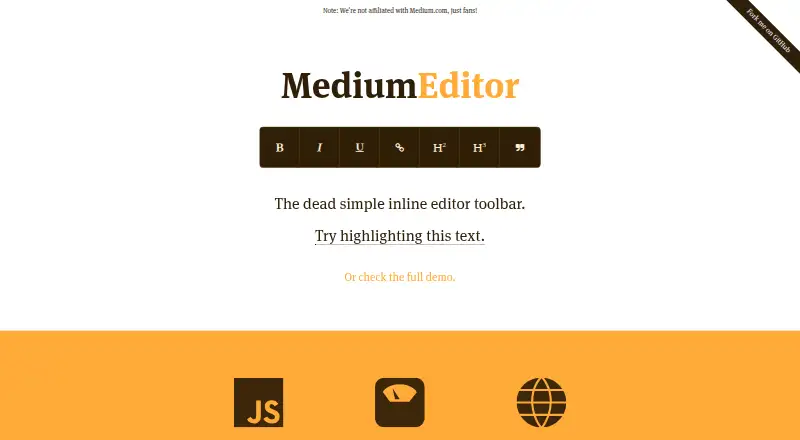
MediumEditor is a free, open-source JavaScript inline editor for web pages and self-hosted projects. It converts selected page elements into HTML5 editable content, adds a formatting toolbar and also supports textareas. The project uses vanilla JavaScript without additional frameworks or libraries, and the official site describes it as about 28 kB gzipped. Its default controls cover bold, italic, underline, links, H2, H3 and quote. Developers can configure built-in buttons or add custom buttons through extensions. Community extensions provide image uploads and embeds, custom HTML, tables, Markdown and mentions; media options include Twitter, YouTube and Vimeo embeds. Listed themes are Mani, Roman, Flat, Bootstrap, Tim and Beagle. Installation is documented through npm, Bower, CDNs or downloading and hosting the files yourself. The project lists browser support for Chrome, Firefox, Safari, Internet Explorer and Edge. Its repository identifies an MIT license and states that the software is provided without warranty. MediumEditor is not affiliated with Medium.com. Font Awesome labels require version 4.1.0 CSS.
Who it suits
It suits developers who need a lightweight, self-hosted inline editor with configurable controls and community extensions. Its browser support covers major listed desktop browsers.
What it does well
- Free and open source under MIT license
- Uses vanilla JavaScript without extra frameworks
- Supports custom toolbar buttons and extensions
- Includes table and media extensions
- Multiple installation methods and themes
What to know first
- Provided without warranty
- Font Awesome labels require CSS version 4.1.0
- Community extensions may require separate setup
- Self-hosted deployment is required
Verdict
MediumEditor offers a small, framework-free editing toolbar with broad customization and extension support. Developers should account for self-hosting, the project’s warranty disclaimer and any required extension setup.
Facts from MediumEditor's own pages
- Affiliation
- The official site says the project is not affiliated with Medium.com. · yabwe.github.io, 11 Oct 2026
- Browser support
- The site lists Chrome, Firefox, Safari, Internet Explorer, and Edge as supported browsers. · yabwe.github.io, 11 Oct 2026
- Customization
- Toolbar buttons, selection behavior, spellcheck, and other settings can be configured through constructor options. · github.com, 11 Oct 2026
- Editing
- It turns selected HTML elements into editable content and can also work with a textarea by linking its value to the editable content. · github.com, 11 Oct 2026
- Extensions
- The site lists community extensions for image uploads and media embeds, tables, Markdown, mentions, and other functions. · yabwe.github.io, 11 Oct 2026
- Implementation
- It is written in pure, vanilla JavaScript and requires no additional libraries or frameworks. · yabwe.github.io, 11 Oct 2026
- Installation
- The project offers installation through npm, Bower, jsDelivr CDN, or self-hosted files. · yabwe.github.io, 11 Oct 2026
- Integrations
- The README says contributors have made wrappers for integrating MediumEditor with different frameworks and tech stacks. · github.com, 11 Oct 2026
- License
- The repository license permits use, copying, modification, distribution, sublicensing, and sale, subject to its stated conditions. · github.com, 11 Oct 2026
- Limitations
- The project notes that using Font Awesome button labels requires Font Awesome CSS version 4.1.0 on the page. · github.com, 11 Oct 2026
- Purpose
- MediumEditor is a lightweight inline editor toolbar and a clone of Medium.com’s inline editor. · yabwe.github.io, 11 Oct 2026
- Size
- The site describes it as approximately 28 kB gzipped. · yabwe.github.io, 11 Oct 2026
- Support
- The repository asks interested people to help maintain the project and points to an issue titled “We're LOW on support! Help us get up again!!!”. · github.com, 4 Oct 2026
- Themes
- The site lists six themes: Mani, Roman, Flat, Bootstrap, Tim, and Beagle. · yabwe.github.io, 11 Oct 2026
- Toolbar
- The toolbar appears when text is selected and supports built-in buttons as well as custom buttons supplied through extensions. · github.com, 11 Oct 2026
Where MediumEditor stands on Freedom251
- Rich Text Editor Software#18 of 37