Markd
What Markd is
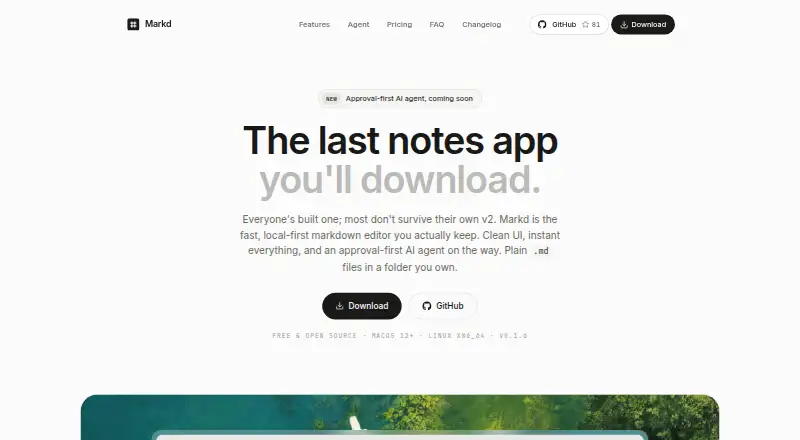
Markd is a local-first Markdown notes app for macOS and Linux. It stores plain .md files in a folder you choose, without requiring an account or database. Notes can connect through [[ links, with backlinks stored in Markdown, while YAML frontmatter from other tools appears in a properties panel. Search covers note titles and content and ranks results. The ⌘K command palette lets you jump to notes or run actions from the keyboard. Markd can use the same Markdown vault as Obsidian. Built-in sync is not available yet, but files can be synchronized through iCloud Drive, Dropbox, or git. The free desktop app is open source under the MIT license. macOS downloads provide a signed, notarized Apple Silicon disk image for macOS 12 or newer; Linux downloads include x86_64 AppImage and Debian packages with signed automatic updates. Markd Cloud is an optional paid subscription for publishing connected notes and hosted images.
Who it suits
Markd suits people who want local Markdown files, keyboard-driven note management, and compatibility with an Obsidian vault. It fits macOS and Linux users comfortable handling synchronization through external services.
What it does well
- Plain Markdown files in a chosen folder
- No account or database required
- Backlinks and YAML frontmatter support
- Works with Obsidian vaults
- Free and open source under MIT
What to know first
- Built-in sync is not available yet
- macOS build requires Apple Silicon
- macOS support requires version 12 or newer
- Markd Cloud is a paid subscription
Plans
| Plan | Billed and limits | Price |
|---|---|---|
| Markd desktop app | Free and open source under the MIT license | Free |
As usemarkd.app lists them, read 12 Oct 2026. The maker's own page has the final word.
Verdict
Markd keeps notes in user-owned Markdown files while offering links, search, and keyboard controls. External sync is required today, and web publishing is provided through optional Markd Cloud.
Facts from Markd's own pages
- AI agent
- An AI agent is described as coming soon; it is planned to draft, organize, and connect notes, showing proposed edits for user approval, and to use an existing Claude subscription without a separate API key. · usemarkd.app, 12 Oct 2026
- Command palette
- The ⌘K command palette lets users jump to notes or run actions using the keyboard. · usemarkd.app, 12 Oct 2026
- Compatibility
- Markd can use the same Markdown vault as Obsidian and preserves frontmatter from other tools. · usemarkd.app, 12 Oct 2026
- Free plan
- Yes · usemarkd.app, 20 Sept 2026
- Frontmatter
- Markd preserves YAML frontmatter from other tools and displays it in a properties panel. · usemarkd.app, 12 Oct 2026
- Integrations
- iCloud Drive,Dropbox,git,Obsidian · usemarkd.app, 20 Sept 2026
- Links
- Users can connect notes with [[ links, which are stored as Markdown and include backlinks. · usemarkd.app, 12 Oct 2026
- Linux support
- The download page offers x86_64 Linux builds as an AppImage and a Debian package, with signed automatic updates. · usemarkd.app, 12 Oct 2026
- macOS support
- The download page offers an Apple Silicon build for macOS 12 or newer as a signed and notarized disk image. · usemarkd.app, 12 Oct 2026
- Supported platforms
- macos,linux · usemarkd.app, 20 Sept 2026
- Product
- Markd is a local-first Markdown notes app that stores plain .md files in a folder the user owns. · usemarkd.app, 12 Oct 2026
- Publishing
- Markd Cloud is an optional paid subscription for publishing connected notes and hosted images on the web; the page does not state its price. · usemarkd.app, 12 Oct 2026
- Recent features
- The changelog lists a global Quick Capture window, backlinks and linked mentions, editable note properties, keyboard shortcut customization, and publishing connected notes. · usemarkd.app, 12 Oct 2026
- Search
- Markd searches note titles and content and ranks results. · usemarkd.app, 12 Oct 2026
- Security
- The site says every Markd release is signed with a Developer ID certificate and notarized by Apple before distribution. · usemarkd.app, 12 Oct 2026
- Storage and account
- Notes are stored locally in a folder the user chooses, and no database or account is required. · usemarkd.app, 12 Oct 2026
- Sync
- Built-in sync is not available yet; users can sync the files with iCloud Drive, Dropbox, or git. · usemarkd.app, 12 Oct 2026
Where Markd stands on Freedom251
- Note-taking apps#122 of 216