Growly Notes
What Growly Notes is
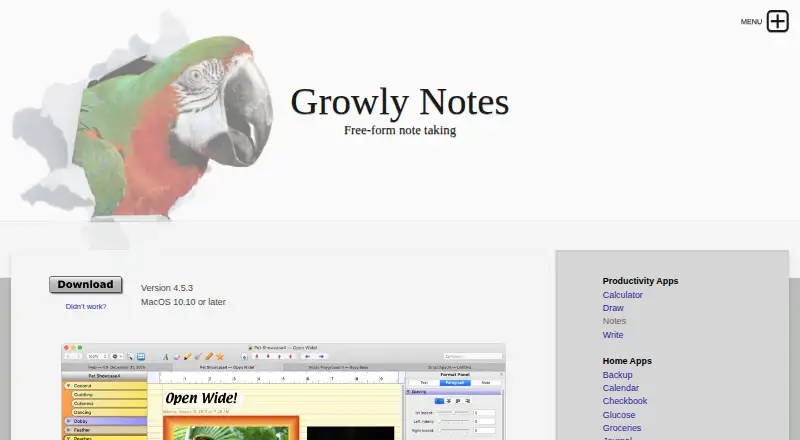
Growly Notes is a free-form note-taking app for macOS, with offline access and support for shared notebooks. It organizes information such as class notes, research, trips, to-do lists, journals, images, links, and video clips. Pages can contain formatted text, images, movies, audio, PDFs, tables, lists, web pages, and drawings. Notebooks use sections and pages, with search, tags, bookmarks, links, templates, and built-in drawing tools. Users can import printouts, record audio or video notes, and share notebooks through a shared folder, file server, or the web. Real-time collaboration is not available. Dropbox and Google Drive are listed integrations. Sections or whole notebooks can be password-protected; the maker says data is hidden on screen and encrypted in the file. Notebooks stay on a local drive rather than Notes’ own cloud. The app lists macOS 10.10 or later, has no mobile version, and does not read OneNote files. Its free plan costs nothing, with donations accepted.
Who it suits
Growly Notes suits Mac users organizing varied personal or research material who want offline storage and flexible pages. It fits people comfortable sharing notebooks without live co-editing or mobile apps.
What it does well
- Works offline
- Supports rich pages and drawings
- Password-protects sections or notebooks
- Stores notebooks on a local drive
- Free to use
What to know first
- Mac-only; no mobile versions
- No real-time collaboration
- Does not read OneNote files
- No built-in cloud storage
Plans
| Plan | Billed and limits | Price |
|---|---|---|
| Free | Free to use without payment · Donations accepted | Free |
| Growly Notes | Free; donations accepted · No price or feature limits stated | Free |
As growlybird.com lists them, read 20 Sept 2026. The maker's own page has the final word.
Verdict
Growly Notes offers broad, local-first note organization at no charge, with offline use and sharing options. Its Mac-only scope, lack of live collaboration, and OneNote limitation should be considered first.
Facts from Growly Notes's own pages
- Capture
- Users can send printouts from other applications to Notes, record audio or video notes, and use built-in drawing tools. · growlybird.com, 12 Oct 2026
- Free plan
- Yes · growlybird.com, 20 Sept 2026
- Integrations
- The maker says notebooks can be shared between Macs using Dropbox, Google Drive, network servers, or shared folders over Wi-Fi; Growly Notes does not support iCloud. · growlybird.com, 12 Oct 2026
- Notable limit
- Growly Notes does not read OneNote files; the maker describes exporting to .doc, .rtf, or .html and importing those files as a Windows OneNote transfer route. · growlybird.com, 12 Oct 2026
- Note sharing
- Yes · growlybird.com, 20 Sept 2026
- Offline access
- Yes · growlybird.com, 20 Sept 2026
- Organization
- Notebooks contain sections and pages, and users can search across open notebooks, tag notes, bookmark text, and link to notebook content. · growlybird.com, 12 Oct 2026
- Page content
- Pages can contain formatted text, images, movies, audio, PDFs, tables, lists, links, web pages, and drawings. · growlybird.com, 12 Oct 2026
- Platform and requirement
- The product page lists macOS 10.10 or later; the maker says it is a Mac-only shop and does not offer mobile versions. · growlybird.com, 12 Oct 2026
- Supported platforms
- macOS · growlybird.com, 20 Sept 2026
- Privacy
- The maker says its software does not collect information about users, their computers, or their use of its products, and that it does not sell or give away user information. · growlybird.com, 12 Oct 2026
- Purpose
- Growly Notes is a free-form note-taking app for organizing class notes, research, trips, to-do lists, journals, images, web links, and video clips. · growlybird.com, 12 Oct 2026
- Real-time collaboration
- No · growlybird.com, 20 Sept 2026
- Security
- Users can password-protect a section or an entire notebook; the maker says notebook data is hidden on screen and encrypted in the file. · growlybird.com, 12 Oct 2026
- Sharing
- Collaborators can work independently on a shared notebook and sync their changes using storage such as a shared folder, file server, or the web. · growlybird.com, 12 Oct 2026
- Storage
- The maker says notebooks are stored on the user's hard drive or another chosen local drive and are not stored in the cloud by Notes itself. · growlybird.com, 12 Oct 2026
- Support
- The maker invites support requests by email or through the app Help menu and says it tries to answer emails the same day. · growlybird.com, 12 Oct 2026
- Support limit
- The maker says it cannot promise full technical support, though it tries to answer questions within a day and fix bugs as quickly as it can. · growlybird.com, 12 Oct 2026
- Templates
- Users can create page and notebook templates, and the app includes dozens of built-in page templates. · growlybird.com, 12 Oct 2026
- Who it is for
- The maker describes the app for people organizing information such as class notes, research projects, trips, to-do lists, and journals. · growlybird.com, 12 Oct 2026
Where Growly Notes stands on Freedom251
- Note-taking apps#121 of 216