Freedom251 › Process Monitoring Software
ManageEngine Free Process Manager
Visit ManageEngine Free Process Manager Alternatives Pricing
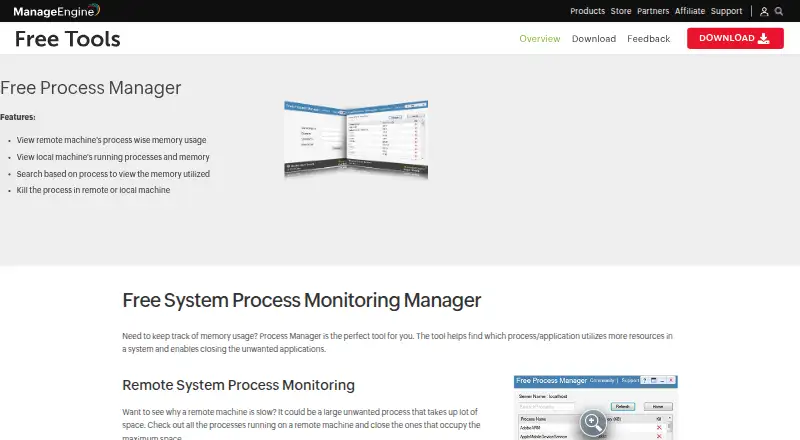
What ManageEngine Free Process Manager is
ManageEngine Free Process Manager is a Windows utility for finding processes that use system resources and closing unwanted ones. Its local view shows running processes and memory usage, and users can search for a process to see its memory use. It can display process-wise memory use on a remote computer and end processes on either a remote or local machine. Remote connection setup requires a server IP, domain, username, and password, along with WinRM and TrustedHosts configuration. The download page offers Free Process Manager 1.0 as a 5.7 MB EXE, with 32-bit main and mirror options. It requires Microsoft .NET Framework 3.5 or above. Listed minimum hardware is a 1 GHz x86 or 1.4 GHz x64 CPU, 512 MB RAM, and 3 MB of available disk space before installation; installed disk use is under 10 MB. The plan costs nothing and is licensed for no cost in perpetuity. The license bars resale and third-party access, use, or support. Forum queries are allowed, but support is not guaranteed as a right.
Who it suits
This utility may suit Windows users who want to inspect process memory locally or check why a remote machine is slow. Remote use is for people able to configure the required connection details, WinRM, and TrustedHosts.
What it does well
- Shows local processes and memory usage.
- Can inspect process memory on a remote machine.
- Can end local or remote processes.
- Free license is stated to last in perpetuity.
What to know first
- Requires Windows and Microsoft .NET Framework 3.5 or above.
- Remote setup requires WinRM and TrustedHosts configuration.
- License bars resale and third-party access, use, or support.
- Technical support is not guaranteed as a right.
Limits
The free license bars resale and allowing third parties to access, use, or support the software. Technical support queries may be sent through discussion forums, but the license does not grant technical support as a right.
Plans
| Plan | Billed and limits | Price |
|---|---|---|
| Free Process Manager | Licensed for no cost in perpetuity · Windows EXE, 32-bit download | Free |
As manageengine.com lists them, read 5 Oct 2026. The maker's own page has the final word.
Getting started
- Open the ManageEngine Free Process Manager website.
- Download Free Process Manager 1.0 using the 32-bit main or mirror option.
- Install it on Windows with Microsoft .NET Framework 3.5 or above.
- For remote access, enter the computer’s server IP, domain, username, and password.
- Configure WinRM and TrustedHosts as directed for remote connections.
Verdict
Free Process Manager covers local process checks and remote process monitoring and control on Windows. Its remote setup requirements and license restrictions are worth reviewing before use.
Questions
How much does Free Process Manager cost?
The plan is free, with a license available at no cost in perpetuity.
Which operating system does it support?
The listed platform is Windows. The download is a 32-bit EXE.
Can it monitor a remote computer?
Yes. It displays process-wise memory use remotely and can close processes on a remote machine. Connection setup requires server IP, domain, username, password, WinRM, and TrustedHosts.
What does it require?
It requires Microsoft .NET Framework 3.5 or above. Listed minimums are a 1 GHz x86 or 1.4 GHz x64 CPU, 512 MB RAM, and 3 MB available disk space before installation.
Who makes Free Process Manager?
ManageEngine, the enterprise IT management division of Zoho Corp.
What support is available?
Technical support queries may be submitted through discussion forums. The license says users are not entitled to technical support as a matter of right.
Facts from ManageEngine Free Process Manager's own pages
- Download
- The download page offers Free Process Manager 1.0 as a 5.7 MB EXE with 32-bit main and mirror options. · manageengine.com, 5 Oct 2026
- Hardware requirements
- The listed minimums are a 1 GHz x86 or 1.4 GHz x64 CPU, 512 MB RAM, and 3 MB available disk space before installation; installed disk use is under 10 MB. · manageengine.com, 5 Oct 2026
- Intended users
- The maker describes the tool as useful for checking why a remote machine is slow and finding processes that consume substantial resources. · manageengine.com, 5 Oct 2026
- License limits
- The free license is non-exclusive, non-transferable, and worldwide; it forbids resale and allowing third parties to access, use, or support the software. · manageengine.com, 5 Oct 2026
- Local monitoring
- It displays local running processes and memory usage, and lets users search by process to view memory utilized. · manageengine.com, 5 Oct 2026
- Maker identity
- ManageEngine is the enterprise IT management division of Zoho Corp. · manageengine.com, 5 Oct 2026
- Purpose
- The tool identifies processes or applications using system resources and lets users close unwanted ones. · manageengine.com, 5 Oct 2026
- Remote monitoring
- It displays process-wise memory usage on a remote machine and lets users kill a process on a remote or local machine. · manageengine.com, 5 Oct 2026
- Remote setup
- To connect to a remote computer, users enter its server IP, domain, username, and password; the setup instructions also call for configuring WinRM and TrustedHosts. · manageengine.com, 5 Oct 2026
- Requirements
- The listed software requirement is Microsoft .NET Framework 3.5 or above. · manageengine.com, 5 Oct 2026
- Support
- Technical support queries may be submitted through discussion forums, but the license says users are not entitled to technical support as a matter of right. · manageengine.com, 5 Oct 2026
- Warranty
- The license provides the software “as is” and says Zoho does not warrant that it will be error-free. · manageengine.com, 5 Oct 2026
Where ManageEngine Free Process Manager stands on Freedom251
- Process Monitoring Software#14 of 26