Freedom251 › Logo Animation Makers

MakeWebVideo
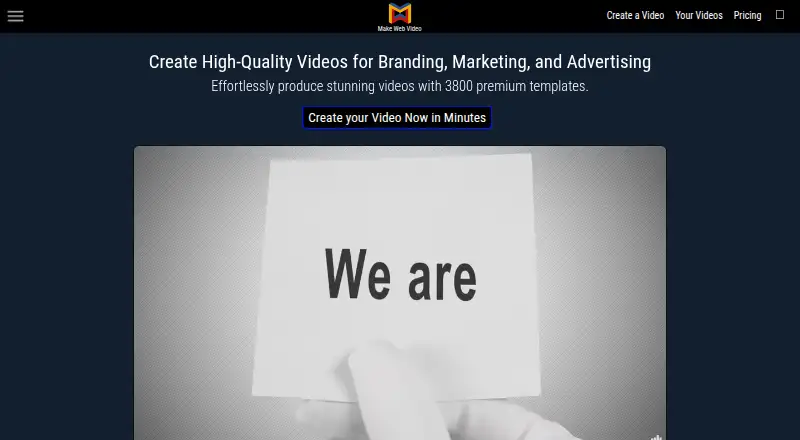
What MakeWebVideo is
MakeWebVideo is a cloud-based service for creating marketing, business, advertising, and personal videos from templates. The site advertises more than 3,800 templates. Users select a design, customize it with photos, clips, text, and music, then request a preview and final video through the web interface. Downloads are available as MP4 and WEBM files in various sizes; the listed maximum export resolution is 4K. The free Preview plan provides SD video with a watermark. Paid video production includes a player and hosting, and completed projects are hosted indefinitely. Music in the library is described as royalty free and licensed for commercial use, and users can upload their own music. Videos can be embedded on websites or uploaded to YouTube, Facebook, and Vimeo; Canva is also mentioned for further editing. The editor uses fixed template layouts, so users cannot add or remove slides within it. Customer support is available by email and WhatsApp. The listed plans are Preview at no cost, Unlimited Subscription at $0.39 a month, and Pay Per Video at $0.98, paid once.
Who it suits
It suits businesses, entrepreneurs, small businesses, and individuals who want to create videos from templates. It may also fit users who want hosted finished projects or music licensed for commercial use.
What it does well
- More than 3,800 advertised video templates
- Exports include MP4 and WEBM
- Paid production includes player and hosting
- Completed projects are hosted indefinitely
- Library music is licensed for commercial use
What to know first
- Free Preview output is SD and watermarked
- Fixed layouts prevent adding or removing slides
- Refund guarantee ends after downloading the video
Limits
The free Preview plan provides SD resolution with a watermark. Paid production offers Full HD without a watermark; the maximum listed export resolution is 4K. The editor does not let users add or remove slides from a template.
Plans
| Plan | Billed and limits | Price |
|---|---|---|
| Preview | SD resolution with watermark · Unlimited projects · Unlimited storage · Unlimited bandwidth · Free stock footage | Free |
| Unlimited Subscription | 40% discount when paying for 1 year (Kr.164 kroner per month). · Full HD, no watermark · Player and hosting · Unlimited projects, storage, and bandwidth · Free stock footage · Seller license · Personal assistant · Access to 50 new templates per month | $0.39 a month |
| Pay Per Video | Each template has a price visible after login. · Full HD, no watermark · Player and hosting · Unlimited projects, storage, and bandwidth · Free stock footage · 1 free revision | $0.98, paid once |
As makewebvideo.com lists them, read 9 Oct 2026. The maker's own page has the final word.
Getting started
- Open the MakeWebVideo website.
- Choose the free Preview plan or a paid production option.
- Select a template and customize it with photos, clips, text, and music.
- Request a preview through the web interface.
- Request the finished video, then download it or share it through an available destination.
Verdict
MakeWebVideo provides a template-led workflow with a free watermarked preview and paid production options. The fixed slide layouts limit editing within the site, so users needing to add or remove slides should account for that constraint.
Questions
Is MakeWebVideo free?
It offers a Preview plan at no cost. Preview output is SD and carries a watermark.
How much do paid plans cost?
Unlimited Subscription is listed at $0.39 a month. Pay Per Video is listed at $0.98, paid once; each template's price is visible after login.
Which platforms does it support?
The listed platforms are Linux, macOS, web, and Windows.
Can I use its music commercially?
The FAQ describes its library music as royalty free and licensed for commercial use. Users can also upload their own music.
Where can I publish a completed video?
Videos can be embedded on a website or uploaded to YouTube, Facebook, and Vimeo. Canva is also mentioned for further editing.
What does paid video production include?
It includes a player and hosting, and completed projects are hosted indefinitely.
Facts from MakeWebVideo's own pages
- Audience
- The site describes its templates and service as suitable for businesses, entrepreneurs, small businesses, and personal use. · makewebvideo.com, 9 Oct 2026
- Exports
- The site says users can download MP4 and WEBM files without a watermark and in various sizes. · makewebvideo.com, 9 Oct 2026
- Hosting
- Player and video hosting are included with paid video production, and completed projects are hosted indefinitely. · makewebvideo.com, 9 Oct 2026
- Integrations
- Videos can be embedded on a website or uploaded to YouTube, Facebook, and Vimeo; the site also mentions Canva for further editing. · makewebvideo.com, 9 Oct 2026
- Limitations
- The web editor uses fixed template layouts, and users cannot add or remove slides within the site editor. · makewebvideo.com, 9 Oct 2026
- Music
- The FAQ says music in its library is royalty free and licensed for commercial use, and users may upload their own music. · makewebvideo.com, 9 Oct 2026
- Privacy
- The privacy policy says the company intends to take reasonable and appropriate steps to protect personal information from unauthorized access or disclosure. · makewebvideo.com, 9 Oct 2026
- Product
- MakeWebVideo is a cloud based online service for creating marketing, business, advertising, and personal videos from templates. · makewebvideo.com, 9 Oct 2026
- Refunds
- The terms say a video purchase may be refunded if the company cannot satisfy the customer after a second production attempt, but the guarantee ends after downloading the video. · makewebvideo.com, 9 Oct 2026
- Support
- Customer support is available by email and WhatsApp. · makewebvideo.com, 9 Oct 2026
- Templates
- The site advertises more than 3,800 professionally designed video templates. · makewebvideo.com, 9 Oct 2026
- Upload limit
- The FAQ states that uploaded video files larger than 100 MB are unnecessary. · makewebvideo.com, 9 Oct 2026
- Workflow
- Users choose a template, customize it with photos, clips, text, and music, then request a preview and final video through the web interface. · makewebvideo.com, 9 Oct 2026
Where MakeWebVideo stands on Freedom251
- Logo Animation Makers#5 of 21
- Video Intro Maker Software#8 of 30