Freedom251 › Passport Photo Maker Software
MakePassportPhoto
What MakePassportPhoto is
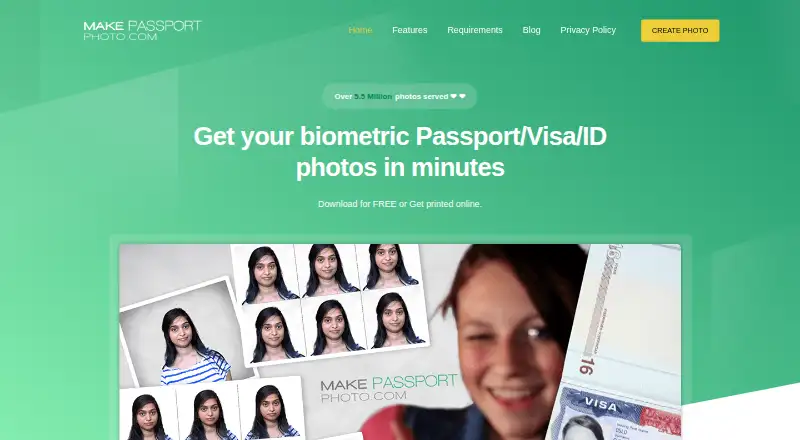
MakePassportPhoto is a web service for creating biometric passport, visa, and ID photos. Its homepage says it supports more than 500 document types. The free Do It Yourself plan lets users crop and position a photo manually, with one paper-size download; it has ads and does not include a compliance check or background correction. The Automatic (AI) option costs $2.99 once and crops, aligns, and corrects the background to match the selected document’s specifications. It includes a web-sized photo under 100kb, an HD photo, and printable sheets in seven paper sizes, without ads. Users can print the sheets themselves, including at Walmart, CVS, Walgreens, or other drug stores; printing and postage are not included. The privacy policy says uploaded photos are deleted automatically within 24 hours, except photos for printing orders, which are deleted within 20 days. The service offers a support ticket form. Its homepage notes that the accepting authority has the final say on whether a photo is accepted.
Who it suits
MakePassportPhoto suits people preparing passport, visa, or ID photos online, including those who want to crop and position images themselves or use AI editing.
What it does well
- Homepage lists support for more than 500 document types.
- AI option corrects backgrounds to document specifications.
- AI option includes seven printable sheet sizes.
- Uploaded photos are deleted within 24 hours, with an exception for printing orders.
What to know first
- Free manual option has no compliance check or background correction.
- Printing and postage are not included.
- Accepting authority makes the final decision on photo acceptance.
Limits
The free plan is ad-supported, provides one paper size, and has no compliance check or background correction. The AI plan costs 2.99 USD once; printing and postage are not included.
Plans
| Plan | Billed and limits | Price |
|---|---|---|
| Do It Yourself | Manual editing · 1 paper size download · no compliance check · no background correction · ad-supported | Free |
| Automatic (AI) | $2.99, shown as $3.99 25% OFF · AI background correction and biometric positioning · 1 web-sized photo under 100kb · 1 HD photo · 7 printable sheets · no ads | $2.99, paid once |
As makepassportphoto.com lists them, read 7 Oct 2026. The maker's own page has the final word.
Getting started
- Open the MakePassportPhoto website.
- Select the free Do It Yourself option or the Automatic (AI) plan for $2.99, paid once.
- Upload a photo and select the document type.
- Crop and position the image yourself, or use the AI option to crop, align, and correct its background.
- Download the available photo or printable sheets, then print the sheets yourself if needed.
Verdict
MakePassportPhoto offers manual editing at no cost and an AI option for $2.99 once. The free option omits compliance checking and background correction, and acceptance is decided by the receiving authority.
Questions
Is there a free plan?
Yes. The Do It Yourself plan costs nothing and includes manual cropping and positioning, with one paper size download.
How much does the AI option cost?
The Automatic (AI) plan costs $2.99, paid once.
What does the AI plan include?
It includes AI background correction and biometric positioning, one web-sized photo under 100kb, one HD photo, and seven printable sheets. It has no ads.
Can I print the photos myself?
Yes. You can print the sheets yourself, including at Walmart, CVS, Walgreens, or other drug stores. Printing and postage are not included.
How long are uploaded photos retained?
The privacy policy says uploaded photos are automatically deleted within 24 hours. Photos for printing orders are deleted within 20 days.
Is a generated photo guaranteed to be accepted?
No. The homepage says the accepting authority has the final say on whether a photo is accepted.
Facts from MakePassportPhoto's own pages
- Acceptance limit
- The homepage says the accepting authority has the final say on whether a photo is accepted. · makepassportphoto.com, 7 Oct 2026
- AI editing
- The AI option crops, aligns and corrects the background to match the selected document’s specifications. · makepassportphoto.com, 7 Oct 2026
- Company
- The about page identifies Neelanadhi Pvt. Ltd. as MakePassportPhoto.com’s parent company and gives its location as 3/9 Perumal Nagar, Mogappair East, Chennai. · devs.makepassportphoto.com, 7 Oct 2026
- Data collected
- The privacy policy says error logs may include an IP address, device and operating system details, usage dates and other statistics, and names Google Analytics as a third-party service. · makepassportphoto.com, 7 Oct 2026
- Digital and print files
- The AI option includes a web-sized photo under 100kb, an HD photo and printable sheets in seven listed paper sizes. · makepassportphoto.com, 7 Oct 2026
- Document coverage
- The homepage says it supports 500+ document types. · makepassportphoto.com, 7 Oct 2026
- Headquarters
- Chennai, Tamil Nadu, India · makepassportphoto.com, 28 Sept 2026
- Intended users
- The maker describes the service as a way to create passport, visa and ID photos at home and print them more cost-effectively. · devs.makepassportphoto.com, 7 Oct 2026
- Manual editor
- The free option lets users crop and position a photo themselves, but provides no compliance check or background correction. · makepassportphoto.com, 7 Oct 2026
- Photo retention
- The privacy policy says uploaded photos are automatically deleted within 24 hours, except photos for printing orders, which are deleted within 20 days. · makepassportphoto.com, 7 Oct 2026
- Printing
- Users can print the sheets themselves, including at Walmart, CVS, Walgreens or other drug stores; printing and postage are not included. · makepassportphoto.com, 7 Oct 2026
- Purpose
- The service creates biometric passport, visa and ID photos online. · makepassportphoto.com, 7 Oct 2026
- Support
- The site provides a form for submitting a support ticket. · makepassportphoto.com, 7 Oct 2026
Where MakePassportPhoto stands on Freedom251
- Passport Photo Maker Software#10 of 29