Freedom251 › Screen Capture Software
Maim
What Maim is
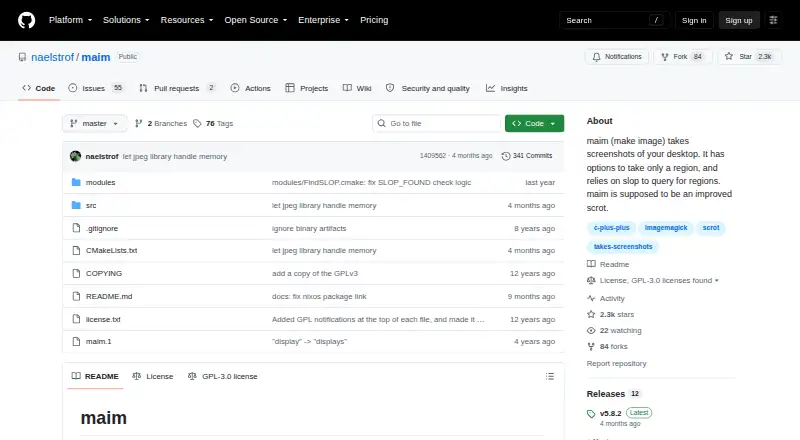
Maim is a free screenshot utility for Linux, designed as an improved scrot. It captures the desktop, a window, or a selected region, either from a predefined target or through interactive selection. Screenshots can be saved as PNG, JPG, BMP, or WebP, while the capture documentation also describes PNG, JPG, and BMP output. Maim can blend the system cursor into images and mask pixels outside the screen as transparent or black. It can write screenshots to standard output, allowing command-line pipelines instead of direct file saving. The project documents workflows with xclip for clipboard copying, ImageMagick for adding shadows, xdotool for active-window capture, and zbarimg for QR-code decoding. Region selection uses slop and its selection features. Packages are listed for Linux distributions and BSD systems. Maim is licensed under GPL-3.0; one overlay-and-crop example does not work well with multiple monitors.
Who it suits
Maim suits Linux or BSD users who prefer command-line screenshot workflows and scripting. It is useful when captures need to feed other command-line tools.
What it does well
- Captures desktops, windows, or selected regions
- Supports PNG, JPG, BMP, and WebP
- Can pipe screenshots to standard output
- Integrates with several command-line tools
- GPL-3.0 licensed
What to know first
- Linux and BSD-oriented availability
- Region selection relies on slop
- Overlay-and-crop example handles multiple monitors poorly
- Build requires listed X11 and image libraries
Verdict
Maim offers scriptable capture targets, output piping, and integrations for clipboard, image processing, and QR workflows. Its platform focus and multiple-monitor caveat should be considered first.
Facts from Maim's own pages
- Availability
- The README lists packages for Linux distributions and BSD systems, and recommends installing through a package manager. · github.com, 11 Oct 2026
- Build requirements
- Building requires CMake, glm, and x11proto; libjpeg-turbo, libpng, libwebp, and several X11 libraries are required at build and runtime. · github.com, 11 Oct 2026
- Capture formats
- It saves screenshots in PNG, JPG, or BMP format. · github.com, 11 Oct 2026
- Capture targets
- It can capture predetermined regions or windows, or let a user select a region or window before capture. · github.com, 11 Oct 2026
- Clipboard workflow
- The README shows piping a selected screenshot to xclip to copy it to the clipboard for use in applications such as Mumble, Discord, and GIMP. · github.com, 11 Oct 2026
- Command-line use
- It can pipe screenshots to standard output for command chaining. · github.com, 11 Oct 2026
- Command piping
- It can send screenshots to standard output for command chaining. · github.com, 11 Oct 2026
- Cursor and off-screen pixels
- It can blend the system cursor into screenshots and mask off-screen pixels as transparent or black. · github.com, 11 Oct 2026
- Free plan
- Yes · github.com, 20 Sept 2026
- Image formats
- It can save screenshots as PNG, JPG, or BMP. · github.com, 11 Oct 2026
- Image processing workflow
- The README gives an example that pipes a window screenshot through ImageMagick to add a shadow effect. · github.com, 11 Oct 2026
- Integrations
- The README gives examples using xclip, ImageMagick, zbarimg, and i3 with maim. · github.com, 11 Oct 2026
- Intended users
- The README describes selecting regions or windows as useful for automation and gives several command-line scripting examples. · github.com, 11 Oct 2026
- License
- The repository identifies its license as GPL-3.0. · github.com, 11 Oct 2026
- Multiple-monitor caveat
- The README says its desktop-overlay-and-crop example does not work well with multiple monitors. · github.com, 11 Oct 2026
- Other command integrations
- The README shows examples using xdotool to capture the active window and zbarimg to decode a selected QR code. · github.com, 11 Oct 2026
- Package availability
- The README lists packages for Linux distributions including Arch, Debian, Ubuntu, Fedora, Alpine, and NixOS, as well as FreeBSD, NetBSD, and OpenBSD. · github.com, 11 Oct 2026
- Supported platforms
- linux · github.com, 20 Sept 2026
- Purpose
- Maim takes screenshots of your desktop and is intended as an improved scrot. · github.com, 11 Oct 2026
- Regions and windows
- It can capture predetermined regions or windows, or let the user select a region or window before capture. · github.com, 11 Oct 2026
- Security information
- The repository page shows a Security and quality section, but the opened page provides no security or compliance details. · github.com, 11 Oct 2026
- Selection dependency
- Maim relies on slop to query for regions and supports slop features, including selection shaders. · github.com, 11 Oct 2026
Where Maim stands on Freedom251
- Screen Capture Software#36 of 61
- Screenshot Software#27 of 39
- Screenshot tools#30 of 40