Freedom251 › Screenshot Annotation Software
Shotnix
What Shotnix is
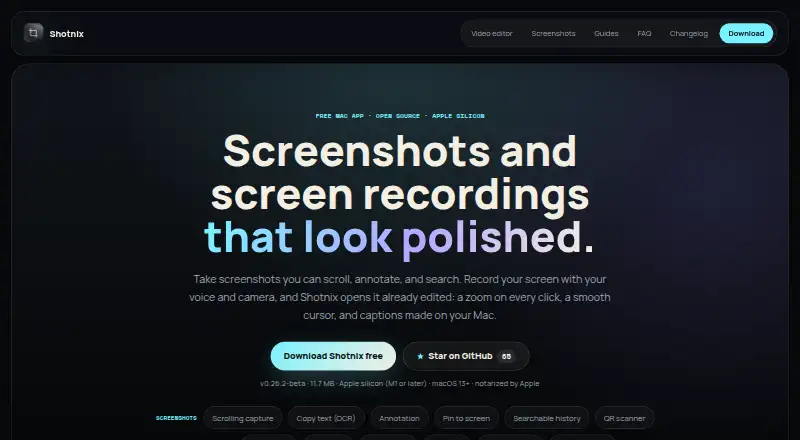
Shotnix is a free macOS app for screenshots and screen recordings, with tools to edit recordings. It can capture a selected area, a window, or a display, and recordings can include Mac audio, microphone input, and a camera. In the recording editor, automatic zooms and a smoothed cursor are applied; captions and cuts can be edited from a transcript. Video output can be MP4 up to 4K at 60 fps, GIF, or sent directly to the clipboard. Screenshot tools include scrolling capture, OCR text capture, annotation, pinning, searchable local history, QR scanning, and redaction. Images can be exported as PNG, JPEG, or WebP. The maker says recording, transcription, voice cleanup, and export run locally, with nothing uploaded. Its privacy policy says the app collects no analytics, advertising identifiers, telemetry, contact details, payment details, or usage data. Shotnix is open source under the MIT license, which the maker says permits free personal and commercial use subject to its terms. The official download is signed with an Apple Developer ID and notarized by Apple. It requires an Apple silicon Mac with macOS 13 Ventura or newer; Intel Macs are unsupported.
Who it suits
Shotnix suits Mac users who need both screenshot tools and screen recording with editing and export options. It is also suited to people who want a local workflow and an open-source app, provided they have an Apple silicon Mac running macOS 13 or newer.
What it does well
- Captures an area, window, or display, with optional audio and camera.
- Edits recording captions and cuts from a transcript.
- Exports video as MP4 up to 4K at 60 fps, GIF, or clipboard.
- Includes scrolling capture, OCR, annotation, pinning, and QR scanning.
- Open source under the MIT license and free for personal and commercial use under its terms.
- The maker says recordings and exports run locally and nothing is uploaded.
What to know first
- Requires an Apple silicon Mac; Intel Macs are unsupported.
- Requires macOS 13 Ventura or newer.
- The listed plans are free and have no subscription.
Limits
The Free plan is listed as free and includes screenshot capture, screen recording, annotation, OCR, and a local workflow. The Shotnix plan is also free, with no subscription, no time limit, and no watermark; both require Apple silicon (M1 or later) and macOS 13 or newer.
Plans
| Plan | Billed and limits | Price |
|---|---|---|
| Free | Screenshot capture · Screen recording · Annotation · OCR · Local workflow | Free |
| Shotnix | No subscription · No time limit · No watermark · Apple silicon (M1 or later) · macOS 13+ | Free |
As shotnix.com lists them, read 20 Sept 2026. The maker's own page has the final word.
Getting started
- Visit https://shotnix.com/.
- Download the official app for an Apple silicon Mac.
- Install it on a Mac running macOS 13 Ventura or newer.
- Use the free plan for screenshot capture, screen recording, annotation, OCR, and a local workflow.
Verdict
Choose Shotnix if you want a free Mac app that combines screen capture, recording, and editing with local processing. It is not an option for Intel Macs or systems earlier than macOS 13.
Questions
How much does Shotnix cost?
The Free plan costs nothing. The Shotnix plan is also free and has no subscription.
Is Shotnix open source?
Yes. It is open source under the MIT license, which the maker says permits free personal and commercial use subject to its terms.
Which Macs can run Shotnix?
The official download requires an Apple silicon Mac with macOS 13 Ventura or newer. It does not run on Intel Macs.
What can Shotnix export?
Images can be exported as PNG, JPEG, or WebP. Video can be exported as MP4 up to 4K at 60 fps, GIF, or directly to the clipboard.
Where can I get support?
Support and privacy questions can be sent to [email protected]. Bugs and feature requests can be filed on GitHub.
Facts from Shotnix's own pages
- Compatibility limit
- The official download requires an Apple silicon Mac with macOS 13 Ventura or newer and does not run on Intel Macs. · shotnix.com, 11 Oct 2026
- Data collection
- The privacy policy says the app does not collect analytics, advertising identifiers, telemetry, contact details, payment details, or usage data. · shotnix.com, 11 Oct 2026
- Export formats
- PNG, JPEG, WebP · shotnix.com, 20 Sept 2026
- Free plan
- Yes · shotnix.com, 20 Sept 2026
- License
- Shotnix is open source under the MIT license, which the maker says permits free personal and commercial use subject to its terms. · shotnix.com, 11 Oct 2026
- Privacy
- The maker says recordings, transcription, voice cleanup, and export run locally, and nothing is uploaded. · shotnix.com, 11 Oct 2026
- Recording features
- It records an area, window, or display and can include Mac audio, a microphone, and a camera. · shotnix.com, 11 Oct 2026
- Redaction tools
- Yes · shotnix.com, 20 Sept 2026
- Screenshot features
- Screenshot tools include scrolling capture, OCR text capture, annotation, pinning, searchable local history, and QR scanning. · shotnix.com, 11 Oct 2026
- Security
- The official download is signed with an Apple Developer ID and notarized by Apple. · shotnix.com, 11 Oct 2026
- Support
- Support and privacy questions can be sent to [email protected]; bugs and feature requests can be filed on GitHub. · shotnix.com, 11 Oct 2026
- Video editing
- Recordings open with automatic zooms and a smoothed cursor; users can edit captions and cuts from a transcript. · shotnix.com, 11 Oct 2026
- Video export
- It exports MP4 up to 4K at 60 fps, GIF, or directly to the clipboard. · shotnix.com, 11 Oct 2026
- What it does
- Shotnix is a Mac app for screenshots and screen recordings, with an editor for recordings. · shotnix.com, 11 Oct 2026
Where Shotnix stands on Freedom251
- Screenshot Annotation Software#27 of 76
- Screen Capture Software#33 of 61