Freedom251 › Authenticator apps
Mac2FA
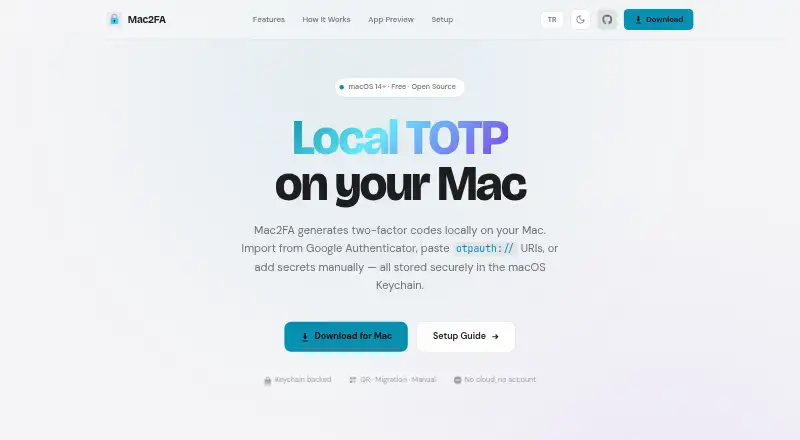
What Mac2FA is
Mac2FA is a free macOS application that generates time-based one-time password codes locally. TOTP secrets are stored in the macOS Keychain rather than synchronized to a cloud, and the maker describes the app as local-first with no account required. Accounts can be imported from Google Authenticator migration links or QR codes, standard otpauth:// TOTP URIs, QR images, or manually entered Base32 secrets. Supported algorithms are SHA-1, SHA-256, and SHA-512. Codes may use six, seven, or eight digits and 30- or 60-second periods. Users can search by issuer or label and click an account row to copy its current code. Mac2FA requires macOS 14 or later and uses native SwiftUI. It stores and generates TOTP accounts only; HOTP entries are unsupported and not imported. Proprietary exports from other authenticator apps work only when they provide standard otpauth:// TOTP data. The app can check GitHub releases for new versions when it launches. Its Free plan costs nothing.
Who it suits
Mac2FA suits Mac users who want locally stored TOTP codes without an account or cloud synchronization. It is intended for macOS 14 or later and standard TOTP imports.
What it does well
- Stores secrets in the macOS Keychain
- No account or cloud service required
- Supports several TOTP import methods
- Configurable algorithms, digits, and periods
- Search and one-click code copying
What to know first
- Requires macOS 14 or later
- Supports TOTP but not HOTP
- No cloud sync or multi-device sync
- Proprietary exports may be unsupported
Plans
| Plan | Billed and limits | Price |
|---|---|---|
| Free | macOS 14+ · TOTP codes stored locally | Free |
As app.azrapps.com lists them, read 8 Oct 2026. The maker's own page has the final word.
Verdict
Mac2FA keeps TOTP generation local while supporting common import formats and configurable code settings. Its macOS requirement and TOTP-only scope define whether it fits your authenticator setup.
Facts from Mac2FA's own pages
- Code options
- It supports SHA-1, SHA-256, and SHA-512 with 6, 7, or 8 digits and 30- or 60-second periods. · app.azrapps.com, 8 Oct 2026
- Code type
- totp · app.azrapps.com, 23 Sept 2026
- Compatibility limit
- The repository says proprietary exports from other authenticator apps are unsupported unless they expose standard otpauth:// TOTP data. · github.com, 8 Oct 2026
- Encrypted backup
- No · app.azrapps.com, 23 Sept 2026
- Free plan
- Yes · app.azrapps.com, 23 Sept 2026
- Google Authenticator import
- Accounts can be imported from Google Authenticator migration links or QR codes. · app.azrapps.com, 8 Oct 2026
- Keychain storage
- TOTP secrets are stored in the macOS Keychain and are not synced to a cloud. · app.azrapps.com, 8 Oct 2026
- Multi-device sync
- No · app.azrapps.com, 23 Sept 2026
- Offline use
- The maker describes Mac2FA as local-first, with no cloud or account required. · app.azrapps.com, 8 Oct 2026
- Other imports
- The app accepts standard otpauth:// TOTP URIs, QR images, and manually entered Base32 secrets. · app.azrapps.com, 8 Oct 2026
- Platform requirement
- Mac2FA requires macOS 14 or later and uses native SwiftUI. · app.azrapps.com, 8 Oct 2026
- Purpose
- Mac2FA generates two-factor TOTP codes locally on a Mac. · app.azrapps.com, 8 Oct 2026
- Push approvals
- No · app.azrapps.com, 23 Sept 2026
- Search and copy
- Users can search accounts by issuer or label and click a row to copy its current code. · app.azrapps.com, 8 Oct 2026
- Support contact
- The maker lists [email protected] as the contact address. · app.azrapps.com, 8 Oct 2026
- Supported OTP type
- The repository says the app stores and generates TOTP accounts; HOTP entries are unsupported and are not imported. · github.com, 8 Oct 2026
- Supported platforms
- macOS · app.azrapps.com, 23 Sept 2026
- Team administration
- No · app.azrapps.com, 23 Sept 2026
- Updates
- Mac2FA can check GitHub releases for new versions when it launches. · app.azrapps.com, 8 Oct 2026
Where Mac2FA stands on Freedom251
- Authenticator apps#88 of 111