Freedom251 › Authenticator apps
Authenticator Pro
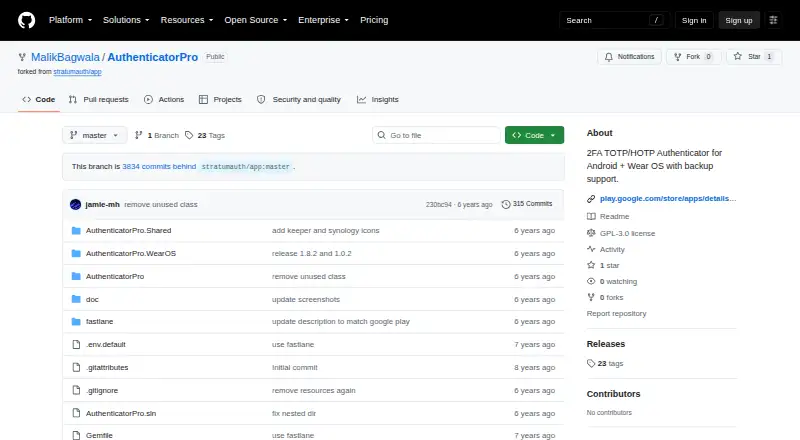
What Authenticator Pro is
Authenticator Pro is a free, open-source Android app for two-factor authentication. It creates TOTP and HOTP codes using SHA-1, SHA-256, or SHA-512 and is described as compatible with most providers and accounts. Users can group authenticators, rename them, assign icons, and arrange them in any order. Encrypted backups can be saved to the device or cloud storage and restored after a lost or changed phone. The project describes backup data using AES-CBC with PKCS7 padding and provides an AES-256-CBC OpenSSL decryption example. Authenticator Pro can show codes on a Wear OS watch when the watch stays connected to the Android device. It works without internet access and requires one permission for normal operation; camera permission is needed for QR-code account setup. The project is GPL-3.0 licensed and currently available through the IzzyOnDroid F-Droid repository, which must be added to the F-Droid client. The listed free plan costs nothing.
Who it suits
Authenticator Pro suits Android users wanting an open-source authenticator with offline operation and encrypted backups. Wear OS users can view codes on a connected watch.
What it does well
- Free and open-source Android authenticator
- Supports TOTP and HOTP codes
- Encrypted backups can be restored
- Works without internet access
- Supports Wear OS displays
What to know first
- Android is the primary platform
- Wear OS requires connection to an Android device
- Download requires adding the IzzyOnDroid repository
- Camera permission is needed for QR setup
Plans
| Plan | Billed and limits | Price |
|---|---|---|
| Free open-source app | Android app · TOTP and HOTP authenticators | Free |
As github.com lists them, read 12 Oct 2026. The maker's own page has the final word.
Verdict
Authenticator Pro provides core TOTP and HOTP authentication with offline use, organization tools, and encrypted backups. Its distribution through a specific F-Droid repository may require extra setup.
Facts from Authenticator Pro's own pages
- Backup encryption
- The README describes encrypted backup data as using AES-CBC with PKCS7 padding and provides an AES-256-CBC OpenSSL decryption example. · github.com, 12 Oct 2026
- Backups
- Users can create encrypted backups and save them to cloud storage or their device, then restore them if they lose or change phones. · github.com, 12 Oct 2026
- Code type
- totp and hotp · github.com, 21 Sept 2026
- Code types
- It supports TOTP and HOTP authenticators using SHA-1, SHA-256, or SHA-512. · github.com, 12 Oct 2026
- Compatibility
- The project says it is compatible with most providers and accounts. · github.com, 12 Oct 2026
- Download
- The README says the app is currently available only through the IzzyOnDroid F-Droid repository, which users must add to the F-Droid client. · github.com, 12 Oct 2026
- Encrypted backup
- Yes · github.com, 21 Sept 2026
- Free plan
- Yes · github.com, 21 Sept 2026
- License
- The repository identifies the project as GPL-3.0 licensed. · github.com, 12 Oct 2026
- Maker
- The GitHub repository is under the MalikBagwala account. · github.com, 12 Oct 2026
- Offline use
- The project says the app does not require internet access to function and requires a single permission. · github.com, 12 Oct 2026
- Organization
- Users can categorize authenticators, rename them, set icons, and arrange them in any order. · github.com, 12 Oct 2026
- Purpose
- Authenticator Pro is a free, open-source two-factor authentication app for Android. · github.com, 12 Oct 2026
- QR setup
- Camera permission is required to add accounts by scanning QR codes. · github.com, 12 Oct 2026
- Supported platforms
- Android,Wear OS · github.com, 21 Sept 2026
- Wear OS
- The app can show authenticators on a Wear OS watch, and requires a connection to the Android device for this feature. · github.com, 12 Oct 2026
Where Authenticator Pro stands on Freedom251
- Authenticator apps#86 of 111