Freedom251 › Authenticator apps

AuthWin
What AuthWin is
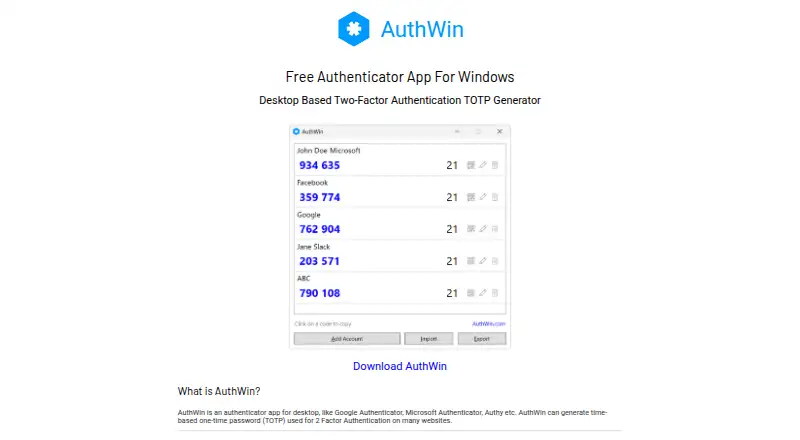
AuthWin is a free Windows desktop authenticator that generates time-based one-time passwords for website two-factor authentication. It stores account data locally in an encrypted file rather than sending it to a server or cloud service; the maker says AES with a 256-bit key is used. Accounts can be added by scanning a website QR code or entering its secret manually. AuthWin can import accounts from a QR code exported by Google Authenticator. For backup, accounts can be exported individually as QR codes or together as a JSON file, with optional password protection. The app supports TOTP and does not list HOTP support. It requires Windows 8 or later and .NET Framework 4.8 or later. Windows may show an installation warning because the application lacks a code-signing certificate. AuthWin does not provide multi-device sync. It is created by Yash, identified on his personal site as Yash Gadhiya. The listed Free plan costs nothing.
Who it suits
AuthWin suits Windows users who want local storage for website TOTP codes and manual or QR-based account enrollment. It is less suited to people needing synchronization across devices or HOTP support.
What it does well
- Free Windows authenticator
- AES-256 encrypted local account file
- Google Authenticator QR import
- Password-protected JSON export option
- No server or cloud transmission
What to know first
- No multi-device sync
- Windows installation may show an unsigned-app warning
- Requires Windows 8+ and .NET Framework 4.8+
Plans
| Plan | Billed and limits | Price |
|---|---|---|
| Free | Free authenticator app for Windows | Free |
As authwin.com lists them, read 11 Oct 2026. The maker's own page has the final word.
Verdict
AuthWin offers a free, local approach to TOTP authentication with import and export tools. Its Windows-only deployment, lack of sync, and unlisted HOTP support define the main limits.
Facts from AuthWin's own pages
- Code type
- totp · authwin.com, 22 Sept 2026
- Creator
- AuthWin is created by Yash, whose personal site identifies him as Yash Gadhiya. · yash.info, 11 Oct 2026
- Encrypted backup
- Yes · authwin.com, 22 Sept 2026
- Encryption
- The site says local account data is encrypted using AES with a 256-bit key. · authwin.com, 11 Oct 2026
- Enrollment
- Accounts can be added by scanning a website’s QR code or manually entering its secret code. · authwin.com, 11 Oct 2026
- Export and backup
- Accounts can be exported individually as QR codes or together as a JSON file, optionally password protected. · authwin.com, 11 Oct 2026
- Feedback
- The site links to a form for suggestions and feedback. · authwin.com, 11 Oct 2026
- Free plan
- Yes · authwin.com, 22 Sept 2026
- Google Authenticator import
- AuthWin can import accounts from a QR code exported by Google Authenticator. · authwin.com, 11 Oct 2026
- Installation notice
- The maker says Windows may warn during installation because the app is not signed with a code-signing certificate. · authwin.com, 11 Oct 2026
- Local storage
- Account data is stored on the computer in an encrypted file and is not sent to a server or cloud service. · authwin.com, 11 Oct 2026
- Multi-device sync
- No · authwin.com, 22 Sept 2026
- OTP support
- AuthWin currently supports TOTP and does not list HOTP support. · authwin.com, 11 Oct 2026
- Platform
- The maker describes AuthWin as a Windows desktop app. · authwin.com, 11 Oct 2026
- Purpose
- AuthWin generates time-based one-time passwords (TOTP) for two-factor authentication on websites. · authwin.com, 11 Oct 2026
- Supported platforms
- Windows · authwin.com, 22 Sept 2026
- System requirements
- The listed requirements are Windows 8 or later and .NET Framework 4.8 or later. · authwin.com, 11 Oct 2026
Where AuthWin stands on Freedom251
- Authenticator apps#90 of 111