
Lynx
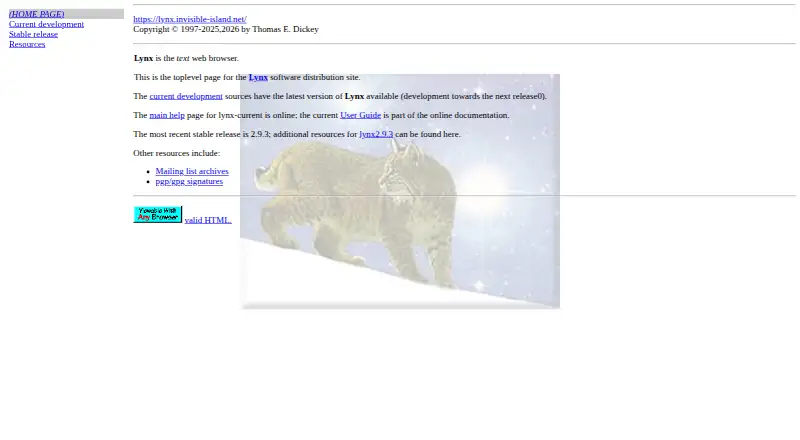
What Lynx is
Lynx is a free, open-source text browser for character-cell displays and terminal emulators. It runs on Linux, macOS, and Windows desktops; the user guide also lists Unix, VMS, 386DOS, and OS/2 EMX. Lynx can display remote files through HTTP, Gopher, FTP, WAIS, NNTP, Finger, and CSO/PH/QI, and access services using Telnet, TN3270, or rlogin. It opens local HTML and other files supplied at startup. Navigation uses arrow keys or the numeric keypad, with history and visited-link pages. HTML forms support buttons, checkboxes, radio buttons, selection fields, and text entry. Images are represented as labels or links rather than pictures, and table content appears as text with spacing and line breaks. Cookie exchanges can be configured or disabled. An SSL-enabled build provides HTTPS and SNEWS through OpenSSL, with experimental GnuTLS support. The manual covers saving, printing, mailing, source viewing, downloads, formatted output, link traversal, and indexing. Stable downloads, Windows installers, an online guide, and a lynx-dev mailing list are available.
Who it suits
Lynx suits users who need text-based browsing on terminal-style displays or older systems. It also supports local files, command-line output, and text-oriented information systems.
What it does well
- Free and open source
- Runs on Linux, macOS, and Windows
- Supports many text web protocols
- Handles HTML forms and local files
- Command-line options support indexing and link traversal
What to know first
- Does not display images as pictures
- Tables render as text, not grids
- No extension support or cross-device sync
- Built-in ad blocking is not available
Verdict
Lynx provides broad text-based web and terminal access with forms, cookies, local files, and automation options. Its interface is deliberately non-graphical, so image-heavy or table-focused pages lose visual presentation.
Facts from Lynx's own pages
- Automation
- The manual documents command-line options to dump formatted pages, traverse links, and output pages for indexing. · lynx.invisible-island.net, 11 Oct 2026
- Browser actions
- The user guide documents printing, mailing, saving rendered files, viewing source, and downloading or saving source files. · lynx.invisible-island.net, 11 Oct 2026
- Browser engine
- other · lynx.invisible-island.net, 23 Sept 2026
- Built-in ad blocking
- No · lynx.invisible-island.net, 23 Sept 2026
- Cookies
- Lynx supports Version 0 and Version 1 cookie exchanges, and cookie handling can be disabled or configured. · lynx.invisible-island.net, 11 Oct 2026
- Cross-device sync
- No · lynx.invisible-island.net, 23 Sept 2026
- Current development
- The official development page says work is underway on Lynx 2.9.4 and links to current source archives. · lynx.invisible-island.net, 11 Oct 2026
- Downloads
- The stable release page offers Lynx 2.9.3 as ZIP, gzip tar, and bzip2 tar distribution files. · lynx.invisible-island.net, 11 Oct 2026
- Extension support
- none · lynx.invisible-island.net, 23 Sept 2026
- Forms
- Lynx supports HTML forms with buttons, checkboxes, radio buttons, selection fields, and text-entry fields. · lynx.invisible-island.net, 11 Oct 2026
- Free plan
- Yes · lynx.invisible-island.net, 23 Sept 2026
- Help and support
- The site provides an online user guide and directs questions or comments to the lynx-dev mailing list. · lynx.invisible-island.net, 11 Oct 2026
- HTML support
- The user guide lists support for HTML forms, images, tables, frames, and other HTML features. · lynx.invisible-island.net, 11 Oct 2026
- Images
- Lynx does not display images as images; its guide describes options to show image presence as labels or links. · lynx.invisible-island.net, 11 Oct 2026
- Language support
- The development page says Lynx supports multiple languages through gettext and that message catalogs are bundled with the source distribution. · lynx.invisible-island.net, 11 Oct 2026
- Local files
- Lynx can display local HTML files and other files supplied at startup. · lynx.invisible-island.net, 11 Oct 2026
- Local use
- Lynx can open local files and can be used to build information systems for local access or a single LAN. · lynx.invisible-island.net, 11 Oct 2026
- Maintainer
- The current development page identifies Thomas E. Dickey as the page updater and provides his email address. · lynx.invisible-island.net, 11 Oct 2026
- Navigation
- The guide describes navigating links with arrow keys or the numeric keypad, with a history page and visited links page. · lynx.invisible-island.net, 11 Oct 2026
- Open source
- Yes · lynx.invisible-island.net, 23 Sept 2026
- Supported platforms
- desktop · lynx.invisible-island.net, 23 Sept 2026
- Product
- Lynx is a text web browser for character-cell displays and terminal emulators. · lynx.invisible-island.net, 11 Oct 2026
- Secure connections
- The current README says the SSL configure option enables HTTPS and SNEWS access using OpenSSL, and describes experimental GnuTLS support. · lynx.invisible-island.net, 11 Oct 2026
- Support
- The development page directs questions or comments to the lynx-dev mailing list, whose archive is linked there. · lynx.invisible-island.net, 11 Oct 2026
Where Lynx stands on Freedom251
- Web browsers#57 of 154