Freedom251 › Face Swap Software

LumarLabs Face Studio
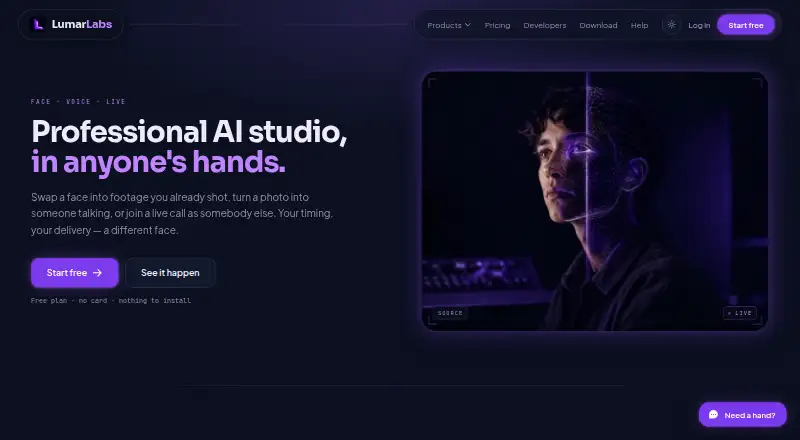
What LumarLabs Face Studio is
LumarLabs Face Studio swaps a face into a video or still image, or uses motion from another clip to drive a character. It accepts MP4, MOV, JPG, and PNG files up to 500 MB. Face Studio renders run on LumarLabs hardware, while desktop Live Swap processes frames on the user’s computer. The free plan offers real renders without requiring a card; paid plans provide finished Full HD files for commercial use.
LumarLabs also offers Avatar, Lip Sync, Identity Swap, Live Swap, and Voice Swap. Its browser extension supports Meet, WhatsApp Web, Telegram, Zoom, Discord, and Teams, and Live Swap also works with OBS. A prepaid REST API exposes Face Studio and several other tools, with failed jobs refunded. The service is available on Android, iOS, macOS, Windows, and web, as well as through an extension and API. LumarLabs says uploaded media is used only to generate requested results, encrypted in transit and at rest, and deleted after rendering; failed-job media is purged after 30 days. Some plans impose a daily Live Swap minutes cap.
Who it suits
LumarLabs positions Face Studio for individuals who want to try professional AI video tools on their own footage without a card. It may also suit users seeking browser-extension, desktop, or API access to its listed tools.
What it does well
- Free plan includes real renders without requiring a card.
- Accepts video and image inputs up to 500 MB.
- Paid plans provide Full HD files for commercial use.
- Failed API jobs are refunded.
- Uploaded media is deleted after rendering.
What to know first
- Paid plans are required for commercial-use Full HD files.
- Some plans cap daily Live Swap minutes.
- Failed-job media is purged after 30 days.
Limits
The free plan costs nothing and includes real renders without a card. Paid plans provide finished Full HD files for commercial use; some plans impose a daily cap on Live Swap minutes.
Plans
| Plan | Billed and limits | Price |
|---|---|---|
| Free | real renders · no card | Free |
As lumarlabs.ai lists them, read 1 Oct 2026. The maker's own page has the final word.
Getting started
- Open the LumarLabs website.
- Choose the web service, a supported app platform, browser extension, or API.
- Use the free plan, which includes real renders without a card.
- Upload an MP4, MOV, JPG, or PNG file up to 500 MB.
Overview
LumarLabs Face Studio creates face-swapped photos and videos, and can animate a character using motion from another clip. It is best suited to individuals exploring AI video tools on their own footage; the free plan makes it possible to start without a card.
Its appeal is breadth: still and video work sit alongside live tools and an API. Before making Live Swap part of a regular workflow, weigh its minute-based usage and possible daily caps against your needs.
Key features
Face Studio accepts MP4 and MOV video and JPG and PNG images up to 500 MB. The 1080p ceiling gives free users room to make full-resolution outputs, while paid plans provide finished Full HD files for commercial use. If commercial use is essential, the free plan is not the right tier.
The broader suite includes Avatar, Lip Sync, Identity Swap, Live Swap and Voice Swap. The browser extension works with Meet, WhatsApp Web, Telegram, Zoom, Discord and Teams, and Live Swap also supports OBS. This makes Face Studio a stronger fit for people who want related creation and live-use tools than for someone seeking only a basic still-image swapper.
Face Studio renders run on LumarLabs hardware; desktop Live Swap processes frames on the user's computer. Live Swap consumption is counted in minutes, and some plans impose a daily cap that resets in the user's timezone. Frequent callers and streamers should check those limits before depending on uninterrupted use.
The prepaid REST API exposes Face Studio, Identity Swap, Avatar, Lip Sync, Voice Swap and Live Swap Pro; failed jobs are refunded. That can suit developers who prefer prepaid access, though no API prices or quotas are provided here.
LumarLabs says uploaded media is used only to generate the requested result, not to train models, and is encrypted in transit and at rest. Media is deleted after rendering; failed-job media is purged after 30 days. The company says it uses TLS 1.3, salted slow one-way password hashes, and does not handle payment data on its servers. Its privacy policy says the service is written to comply with Nigeria's NDPR and NDPA, GDPR and equivalent laws. Privacy support is reachable at [email protected], and the help centre says live chat has read its setup guidance.
Pricing
The Free plan costs nothing, includes real renders, requires no card, and supports photo and video with output up to 1080p. It is a sensible way to explore the core workflow, but it does not include the paid plans' stated commercial-use files. No free trial is offered.
Live Swap minutes and possible daily caps are the main usage constraints to check when choosing a plan. A daily cap resets in the user's timezone. No paid plan prices, seat counts, or plan-specific quotas are provided; paid access is therefore best judged only after confirming those terms for your expected usage.
Platforms
Face Studio is available on Android, iOS, macOS, Windows and the web, with API and extension access also supported. The extension connects to common meeting and messaging services, while OBS support applies to Live Swap. This range accommodates both browser-based use and desktop live processing.
Who it's for
Face Studio suits individuals who want to try professional AI video tools on their own photos or clips without providing card details. It is also worth considering for creators who want face swaps alongside character, voice and lip-sync tools, or developers who need a prepaid API. It is a less certain choice for high-volume Live Swap use until minute allowances and daily caps are clear.
Pros and cons
- Pros: The free plan offers real renders without a card, with output up to 1080p, so users can assess the core workflow before paying.
- Pros: Face Studio is part of a suite with avatar, voice, lip-sync and live tools, plus extension integrations and an API.
- Pros: Media is encrypted and deleted after rendering, and the service says uploads are not used to train models.
- Cons: Commercial-use Full HD files are tied to paid plans, so the free tier is not enough for that use.
- Cons: Live Swap is minute-based and may have a daily cap, which can constrain regular streaming or calling.
- Cons: Paid prices and specific quotas are not available, making it difficult to compare ongoing costs before checking plan terms.
Alternatives
Face Swap Software is a broader directory of face-swap options if you want to compare more products.
Pick FazeSwap if you want a free allowance of three face-swap videos per month and published monthly Standard and Pro plans. Remaker AI is a better fit for buyers who prefer one-time credit purchases that do not expire. AKOOL is worth considering if a free trial matters; its Starter page shows a zero-cost per-seat monthly price under the yearly selector.
GoEnhance AI Face Swap may suit someone looking for a free token allowance or a monthly Basic plan with private generation. Choose VidMage if its stated daily web image and video swap allowances, or Mac live-swap option, better match your workflow. Vidnoz Face Swap is a web alternative with a free plan that specifies video length, export resolution and included creative assets.
Mango AI is an option for users comparing a credit-based free plan with audio and video limits. Viggle may fit people who want a stated daily video allowance and a single simultaneous generation on its free plan.
Verdict
Choose LumarLabs Face Studio if you want to explore face swaps and motion-driven character output without a card, with a broad suite of related tools close at hand. Its main advantage is that range; its main caveat is that regular Live Swap users need to confirm minute and daily limits before committing to a workflow. Look elsewhere if published paid pricing and predictable quotas are essential to your decision.
Verdict
Face Studio combines face swapping and motion-driven character output with related tools and multiple access options. Check plan limits if Live Swap minutes are important to your workflow.
Questions
Is LumarLabs Face Studio free?
Yes. The Free plan costs nothing and includes real renders without a card.
Is there a free trial?
No, a free trial is not available.
What file formats does it accept?
It accepts MP4, MOV, JPG, and PNG files up to 500 MB.
Which platforms are supported?
Platforms include Android, iOS, macOS, Windows, web, browser extension, and API.
Can I use the results commercially?
Paid plans provide finished Full HD files for commercial use.
Does it provide an API?
Yes. A prepaid REST API exposes Face Studio, Identity Swap, Avatar, Lip Sync, Voice Swap, and Live Swap Pro. Failed jobs are refunded.
Facts from LumarLabs Face Studio's own pages
- API
- A prepaid REST API exposes Face Studio, Identity Swap, Avatar, Lip Sync, Voice Swap and Live Swap Pro, with failed jobs refunded. · lumarlabs.ai, 1 Oct 2026
- Audience
- LumarLabs positions the product for individuals who want to try professional AI video tools on their own footage without a card. · lumarlabs.ai, 1 Oct 2026
- Compliance
- The privacy policy says the service is written to comply with Nigeria's NDPR and NDPA and with GDPR and equivalent laws. · lumarlabs.ai, 1 Oct 2026
- Face Studio
- Face Studio swaps a face into video or a still, or drives a character with motion from another clip. · lumarlabs.ai, 1 Oct 2026
- Input formats
- The service accepts MP4, MOV, JPG and PNG inputs up to 500 MB. · lumarlabs.ai, 1 Oct 2026
- Integrations
- The browser extension supports Meet, WhatsApp Web, Telegram, Zoom, Discord and Teams; Live Swap also works with OBS. · lumarlabs.ai, 1 Oct 2026
- Other tools
- LumarLabs also provides Avatar, Lip Sync, Identity Swap, Live Swap and Voice Swap. · lumarlabs.ai, 1 Oct 2026
- Output
- Paid plans provide finished Full HD files for commercial use. · lumarlabs.ai, 1 Oct 2026
- Privacy
- Uploaded photos and videos are used only to generate the requested result and are not used to train models. · lumarlabs.ai, 1 Oct 2026
- Processing
- Face Studio renders run on LumarLabs hardware, while desktop Live Swap processes frames on the user's computer. · lumarlabs.ai, 1 Oct 2026
- Retention
- Media is encrypted in transit and at rest, deleted after rendering, and failed-job media is purged after 30 days. · lumarlabs.ai, 1 Oct 2026
- Security
- LumarLabs says connections use TLS 1.3, passwords use salted slow one-way hashes, and payment data does not touch its servers. · lumarlabs.ai, 1 Oct 2026
- Support
- Users can contact privacy support at [email protected], and the help centre says live chat has read its setup guidance. · lumarlabs.ai, 1 Oct 2026
- Usage limits
- Live Swap is measured in minutes and some plans impose a daily cap that resets in the user's timezone. · lumarlabs.ai, 1 Oct 2026
Where LumarLabs Face Studio stands on Freedom251
- Face Swap Software#11 of 30