Freedom251 › Revenue Recognition Software
Loopfour Payment Reconciliation
What Loopfour Payment Reconciliation is
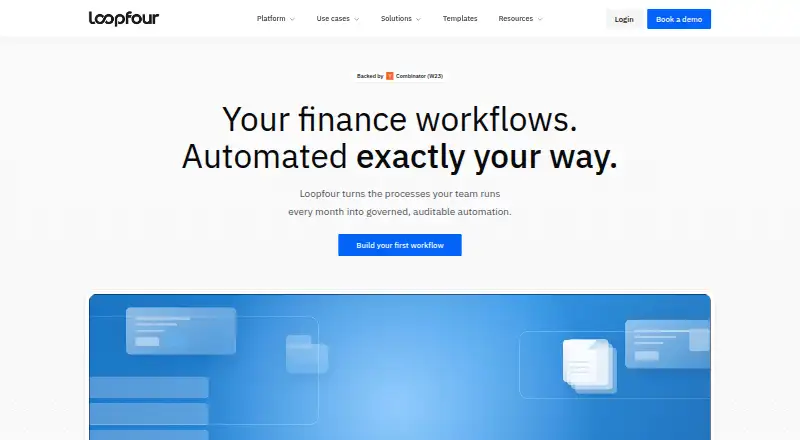
Loopfour Payment Reconciliation automates payment reconciliation and cash application by matching payments to invoices through configurable rules. Teams can prioritize amount, reference, customer, and date when deciding how matches are made. Scoped AI can turn messy remittance data into structured information; the match itself follows defined rules and a chosen confidence threshold. Policies govern partial payments, overpayments, and allocations that apply one payment to multiple invoices. Ambiguous items are held for review instead of being force-matched, and unmatched payments can be routed to an owner with the payment, candidate invoices, and reason for the hold. Matches and exception decisions are logged, versioned, and reversible.
The product connects with Stripe, bank feeds, NetSuite, and QuickBooks over secure OAuth. Its integrations page also names Sage Intacct, Xero, Salesforce, HubSpot, Slack, Microsoft Teams, Gmail, Google Sheets, and Excel, among others. Loopfour describes role-based permissions, approval gates for material workflow changes, run evidence, and hosted, access-controlled execution. It states that it has SOC 2 Type II in place and captures SOC 1 evidence on workflow runs. Data is encrypted at rest and in transit; credentials are scoped and excluded from workflow definitions, and customer data is not used to train models. Finance engineers build and maintain workflows on customers’ existing systems, including tools without APIs. The service is available on the web and through an API, with pricing on request.
Who it suits
Loopfour suits finance teams that need repeatable payment matching with reviewable rules, exception handling, and an audit trail. It may also suit teams that want finance engineers to build and maintain workflows across their existing systems.
What it does well
- Matches payments to invoices using configurable priorities.
- Handles partial payments, overpayments, and one-to-many allocations by policy.
- Routes unmatched payments with candidate invoices and hold reasons.
- Logs, versions, and allows reversal of matches and exception decisions.
- Names Stripe, bank feeds, and accounting integrations including NetSuite and QuickBooks.
- Provides role-based permissions and hosted, access-controlled workflow execution.
What to know first
- Pricing is available on request.
- The listed payment processor is Stripe.
Getting started
- Visit https://www.loopfour.com/.
- Request a demo and workflow review to map the workflow, controls, integrations, and approval loop.
- Connect the relevant systems, such as Stripe, bank feeds, or an accounting platform.
- Set matching priorities, confidence thresholds, and policies for cash application.
- Use the Workflows API documentation if you are building an integration.
Loopfour Payment Reconciliation automates matching customer payments to invoices and managing items that need review. It is aimed at finance teams that want controlled workflows across their existing systems. Its strength is the governance around matching and exceptions; custom pricing and a named Stripe payment processor may make it a poor fit for teams seeking a self-serve option or broader payment processing.
Overview
Teams can prioritize matching by amount, reference, customer, and date. That flexibility suits payment records that do not line up neatly on a single field, while ambiguous items are held rather than assigned a questionable match. The result favors oversight over a fully hands-off process.
Partial payments, overpayments, and one-to-many allocations follow policy. Unmatched payments go to an owner with candidate invoices and the reason the match stalled. Decisions are logged, versioned, and reversible, which helps teams trace changes and correct mistakes. This is a considered approach, but it depends on defining suitable policies and ownership.
Key features
Rule-based matching and remittance parsing
Scoped AI turns messy remittance data into structured information; configured rules and a chosen confidence threshold govern the actual match. This keeps the decision process anchored to finance rules while reducing manual work to interpret remittance details. Teams still need to choose rules and a threshold that fit their records.
Controls and audit history
Role-based permissions distinguish viewing, running, editing, deploying, and administering workflows. Approval gates apply to material workflow changes, and runs capture evidence. SOC 2 Type II and SOC 1 evidence on workflow runs are part of the stated controls. Together with reversible, versioned decisions, these features suit teams that need to explain how a payment was handled.
Data is encrypted at rest and in transit; credentials are scoped and kept out of workflow definitions, and customer data is not used to train models. Workflows run in a hosted, access-controlled environment. Loopfour's finance engineers build and maintain workflows on customers' existing systems, including tools without APIs, so the service offers implementation support but relies on a provider-built workflow model.
Integrations and API
The reconciliation page names Stripe, bank feeds, NetSuite, and QuickBooks, connected over secure OAuth. The wider integrations page also names Sage Intacct, Xero, Salesforce, HubSpot, Slack, Microsoft Teams, Gmail, Google Sheets, and Excel, among others. A Workflows API gives developers a way to build integrations. Stripe is the named payment processor, while the accounting connections cover several common finance systems.
Pricing
Loopfour is paid, with custom pricing. A demo and workflow review can map a finance process, its controls, integrations, and approval loop. This approach may suit teams whose workflows need scoping and implementation support, but buyers cannot compare a stated price before contacting the company.
Platforms
Loopfour supports web and API access. The API is useful for developers building integrations; web access provides the workflow interface for finance teams.
Who it's for
Loopfour fits finance teams with repeatable payment-reconciliation work that needs clear exception ownership, controlled workflow changes, and an audit trail. It is less suited to buyers who need a published price or payment processing beyond the named Stripe integration.
Pros and cons
Pros
- Configurable matching priorities and confidence thresholds let teams shape decisions around their payment records.
- Held exceptions include candidate invoices and a reason, giving an owner useful context to resolve the item.
- Versioned, reversible decisions and run evidence support review and audit work.
- Finance engineers build and maintain workflows, including on systems without APIs.
Cons
- Custom pricing means teams must contact Loopfour to assess cost.
- Ambiguous payments require human review, so teams should not expect every item to be matched automatically.
- Stripe is the named payment processor, which may not fit teams using another processor.
Alternatives
For subscription revenue recognition rather than payment reconciliation, Revenue Recognition Software is the more relevant category. To compare other payment-matching products, browse Payment Reconciliation Software.
Zuora CPQ is a paid API and web option with custom pricing; consider it when you are evaluating Zuora CPQ specifically. Flowrev offers a free plan and trial alongside paid tiers, making it an alternative for buyers who want a freemium revenue-recognition product. SOFTRAX Revenue Management System is another paid API and web option. Trullion Leases offers paid web access with custom pricing. Aptitude Revenue Recognition Engine is a paid API option with custom enterprise pricing. Clarevon Revenue Recognition is another paid alternative. Ordway offers API and web access with a fixed subscription priced by proposal. RevRecog AI is another paid alternative.
Verdict
Choose Loopfour if your finance team needs policy-based payment matching, owned exceptions, and a decision history that can be reviewed and reversed. Its combination of workflow controls, audit evidence, and implementation support is the main reason to consider it. Look elsewhere if you need a price before engaging a vendor or rely on a payment processor other than Stripe.
Verdict
Choose Loopfour if your finance team needs governed payment matching, clear exception ownership, and an auditable history. Look elsewhere if you need a stated price before contacting the company or payment processing beyond the named Stripe integration.
Questions
How much does Loopfour Payment Reconciliation cost?
It is paid, with pricing on request.
Which platforms does it support?
The listed platforms are web and API.
Which payment and accounting integrations are named?
The reconciliation page names Stripe, bank feeds, NetSuite, and QuickBooks. The integrations page also names Sage Intacct and Xero, among others.
Can it handle unmatched or ambiguous payments?
Ambiguous items are held rather than force-matched. Unmatched payments can be routed to an owner with candidate invoices and the reason for the hold.
What security and compliance controls does Loopfour describe?
It lists SOC 2 Type II and SOC 1 evidence captured on workflow runs, along with role-based permissions, encryption at rest and in transit, and hosted access-controlled execution.
Who is Loopfour for?
Loopfour describes its intended users as finance teams seeking governed, auditable automation for repeatable finance work.
Facts from Loopfour Payment Reconciliation's own pages
- Access controls
- Role-based permissions separate workflow viewing, running, editing, deployment, and administration. · loopfour.com, 9 Oct 2026
- API
- Loopfour documentation describes a Workflows API for developers to build integrations. · loopfour.com, 9 Oct 2026
- Audit trail
- Matches and exception decisions are logged, versioned, and reversible. · loopfour.com, 9 Oct 2026
- Cash application
- The product handles partial payments, overpayments, and one-to-many allocations according to policy, and holds ambiguous items for review. · loopfour.com, 9 Oct 2026
- Compliance
- The security page lists SOC 2 Type II and SOC 1 evidence captured on workflow runs as included controls. · loopfour.com, 8 Oct 2026
- Data protection
- The About page states that data is encrypted at rest and in transit, credentials are scoped and not stored in workflow definitions, and customer data is not used to train models. · loopfour.com, 8 Oct 2026
- Delivery and maintenance
- Loopfour says its finance engineers build and maintain workflows on customers’ existing systems, including tools without APIs. · loopfour.com, 8 Oct 2026
- Encryption and data use
- The About page states that data is encrypted at rest and in transit, credentials are scoped and not stored in workflow definitions, and customer data is not used to train models. · loopfour.com, 9 Oct 2026
- Exception handling
- Unmatched payments are routed to an owner with the payment, candidate invoices, and reason for the hold attached. · loopfour.com, 8 Oct 2026
- Exceptions
- Unmatched payments are routed to an owner with the payment, candidate invoices, and reason the match stalled. · loopfour.com, 9 Oct 2026
- Headquarters
- San Francisco, CA · loopfour.com, 28 Sept 2026
- Hosted execution
- Workflows run in a hosted, access-controlled environment. · loopfour.com, 9 Oct 2026
- Integrations
- The payment reconciliation page names Stripe, bank feeds, NetSuite, and QuickBooks; the integrations page also lists accounting, CRM, document, communication, and spreadsheet tools. · loopfour.com, 9 Oct 2026
- Intended users
- Loopfour describes its product as finance automation for teams that need workflows they can inspect and defend at audit. · loopfour.com, 9 Oct 2026
- Matching
- Matches can use amount, reference, customer, and date, in a priority the user sets. · loopfour.com, 9 Oct 2026
- Matching rules
- Matching can use amount, reference, customer, and date, in the priority the customer sets. · loopfour.com, 8 Oct 2026
- Other integrations
- The integrations page also lists Sage Intacct, Xero, Salesforce, HubSpot, Slack, Microsoft Teams, Gmail, Google Sheets, and Excel, among others. · loopfour.com, 8 Oct 2026
- Purpose
- Loopfour automates payment reconciliation and cash application by matching payments to invoices with rules users can inspect. · loopfour.com, 9 Oct 2026
- Remittance parsing
- Scoped AI can parse unstructured remittance data, while matches follow configured rules and a chosen confidence threshold. · loopfour.com, 9 Oct 2026
- Security
- Loopfour states that it has SOC 2 Type II in place and records SOC 1 evidence on workflow runs. · loopfour.com, 9 Oct 2026
- Security controls
- Loopfour describes role-based permissions, approval gates for material workflow changes, run evidence, and a hosted access-controlled execution environment. · loopfour.com, 8 Oct 2026
- Support and onboarding
- Loopfour offers a demo and workflow review to map a finance workflow and its controls, integrations, and approval loop. · loopfour.com, 9 Oct 2026
- Who it is for
- Loopfour describes its intended users as finance teams that need governed, auditable automation for repeatable finance work. · loopfour.com, 8 Oct 2026
Where Loopfour Payment Reconciliation stands on Freedom251
- Revenue Recognition Software#17 of 29
- Payment Reconciliation Software#18 of 29