Freedom251 › File Manager Software
LockHunter
by LockHunter
What LockHunter is
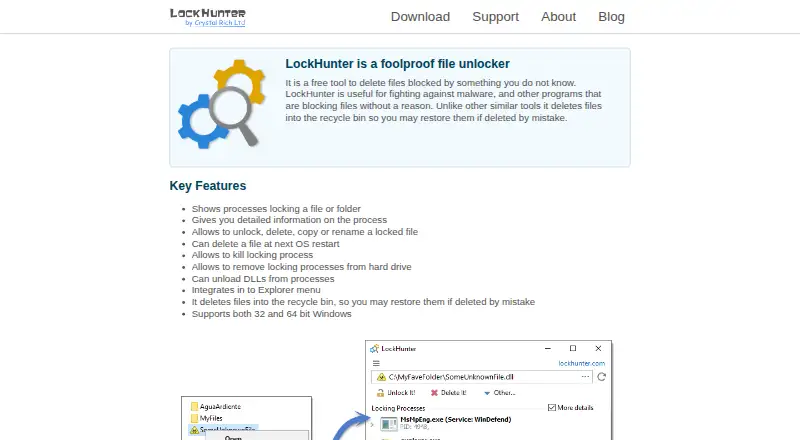
LockHunter is a free Windows utility for deleting files or folders blocked by unknown processes. It identifies the processes holding an item and displays detailed process information. Users can unlock, delete, copy, or rename the file, or schedule deletion for the next operating-system restart. Additional controls can terminate locking processes, remove those processes from the hard drive, and unload DLLs from processes. Deleted items go to the Recycle Bin so they can be restored after an accidental deletion. The installed version adds LockHunter commands to the Windows Explorer menu, while documented command-line options cover unlocking, deleting, terminating processes, silent operation, and automatic exit. The /delperm option bypasses the Recycle Bin when used with /delete. A portable version is available. The download page lists Windows 11, 10, 8.1, and 7, with version 3.4.3 shown at 3.2 MB. The maker says the setup contains no adware, malware, or unnecessary add-ons. LockHunter is free for personal purposes.
Who it suits
LockHunter suits Windows users who need to manage files or folders held open by processes. It is useful for people wanting Explorer integration, portable use, or command-line controls.
What it does well
- Identifies locking processes
- Unlocks, deletes, copies, and renames items
- Schedules deletion at restart
- Recycle Bin restoration
- Portable version available
What to know first
- Windows only
- Free use is for personal purposes
- Some deletion problems stem from permissions or file-system damage
Plans
| Plan | Billed and limits | Price |
|---|---|---|
| LockHunter | Free for personal purposes · Windows 11/10/8.1/7 | Free |
As lockhunter.com lists them, read 12 Oct 2026. The maker's own page has the final word.
Verdict
LockHunter provides several ways to handle files blocked by running processes, including restart deletion and command-line operation. Its Windows compatibility list and personal-use condition define the main boundaries.
Facts from LockHunter's own pages
- Command line
- The manual documents command-line options for unlocking, deleting, terminating processes, silent operation, and automatic exit. · lockhunter.com, 12 Oct 2026
- Command-line deletion limit
- The /delperm option allows command-line deletion to bypass the Recycle Bin when used with /delete. · lockhunter.com, 12 Oct 2026
- Explorer integration
- The installed version integrates into the Windows Explorer menu. · lockhunter.com, 12 Oct 2026
- File actions
- It can unlock, delete, copy, or rename a locked file. · lockhunter.com, 12 Oct 2026
- Founded
- 2007 · lockhunter.com, 28 Sept 2026
- Free plan
- Yes · lockhunter.com, 22 Sept 2026
- Headquarters
- Saint Petersburg, Russian Federation · lockhunter.com, 28 Sept 2026
- Identify locks
- It shows processes locking a file or folder and provides detailed process information. · lockhunter.com, 12 Oct 2026
- Maker
- Crystal Rich Ltd says it was created in 2007; its about page gives a postal address in Saint Petersburg, Russian Federation. · lockhunter.com, 12 Oct 2026
- Supported platforms
- windows · lockhunter.com, 22 Sept 2026
- Portable version
- The portable version can be installed to an external or cloud drive, but does not integrate into Explorer and still requires administrative permissions. · lockhunter.com, 12 Oct 2026
- Process controls
- It can terminate locking processes, remove locking processes from the hard drive, and unload DLLs from processes. · lockhunter.com, 12 Oct 2026
- Purpose
- LockHunter is a free tool for deleting files blocked by unknown processes. · lockhunter.com, 12 Oct 2026
- Recycle Bin
- Deleted files go to the Recycle Bin so they can be restored if deleted by mistake. · lockhunter.com, 12 Oct 2026
- Restart deletion
- It can schedule a file for deletion at the next operating system restart. · lockhunter.com, 12 Oct 2026
- Setup contents
- The maker says the setup file contains no adware, malware, or unnecessary add-ons. · lockhunter.com, 12 Oct 2026
- Support
- The maker provides a support form and recommends sending bug reports from the program through Help > Report a bug for a detailed error report. · lockhunter.com, 12 Oct 2026
- System requirements
- The download page lists Windows 11, 10, 8.1, and 7 and offers version 3.4.3 at 3.2 MB. · lockhunter.com, 12 Oct 2026
- Unlocking limits
- The manual says LockHunter can unlock a file or folder when a process has an open connection to it, and lists other possible causes of deletion problems such as system files, access rights, and file-system damage. · lockhunter.com, 12 Oct 2026
Where LockHunter stands on Freedom251
- File Manager Software#65 of 100