Freedom251 › Database Documentation Tools
LLMSchema
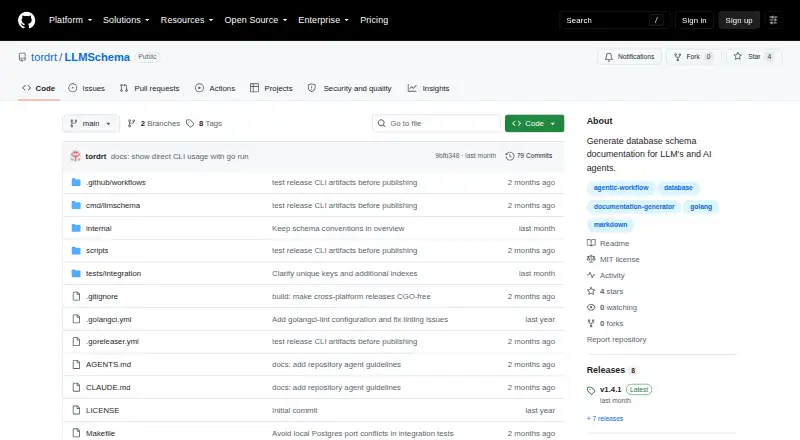
What LLMSchema is
LLMSchema creates Markdown documentation of database schemas for LLMs and AI-assisted coding. It extracts structures from PostgreSQL, MySQL, and SQLite, documenting tables, columns, types, indexes, constraints, and relationships. By default, it writes one portable Markdown document; an alternative layout creates an overview and a separate file for each table. Users can select tables to include or specify tables to exclude. LLMSchema is available as both a command-line tool and a Go library. The README provides Go installation instructions and a quick install script for macOS and Linux, and shows how to add schema generation to a Makefile or migration script to keep documentation current. For coding-agent setups, it suggests identifying the documentation location in AGENTS.md, CLAUDE.md, or an equivalent instruction file. The repository describes the software as MIT-licensed and free, with Linux, macOS, Windows, and self-hosted use listed. Its maker intends it for development databases and says it should not be relied on for production-critical documentation. Views, materialized views, PostgreSQL triggers and functions, and table and column comments are listed as areas to explore.
Who it suits
LLMSchema suits developers who want Markdown schema references for AI-assisted coding with PostgreSQL, MySQL, or SQLite. The maker positions it for development databases, not production-critical documentation.
What it does well
- Documents tables, columns, types, indexes, constraints, and relationships.
- Supports PostgreSQL, MySQL, and SQLite.
- Offers one-file and per-table Markdown layouts.
- Available as a command-line tool and Go library.
- Can be added to a Makefile or migration script.
What to know first
- Not intended for production-critical documentation.
- Does not list support for views or materialized views.
- PostgreSQL triggers and functions are areas to explore.
- Table and column comments are areas to explore.
Limits
The maker describes LLMSchema as intended for development databases and says not to rely on it for production-critical documentation.
Plans
| Plan | Billed and limits | Price |
|---|---|---|
| Free (MIT-licensed software) | CLI and Go library · PostgreSQL, MySQL, SQLite | Free |
As github.com lists them, read 8 Oct 2026. The maker's own page has the final word.
Getting started
- Open the LLMSchema repository on GitHub.
- Install it using the Go instructions or the quick install script for macOS or Linux.
- Run schema generation for a PostgreSQL, MySQL, or SQLite database.
- Choose a single Markdown document or the overview and per-table file layout.
- Optionally include selected tables or exclude tables.
- Add schema generation to a Makefile or migration script, then point a coding agent to the documentation from AGENTS.md, CLAUDE.md, or an equivalent file.
LLMSchema is a self-hosted developer tool that turns relational database structures into Markdown for coding agents and documentation workflows. It suits teams working with PostgreSQL, MySQL, or SQLite who want schema context in source control without paying for a hosted service. Its development-only positioning makes it best treated as an aid for AI-assisted coding, not as an authoritative production record.
Overview
LLMSchema generates documentation from PostgreSQL, MySQL, and SQLite databases. The output covers tables, columns, data types, indexes, constraints, and relationships, giving an AI coding assistant a compact view of how an application’s relational data fits together. Because the result is Markdown, it can sit beside code and be read by both developers and language models.
The project is MIT licensed and free to use. It runs locally or on infrastructure you control, avoiding a hosted documentation subscription. The trade-off is that you own installation, execution, and whatever process keeps generated files current. The project explicitly targets development databases and should not be relied on for production-critical documentation.
Key features
Markdown schema output
LLMSchema can write one portable Markdown document or an overview accompanied by a separate Markdown file for every table. A single file is convenient for straightforward agent instructions; split files are more practical when a repository is large or when prompts should point an agent to narrower table-level context.
Selective documentation
Include and exclude filters let you limit generated content to chosen tables. That keeps prompts and checked-in documentation focused, and helps teams avoid exposing irrelevant development tables to an agent.
Automation and interfaces
The command-line tool can be added to a Makefile or migration script so documentation is regenerated as schemas change. The same project is available as a Go library, which gives Go-based tooling a programmatic integration path rather than requiring shell orchestration. The README also recommends telling an agent where the files live through AGENTS.md, CLAUDE.md, or an equivalent instruction file.
Coverage is intentionally centered on core relational schema objects. Views and materialized views, PostgreSQL triggers and functions, and table and column comments are identified as areas for exploration, so workflows that depend on those objects should expect an incomplete picture.
Pricing
Free (MIT-licensed software) — 0.00 USD
This is the only plan: free CLI and Go library access for PostgreSQL, MySQL, and SQLite. There is no paid tier, renewal, seat charge, quota, or trial period. That makes LLMSchema a sensible choice for individual developers and teams that can run tooling in their own environments. You give up the convenience of a commercial support package and broader documentation coverage, so organizations needing production-grade governance should look elsewhere.
Platforms
LLMSchema supports Linux, macOS, Windows, and self-hosted deployment. Go installation instructions and a quick-install script are provided for macOS and Linux; Windows users can use the command-line and library on that platform but should expect to manage installation themselves. Self-hosting suits repositories with strict control over database access and generated files.
Who it's for
Choose LLMSchema if you are a developer or small team using a supported relational database and want deterministic Markdown context for AI-assisted coding. It is particularly suitable when schema files belong in version control and a Makefile or migration process can regenerate them.
It is a poor fit when documentation must describe production-only objects, serve as a formal data dictionary, or be maintained by nontechnical users through a hosted interface. The project’s stated development-database boundary is important for any operational or compliance workflow.
Pros and cons
Pros
- Free and MIT licensed: there is no subscription or seat cost, and the code can be self-hosted.
- Useful relational coverage: tables, columns, types, indexes, constraints, and relationships provide the essentials for coding assistance.
- Flexible Markdown layouts: one file or one file per table supports both simple and large repositories.
- Automation-friendly: Makefile and migration-script integration can keep checked-in docs aligned with development changes.
- CLI and Go library: teams can use a command or embed generation in Go tooling.
Cons
- Not for production-critical records: the project itself limits its reliability claim to development databases.
- Object coverage has gaps: views, materialized views, PostgreSQL triggers and functions, and comments are not established parts of the documented scope.
- Self-managed operation: installation and update automation remain the user’s responsibility.
- Relational-only focus: teams using nonrelational systems need another tool.
Alternatives
Browse Database Documentation Tools for a wider category comparison.
MySQL is the stronger choice when you need a full database platform with a freemium model, a trial, and replication, high-availability components, and connectors beyond schema-to-Markdown generation.
Pick DBDock for an open-source MIT-licensed CLI with self-hosting and broader API, web, and desktop platform coverage.
dbdocs fits teams wanting a hosted documentation service, public sharing, password protection, and a paid single-user tier with annual billing options.
Choose dbForge Studio for PostgreSQL when PostgreSQL work benefits from an Express edition with code completion, formatting, query history, visual editing, and data transfer tools.
DbSchema is better for visual schema design and synchronization, with Pro and Architect upgrades beyond its community offering.
DBX is another free, open-source documentation tool with self-hosted, web, and desktop availability.
Taavik suits users who need a hosted database workspace with members, saved queries, schedules, history, and query-run limits on its free tier.
tbls is a straightforward alternative if you prefer an MIT-licensed, single-binary CLI for database documentation.
Verdict
LLMSchema is a strong pick for developers who want free, self-hosted Markdown schema context for AI coding workflows across PostgreSQL, MySQL, or SQLite. Its filtering, automation hooks, and CLI/Go interfaces make it practical to keep development documentation near the code. Look elsewhere if you need production assurance, richer database-object coverage, visual design, or a managed documentation experience.
Verdict
LLMSchema provides selectable Markdown schema documentation in formats useful to coding workflows. Its stated development focus makes it a poor fit for production-critical documentation.
Questions
Is LLMSchema free?
Yes. It is free, open-source software licensed under MIT.
Which databases does LLMSchema support?
It extracts schemas from PostgreSQL, MySQL, and SQLite.
Which platforms are listed?
Linux, macOS, Windows, and self-hosted use are listed.
What output does LLMSchema produce?
It produces Markdown documentation, either as one portable document or as an overview with a separate file for each table.
Who publishes LLMSchema?
The project is published under the GitHub account tordrt, whose profile name is Tord.
Is LLMSchema intended for production-critical documentation?
No. The maker describes it as intended for development databases and says not to rely on it for production-critical documentation.
Facts from LLMSchema's own pages
- AI agent setup
- The README suggests telling a coding agent where the schema docs are located in AGENTS.md, CLAUDE.md, or an equivalent instruction file. · github.com, 8 Oct 2026
- Contribution and support
- The README invites contributions through issues and pull requests and suggests opening an issue first for larger features. · github.com, 8 Oct 2026
- Developer interface
- LLMSchema is available as a command-line tool and a Go library. · github.com, 8 Oct 2026
- Feature gaps
- The README lists views and materialized views, PostgreSQL triggers and functions, and table and column comments as areas to explore. · github.com, 8 Oct 2026
- Filtering
- Users can include selected tables or exclude tables from the generated documentation. · github.com, 8 Oct 2026
- Installation
- The README provides Go installation instructions and a quick install script for macOS and Linux. · github.com, 8 Oct 2026
- Integration
- The README shows adding schema generation to a Makefile or migration script to keep documentation up to date. · github.com, 8 Oct 2026
- Intended use
- The maker describes the tool as intended for development databases to support AI-assisted coding and says not to rely on it for production-critical documentation. · github.com, 8 Oct 2026
- Interfaces
- LLMSchema is available as a command-line tool and as a Go library. · github.com, 8 Oct 2026
- License
- The repository identifies the project as MIT licensed. · github.com, 8 Oct 2026
- Maker
- The repository is published under the GitHub account tordrt, whose profile name is Tord. · github.com, 8 Oct 2026
- Output
- It documents tables, columns, types, indexes, constraints, and relationships in Markdown. · github.com, 8 Oct 2026
- Output formats
- It can produce one portable Markdown document or an overview with a separate Markdown file for each table. · github.com, 8 Oct 2026
- Output options
- It writes one Markdown document by default and can optionally create an overview plus one file per table. · github.com, 8 Oct 2026
- Pricing and trial
- The README provides installation instructions without listing paid plans or a trial. · github.com, 8 Oct 2026
- Purpose
- LLMSchema generates database schema documentation for LLMs and AI agents. · github.com, 8 Oct 2026
- Schema details
- The generated documentation can include tables, columns, types, indexes, constraints, and relationships. · github.com, 8 Oct 2026
- Security and reliability limit
- The README says the tool is intended for development databases and should not be relied on for production-critical documentation. · github.com, 8 Oct 2026
- Supported databases
- It extracts schemas from PostgreSQL, MySQL, and SQLite. · github.com, 8 Oct 2026
Where LLMSchema stands on Freedom251
- Database Documentation Tools#9 of 27