Freedom251 › LinkedIn Automation Software
Linki
What Linki is
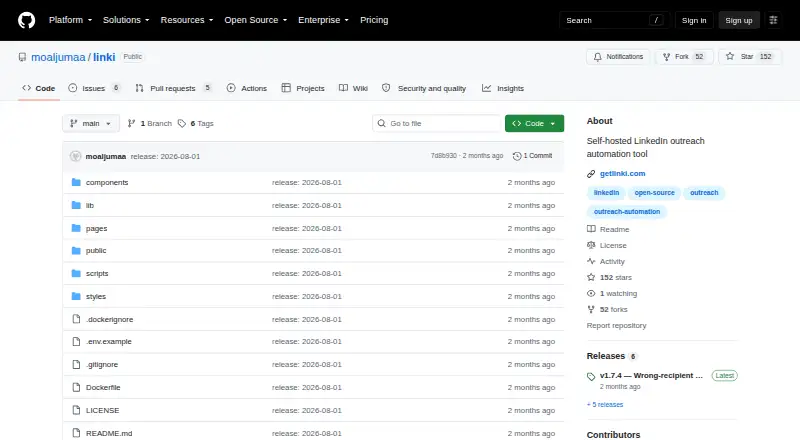
Linki is an open-source AI SDR for B2B outreach, combining LinkedIn actions, cold email, and lead enrichment. Campaigns can mix LinkedIn steps and email, set delays, and track each lead's state. The managed edition can draft personalized messages using a global voice, campaign angle, and step instructions; users can preview drafts and choose models through OpenRouter. Linki classifies replies such as out-of-office messages, forwarded contacts, and clear next steps, and can trigger follow-ups. The repository describes Apollo.io enrichment via API key, SMTP/IMAP email accounts, and Sales Navigator imports. The open-source edition runs with Docker or Node.js and can be hosted on a VPS or laptop; the project says data stays on the user's own server. Managed plans cost €20 a month for Launch, €50 a month for Momentum, or €90 a month for Summit, each billed monthly. Importing leads from a Sales Navigator list requires a LinkedIn Sales Navigator subscription. The maker does not promise automation is free from LinkedIn account-ban risk.
Who it suits
Linki is aimed at B2B founders and sales teams coordinating LinkedIn and email outreach. The Summit plan is described for agencies and larger teams.
What it does well
- Campaigns combine LinkedIn actions and email steps
- Tracks state for each lead
- Reply classification can trigger follow-ups
- Open-source edition can be self-hosted
- Managed plans include AI message writing
What to know first
- Sales Navigator list imports require a subscription
- Maker cannot promise zero LinkedIn account-ban risk
- Managed plans start at €20 a month, billed monthly
Limits
Launch allows 1 concurrent campaign. Importing leads from a Sales Navigator list requires a LinkedIn Sales Navigator subscription.
Plans
| Plan | Billed and limits | Price |
|---|---|---|
| Launch | Monthly · 1 concurrent campaign · AI message writer · Automatic reply triage · Unlimited seats | €20 a month |
| Momentum | Monthly · Several concurrent campaigns · AI message writer · Automatic reply triage · Hosted MCP API · Unlimited seats | €50 a month |
| Summit | Monthly · Highest campaign limit · AI message writer · Automatic reply triage · Hosted MCP API · Unlimited seats | €90 a month |
As github.com lists them, read 2 Oct 2026. The maker's own page has the final word.
Getting started
- Open the Linki GitHub website.
- Choose the open-source edition or a managed plan.
- For self-hosting, run the open-source edition with Docker or Node.js on a VPS or laptop.
- Connect an SMTP or IMAP email account, or configure Apollo.io enrichment with an API key.
- Import leads from a Sales Navigator list if you have a LinkedIn Sales Navigator subscription.
- Create a campaign with LinkedIn actions and email steps.
Linki combines LinkedIn and email outreach, reply triage, and lead enrichment in one campaign workflow. It best suits B2B founders and sales teams that want to coordinate prospecting or run a self-hosted setup. Its breadth is appealing, but importing Sales Navigator lists requires a subscription, and LinkedIn automation carries account risk.
Overview
Linki brings campaign sequencing, lead enrichment, and reply handling together rather than treating each outreach step as a separate tool. Campaigns can mix LinkedIn actions with email, set delays, and track each lead’s progress. That is useful for teams managing multi-step outreach, though importing leads from a Sales Navigator list depends on having a Sales Navigator subscription.
The open-source edition runs with Docker or Node.js and can be self-hosted on a VPS or laptop. The repository says self-hosted data stays on the user’s own server. Its source-available Linki Sustainable Use License permits personal and business use, self-hosting, modification, and contributions; it is not described as an unrestricted open-source license.
Key features
LinkedIn and email sequences
Configurable delays and per-lead state tracking give teams a way to coordinate LinkedIn actions and email steps in one campaign. SMTP and IMAP account connections support email, while Apollo.io enrichment uses an API key. The combination is practical for B2B prospecting, but its value depends on having the accounts and credentials needed for those integrations.
AI messages and reply triage
The managed edition writes messages from a global voice, campaign angle, and instructions for each step. Previews and model selection through OpenRouter give users control before sending; these AI-writing details apply to the managed edition. Linki also classifies replies including out-of-office notes, forwarded contacts, and clear next steps, and can trigger follow-ups. That can reduce routine sorting, though it does not remove the need to review responses.
Agent access
Managed plans include a hosted MCP API for Claude and Cursor. Those agents can read contacts, lists, campaigns, and replies, and trigger LinkedIn actions. This is most relevant to teams already using those tools; it adds less for buyers who want outreach without agent workflows.
Pricing
Linki has a free, self-hosted edition and paid managed plans billed monthly. The free edition offers control over hosting, but the plan details provided do not assign it the managed plans’ campaign limits or hosted MCP API.
- Launch — €20 a month (billed Monthly): One concurrent campaign, AI message writer, automatic reply triage, and unlimited seats. It suits a small team running one active campaign; the single-campaign cap is the main constraint.
- Momentum — €50 a month (billed Monthly): Several concurrent campaigns, AI message writer, automatic reply triage, hosted MCP API, and unlimited seats. It fits teams that need multiple campaigns or agent access.
- Summit — €90 a month (billed Monthly): The highest campaign limit, AI message writer, automatic reply triage, hosted MCP API, and unlimited seats. It is positioned for agencies and larger teams managing more campaigns.
All three paid plans include unlimited seats, so the stated distinction is campaign capacity and, between Launch and the upper two plans, hosted MCP access.
Platforms
Linki supports API, Linux, macOS, self-hosted, web, and Windows. Docker and Node.js hosting options make the self-hosted edition suitable for users prepared to run it on their own machine or server.
Who it's for
Linki is a strong fit for B2B founders and sales teams that want LinkedIn and email sequences, lead enrichment, and reply handling in a shared workflow. Self-hosting will appeal to users who want data on their own server and can manage that setup. Agencies and larger teams may find Summit’s higher campaign limit more appropriate. It is a weaker choice for users who lack Sales Navigator but need to import its lists, or who are unwilling to accept automation-related LinkedIn account risk: the maker says it cannot promise zero risk and advises starting gently and following LinkedIn’s rules.
Pros and cons
- Pros: Combines LinkedIn and email steps with per-lead tracking, reply classification, and Apollo.io enrichment, reducing the need to split those tasks across separate workflows.
- Pros: Self-hosting via Docker or Node.js keeps data on the user’s own server, and the license permits business use and modification.
- Pros: Managed plans include unlimited seats, while higher tiers add campaign capacity and hosted MCP access.
- Cons: Sales Navigator is required to import leads from its lists, adding a subscription dependency for that workflow.
- Cons: LinkedIn automation can still put accounts at risk; the maker offers no guarantee against bans.
- Cons: Launch allows only one concurrent campaign and excludes the hosted MCP API included with Momentum and Summit.
Alternatives
For a broader look at this category, browse LinkedIn Automation Software.
- LeadConnect suits buyers who prefer an extension and web app with a defined free tier: its free plan allows up to 2 invites and 6 message credits per day, with 05 templates; its Professional plan is $25.95 a month, billed Monthly, with up to 30.
- Outroh is an alternative for readers who want a web-based freemium option with a free plan and no credit card requirement.
- OpenOutreach is another free, web-based option.
- Relinta offers a freemium web option.
- GrowChief is a free option for web, Windows, or macOS.
- Linked Helper may suit readers seeking a paid tool with a 14-day trial that provides full Pro access, no daily caps, and no credit card requirement; campaigns pause when the trial ends. It supports Linux, macOS, self-hosted, and Windows.
- LinkedRadar is a paid web-based alternative.
- LinkOutreach is a paid web-based alternative.
Verdict
Choose Linki if your B2B team wants LinkedIn and email sequencing, reply triage, and enrichment together, especially if self-hosting or managed-plan agent access matters. Look elsewhere if you need Sales Navigator list imports without a subscription or cannot accept the maker’s stated risk of LinkedIn automation.
Verdict
Linki brings campaign sequencing, reply handling, and lead enrichment into one outreach tool, with a self-hosted edition and managed plans. Consider the Sales Navigator requirement and the maker's stated automation risk before using it for LinkedIn activity.
Questions
Is Linki free?
Linki is listed as free and open source, with a free plan and trial. Managed plans start at €20 a month for Launch.
What does the Launch plan include?
Launch costs €20 a month, billed monthly. It includes 1 concurrent campaign, an AI message writer, automatic reply triage, and unlimited seats.
Can Linki be self-hosted?
Yes. The open-source edition can run with Docker or Node.js and can be self-hosted on a VPS or laptop.
What integrations does Linki describe?
The repository describes Apollo.io enrichment using an API key, SMTP/IMAP email accounts, and Sales Navigator imports.
Is Linki open source?
It is source-available under the Linki Sustainable Use License, which permits personal and business use, self-hosting, modification, and contributions.
Does Linki work with Claude or Cursor?
Managed plans include a hosted MCP API for Claude and Cursor to access contacts, lists, campaigns, and replies, and to trigger LinkedIn actions.
Facts from Linki's own pages
- Agent access
- The managed plans include a hosted MCP API for Claude and Cursor to read contacts, lists, campaigns, and replies and trigger LinkedIn actions. · getlinki.com, 2 Oct 2026
- AI personalization
- The managed edition offers AI-written messages using a global voice, campaign angle, and step instruction, with previews before sending and model selection through OpenRouter. · getlinki.com, 2 Oct 2026
- Campaigns
- A campaign can combine LinkedIn actions and email steps, with configurable delays and per-lead state tracking. · github.com, 2 Oct 2026
- Data control
- The repository says self-hosted Linki runs on the user's own server and that its data does not leave the user's machine. · github.com, 2 Oct 2026
- Hosting
- The open-source edition can be run with Docker or Node.js, and the repository says it can be self-hosted on a VPS or laptop. · github.com, 2 Oct 2026
- Integrations
- The repository describes Apollo.io enrichment using an API key, SMTP/IMAP email accounts, and Sales Navigator imports. · github.com, 2 Oct 2026
- Intended users
- The repository describes Linki as built for B2B founders and sales teams, while the Summit plan is described for agencies and larger teams. · github.com, 2 Oct 2026
- Lead import limit
- A LinkedIn Sales Navigator subscription is required to import leads from a Sales Navigator list. · github.com, 2 Oct 2026
- License
- The project is source-available under the Linki Sustainable Use License, which permits personal and business use, self-hosting, modification, and contributions. · github.com, 2 Oct 2026
- LinkedIn risk
- The maker says it cannot promise zero risk of LinkedIn account bans from automation and suggests starting gently and following LinkedIn's rules. · getlinki.com, 2 Oct 2026
- Product
- Linki is an open-source AI SDR for B2B outreach, with LinkedIn sequences, cold email, and lead enrichment. · github.com, 2 Oct 2026
- Reply handling
- Linki classifies replies such as out-of-office messages, forwarded contacts, and clear next steps, and can trigger follow-ups. · getlinki.com, 2 Oct 2026
Where Linki stands on Freedom251
- LinkedIn Automation Software#2 of 28