Freedom251 › Property Management Resident Experience Software
Linked Senior
What Linked Senior is
Linked Senior is a resident-engagement platform for senior living staff, focused on person-centered life enrichment and dementia engagement through technology and non-drug therapy. Its digital tools support staff in assessing, planning, delivering, and evaluating engagement for residents with different interests and physical or cognitive needs. Activities include games, brain fitness, music therapy, and reminiscing, and the product has been deployed in assisted living, memory care communities, and nursing homes. Organizations can request Linked Senior through the PointClickCare marketplace to activate its integration. Product training resources also explain how to broadcast the service through a virtual meeting platform such as Zoom.
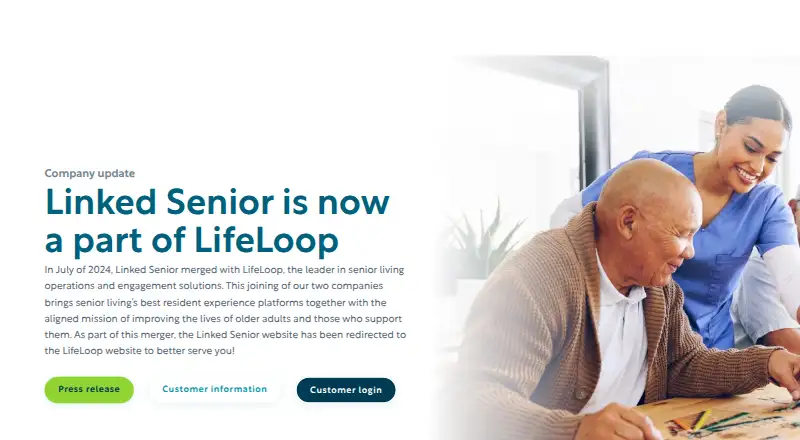
The Engage app runs on Windows 10/11 and iPad, but not Android; the iPad app does not work on iPhone, iPod, or Apple TV. Installation requires a persistent internet connection with at least 500 kb/sec bandwidth. Technical support is provided with Integrated Health Systems 24/7, and the support portal offers product guides and monthly training webinars. Linked Senior merged with LifeLoop in July 2024, and its website now redirects to LifeLoop. The signup page displays an option to start a trial but could not load plan details and directs organizations to contact support.
Who it suits
Linked Senior suits senior living staff seeking digital tools for resident engagement across differing preferences and physical or cognitive needs. Its described care settings include assisted living, memory care, and nursing homes.
What it does well
- Supports staff engagement planning and evaluation for residents.
- Includes games, brain fitness, music therapy, and reminiscing.
- Available for Windows 10/11 and iPad.
- Offers PointClickCare integration activation by marketplace request.
- Provides 24/7 technical support and monthly training webinars.
What to know first
- Does not support Android devices.
- iPad app does not work on iPhone, iPod, or Apple TV.
- Requires a persistent connection of at least 500 kb/sec.
- Signup directs organizations to support for plan details.
Limits
The signup page could not load plan details and directs organizations to contact support.
Plans
| Plan | Billed and limits | Price |
|---|---|---|
| Linked Senior | Pricing not stated on the pages reviewed | On request |
As linkedsenior.com lists them, read 9 Oct 2026. The maker's own page has the final word.
Getting started
- Visit the Linked Senior website, which now redirects to LifeLoop.
- Request a LifeLoop demo or consultation for organization details.
- Use the signup page's option to start a trial; contact support for plan details.
- Install the Engage desktop application on Windows 10/11 or the Engage app on iPad.
- Provide persistent internet access of at least 500 kb/sec.
Verdict
Choose Linked Senior if your senior living team needs digital support for resident engagement and its Windows or iPad applications fit your setup. Look elsewhere if you need Android support or cannot meet the stated internet connection requirement.
Questions
What does Linked Senior cost?
The pages reviewed do not state a Linked Senior price. Signup directs organizations to contact support for plan details.
Is there a free plan or trial?
There is no free plan. The signup page displays an option to start a trial.
Which devices does Linked Senior support?
The Engage application is available for Windows 10/11 and iPad. Android is unsupported, and the iPad app does not work on iPhone, iPod, or Apple TV.
Does it integrate with PointClickCare?
Yes. Customers can request Linked Senior through the PointClickCare marketplace to activate the integration.
Who supports Linked Senior now?
Linked Senior merged with LifeLoop in July 2024, and its website redirects to LifeLoop. Existing Customer Success contacts remain the same.
Facts from Linked Senior's own pages
- Android limitation
- The installation guide states that Linked Senior does not support Android devices. · install.linkedsenior.com, 9 Oct 2026
- Care settings
- The app listing says the product has been deployed in assisted living, memory care communities, and nursing homes. · apps.apple.com, 9 Oct 2026
- Company
- LifeLoop announced the acquisition of Linked Senior on July 18, 2024; the reviewed pages do not state Linked Senior’s founding year or headquarters. · lifeloop.com, 9 Oct 2026
- Company status
- Linked Senior merged with LifeLoop in July 2024, and its website now redirects to LifeLoop. · linkedsenior.com, 8 Oct 2026
- Connectivity requirement
- Installation instructions require a persistent internet connection with at least 500 kb/sec bandwidth. · install.linkedsenior.com, 8 Oct 2026
- Current status
- Linked Senior merged with LifeLoop in July 2024, and its website now redirects to LifeLoop. · linkedsenior.com, 9 Oct 2026
- Customer support continuity
- The Linked Senior transition page says customers’ existing Customer Success contacts remain the same. · info.lifeloop.com, 9 Oct 2026
- Device apps
- The Engage application is available for Windows 10/11 and iPad. · install.linkedsenior.com, 8 Oct 2026
- Engagement activities
- The app listing describes games, brain fitness, music therapy, and reminiscing as resident engagement activities. · apps.apple.com, 9 Oct 2026
- Hardware
- Linked Senior says it does not sell or support hardware, network, or software issues beyond its application and setup process. · install.linkedsenior.com, 8 Oct 2026
- Headquarters
- Washington, DC, United States · linkedsenior.com, 28 Sept 2026
- Integration
- The app listing says Linked Senior integrates with EHR providers such as PointClickCare. · apps.apple.com, 9 Oct 2026
- Intended users
- Linked Senior describes its platform as helping senior living staff engage residents across different preferences and physical or cognitive needs. · account.linkedsenior.com, 8 Oct 2026
- iPad support
- The installation guide provides instructions for installing the Engage app on iPad and states it does not work on iPhone, iPod, or Apple TV. · install.linkedsenior.com, 9 Oct 2026
- Plan and trial signup
- The Celo Basic signup page displays a button to start a trial, but says it could not load plan details and directs users to contact support. · account.linkedsenior.com, 8 Oct 2026
- PointClickCare integration
- The support FAQ explains that customers can request Linked Senior through the PointClickCare marketplace to activate the integration. · install.linkedsenior.com, 8 Oct 2026
- Pricing availability
- The pages reviewed direct organizations to request a LifeLoop demo or consultation and do not state a Linked Senior price. · lifeloop.com, 9 Oct 2026
- Purpose
- Linked Senior is described as an evidence-based resident engagement platform for senior living that supports person-centered care. · lifeloop.com, 9 Oct 2026
- Security and updates
- The installation guide says the Windows app checks for updates each time it starts and recommends routinely updating iPadOS for security and experience. · install.linkedsenior.com, 9 Oct 2026
- Staff workflow
- Its digital tools help staff assess, plan, implement, and evaluate engagement for the resident population. · lifeloop.com, 9 Oct 2026
- Support
- LifeLoop directs Linked Senior users with login, troubleshooting, or technical issues to [email protected]. · lifeloop.com, 9 Oct 2026
- Training
- The support portal offers product guides and monthly training webinars. · install.linkedsenior.com, 8 Oct 2026
- Virtual groups
- Product training resources include instructions for broadcasting Linked Senior through a virtual meeting service such as Zoom. · install.linkedsenior.com, 8 Oct 2026
- Windows support
- The installation guide says Linked Senior runs as a desktop application on Windows 10/11. · install.linkedsenior.com, 9 Oct 2026