Freedom251 › Link Building Software
LinkAssistant
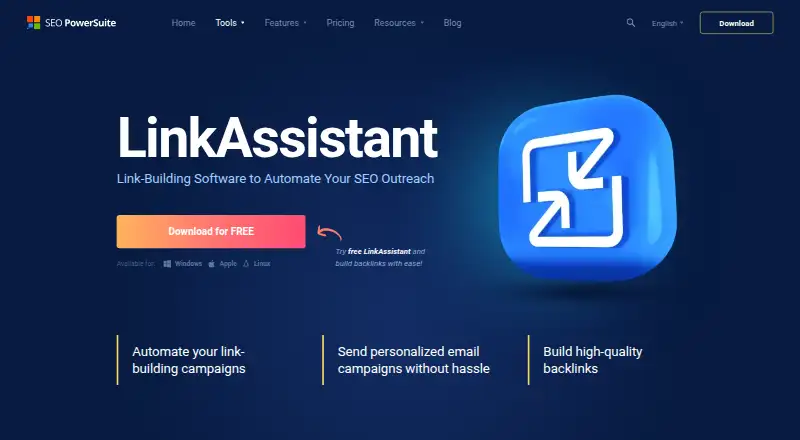
What LinkAssistant is
LinkAssistant helps with link-building campaigns, from finding prospective link partners to outreach and monitoring acquired links. Its prospecting tools include 10+ methods, with searches tailored by location, niche, and SERP type. You can also identify opportunities from competitors' backlink profiles using broken-link building and backlink-gap techniques. Prospects can be assessed by factors including InLink Rank, domain age, organic traffic, Page Authority, and indexed-page count. Outreach features cover contact email discovery, customizable email templates, and tracking for sent messages, replies, and follow-ups. A verification tracker checks whether links remain in place and can flag removals or nofollow tags. Reports can be customized, white-labeled, and scheduled. The free license allows 1,000 prospects per project. Professional costs $129 a year and Enterprise costs $259 a year; both list unlimited prospects per project. Enterprise adds report saving, emailing, scheduling, and CSV, SQL, and HTML export. LinkAssistant runs on Linux, macOS, and Windows and is intended for SEO professionals, marketing companies, website owners, and web developers.
Who it suits
LinkAssistant suits SEO professionals, digital marketing companies, website owners, and web developers managing link-building work. The free plan may suit smaller prospect lists, while paid plans list unlimited prospects per project.
What it does well
- Offers 10+ link prospecting methods.
- Finds prospects through competitor backlink profiles.
- Tracks outreach messages, replies, and follow-ups.
- Can flag removed links and nofollow tags.
- Reports support customization, white-labeling, and scheduling.
What to know first
- Free license is limited to 1,000 prospects per project.
- Professional costs $129 a year.
- Enterprise costs $259 a year.
Limits
The Free license allows 1,000 prospects per project. Professional costs $129 a year and includes unlimited prospects but reports with watermarks.
Plans
| Plan | Billed and limits | Price |
|---|---|---|
| Free | Free for as long as you want · 10 prospect search methods · 1,000 prospects per project · saving projects · reports | Free |
| Professional | $129/year · 10 prospect search methods · unlimited prospects per project · saving projects · reports with watermarks | $129 a year |
| Enterprise | $259/year · 10 prospect search methods · unlimited prospects per project · report saving, emailing, and scheduling · CSV, SQL, and HTML export | $259 a year |
As link-assistant.com lists them, read 2 Oct 2026. The maker's own page has the final word.
Getting started
- Visit the LinkAssistant website.
- Choose the Free license, Professional, or Enterprise plan.
- Install the software on Linux, macOS, or Windows.
- Find prospects using the available search methods or competitor backlink profiles.
- Use outreach tools to contact prospects and track responses.
Overview
LinkAssistant is desktop software for finding link prospects, managing outreach, checking acquired backlinks, and reporting on link-building work. It is best suited to SEO practitioners and agencies that want those tasks together; the free plan is a workable starting point, while its prospect cap makes Professional or Enterprise more suitable for larger projects.
Key features
Prospect discovery and assessment
More than 10 search methods, including searches tuned to location, niche, and SERP type, give users several ways to build a prospect list. Competitor backlink profiles can surface further targets, including for broken-link building and backlink-gap work. This breadth suits campaigns that need varied discovery routes rather than one source of prospects.
Prospects can be assessed using InLink Rank, domain age, organic traffic, Page Authority, and indexed-page count. These signals help prioritize research, but do not decide whether a site fits a specific campaign; that judgment remains with the user.
Outreach and backlink monitoring
Contact discovery, customizable email templates, and tracking for sent messages, replies, and follow-ups keep outreach activity together. Outreach automation is supported, although its precise scope is not described in the plan details. The verification tracker checks acquired links and can flag a removal or a nofollow tag, which is useful for spotting changes after placement.
Reporting
Customizable, white-label reports support client-facing work. Enterprise adds report saving, emailing, and scheduling, so it is the stronger fit for teams that need recurring delivery rather than just reports.
Pricing
LinkAssistant is freemium, with a free trial also offered. The Free plan costs nothing and remains free for as long as you want. It includes 10 prospect search methods, saving projects, reports, and 1,000 prospects per project. That cap can suit a small campaign, but active teams may outgrow it.
Professional costs $129 a year, billed $129/year. It keeps the 10 search methods and project saving, removes the prospect limit, and includes reports with watermarks. This is the lower-cost paid choice for users who need larger prospect lists and can work with watermarked reports.
Enterprise costs $259 a year, billed $259/year. It also allows unlimited prospects per project and adds report saving, emailing, scheduling, and CSV, SQL, and HTML export. Those additions make the higher annual price easier to justify for agencies or teams that need to deliver and export reports regularly. No seat count is stated for the plans, so this pricing is best judged by the individual workflow and reporting needs rather than assumed team capacity.
Platforms
LinkAssistant supports Linux, macOS, and Windows. It is a desktop option for practitioners who want a cross-platform application rather than a web-only workflow.
Who it's for
SEO professionals, digital marketing companies, website owners, and web developers working on search optimization are among its intended users. It makes most sense for people who need prospect research and outreach follow-up alongside link verification and reporting. Users focused on a smaller project can begin on Free; those managing unlimited prospects or recurring client reports have a clearer reason to pay.
Pros and cons
- Pros: Multiple prospecting methods and competitor backlink research provide varied ways to find targets.
- Pros: Contact discovery, message tracking, and link-status checks span outreach through post-placement monitoring.
- Pros: Enterprise offers scheduled, emailed reports and several export formats for recurring reporting workflows.
- Cons: Free is capped at 1,000 prospects per project, which can constrain larger campaigns.
- Cons: Professional reports carry watermarks; teams needing report delivery and scheduling must choose Enterprise.
- Cons: The annual paid plans are a commitment compared with the ongoing free option.
Alternatives
For a broader comparison, browse Link Building Software.
- Authoritas Link Building is another freemium option, with a free plan covering 2 domains, 1,000 keyword rank credits per month, and 1 user; its Essential plan is £99 a month for 5 domains and 15,000 keyword rank credits per month.
- ColdSEO may suit users looking for a free outreach option with explicit inbox, prospect-credit, email-send, personalization, and campaign limits: its free plan includes 1 connected inbox, 50 prospect credits per month, 100 email sends per month, 25 AI personalizations per month, and 1 active campaign.
- GuestPostCRM offers a Starter plan at $20 a month with 12,000 GPC Credits, 3 users, full AI tasks, and automated reminders, making it an alternative to compare for a multi-user workflow.
- Linkody is worth comparing if backlink monitoring is the priority: its Webmaster plan is $14.90 a month for 2 websites, 500 monitored links, and 1 user.
- BacklinkManager is another freemium option to consider.
- MentionAgent is a paid alternative; its Starter plan is $99 a month and includes 1 site, 1 sending inbox, up to 1,200 outreach emails per month, and 5,000 credits per month.
- Respona is another paid alternative.
- BacklinkManager.app is another paid alternative.
Verdict
LinkAssistant is a sound fit for SEO professionals and agencies that want prospect discovery, outreach tracking, backlink checks, and reporting in one desktop workflow. Its strongest reason to choose it is the range from competitor-informed discovery through post-placement checks, with unlimited prospects available on either paid plan. Look elsewhere if a 1,000-prospect free cap is too restrictive but the annual paid commitment is not justified, or if your needs call for a different workflow than its combined link-building toolkit.
Verdict
LinkAssistant covers prospect discovery, outreach tracking, backlink checks, and reporting in one link-building tool. Its free project limit is 1,000 prospects; both listed paid plans remove that limit.
Questions
Is LinkAssistant free?
Yes. Its Free plan costs nothing for as long as you want and allows 1,000 prospects per project.
What do the paid plans cost?
Professional costs $129 a year. Enterprise costs $259 a year.
Which platforms does LinkAssistant support?
It runs on Linux, macOS, and Windows.
What is the difference between Professional and Enterprise?
Both list unlimited prospects per project. Enterprise adds report saving, emailing, and scheduling, plus CSV, SQL, and HTML export.
Who makes LinkAssistant?
LinkAssistant was first built by founders Aleh Barysevich and Viktar Khamianok in 2004. Techfusion LTD is identified as the data controller in the maker’s privacy policy.
Does LinkAssistant offer a free trial?
Yes, a free trial is listed.
Facts from LinkAssistant's own pages
- Backlink monitoring
- Its verification tracker checks whether acquired links remain in place and can flag a removed link or a nofollow tag. · link-assistant.com, 2 Oct 2026
- Competitor research
- Users can find prospects from competitors’ backlink profiles, including through broken-link building and backlink-gap techniques. · link-assistant.com, 2 Oct 2026
- Founded
- 2004 · link-assistant.com, 28 Sept 2026
- Free plan limit
- The free license includes 1,000 prospects per project; Professional and Enterprise list unlimited prospects per project. · link-assistant.com, 2 Oct 2026
- Headquarters
- Nicosia, Cyprus · link-assistant.com, 28 Sept 2026
- History
- The company’s history page says founders Aleh Barysevich and Viktar Khamianok built the first LinkAssistant app for link building and outreach in 2004. · link-assistant.com, 2 Oct 2026
- Intended users
- The company says its tools serve SEO professionals, digital marketing companies, website owners, web developers, and others working with search optimization. · link-assistant.com, 2 Oct 2026
- Link quality
- Link prospects can be assessed using factors such as InLink Rank, domain age, organic traffic, Page Authority, and indexed-page count. · link-assistant.com, 2 Oct 2026
- Outreach
- The software includes contact discovery, customizable email templates, and tools to track sent emails, replies, and follow-ups. · link-assistant.com, 2 Oct 2026
- Platforms
- The download page lists Windows, Apple, and Linux as available platforms. · link-assistant.com, 2 Oct 2026
- Privacy
- The maker’s privacy policy says it does not sell personal data and identifies Techfusion LTD as the data controller. · link-assistant.com, 2 Oct 2026
- Prospecting
- The product lists 10+ methods for finding link-building opportunities, including searches tailored by location, niche, and SERP type. · link-assistant.com, 2 Oct 2026
- Purpose
- LinkAssistant helps discover link opportunities, find contact email addresses, send pitches, and measure link-building campaigns. · link-assistant.com, 2 Oct 2026
- Reporting
- LinkAssistant supports customizable, white-label link-building reports and scheduled report delivery. · link-assistant.com, 2 Oct 2026
- Support
- The company says users can contact support by email at [email protected]. · link-assistant.com, 2 Oct 2026
Where LinkAssistant stands on Freedom251
- Link Building Software#2 of 26