Freedom251 › Client Intake Software
Leverage
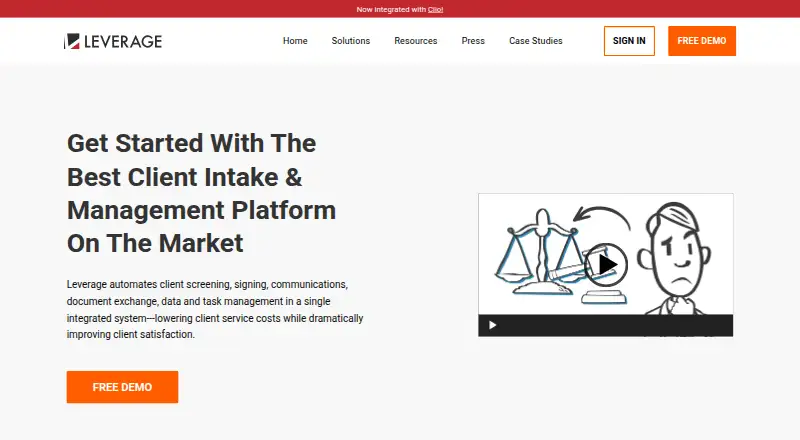
What Leverage is
Leverage is cloud-hosted client intake and management software for attorneys. It combines prospect screening, signing, communications, document exchange, data organization, and task management for firms handling client intake, class actions, mass actions, and arbitration swarms. Firms can create programmable intake interviews to screen prospects and automate follow-up. Built-in e-signing supports mail merge, and Stripe integration lets firms collect retainer or cost-deposit payments. A client portal supports secure document exchange, interactive surveys, personalized email and text messaging, and private video blogging.
For organizing clients and work, Leverage provides grouping, custom tables and exports, queries, task management, and workflow-based communications and tasks. The homepage says it integrates with Clio, and the product is available on the web and through an API. Users can invite unlimited team members to a site at no extra cost. The free plan supports up to three users and 500 outbound emails. The Professional plan is listed at $24, paid once, billed for each signed client, with a $1/month charge and $150 minimum; it allows up to 50 clients and six users. Enterprise pricing is available by contact. Training is not included, though it may be provided at customary rates.
Who it suits
Leverage suits law firms managing client intake, class actions, mass actions, or arbitration swarms. It is particularly relevant to teams seeking intake automation, client communications, signing, and case-related task organization in one system.
What it does well
- Programmable intake interviews can screen prospects
- Built-in e-signing supports mail merge
- Stripe integration supports retainer or cost-deposit payments
- Unlimited team members can be invited at no extra cost
- Integrates with Clio
What to know first
- Free plan is limited to three users and 500 outbound emails
- Professional plan has a $150 minimum
- Enterprise pricing requires contacting the provider
- Training is not included
Limits
The free plan allows up to three users and 500 outbound emails. Professional supports up to 50 clients and six users; Enterprise lists unlimited clients and users.
Plans
| Plan | Billed and limits | Price |
|---|---|---|
| Free Plan | Free · Prospects website with video · automated screening/interviewing/e-signing · surveys · secure client website · video blogging · case/site email · mail-merge email · 500 outbound emails · document exchange · client pages · grouping · tables/exports · tasks · 3 users · custom Leverage.law URL | Free |
| Professional Plan | $24 one-time charge per signed client; $1/month, $150 minimum · Everything in Free · up to 50 clients · up to 6 users | $24, paid once |
| Enterprise Plan | Contact us for pricing · Everything in Professional · unlimited clients · unlimited users · automation workflows · document generation with merge fields · branching survey logic · POST data to third-party APIs · marketing and analytics dashboards | On request |
As leverage.law lists them, read 15 Oct 2026. The maker's own page has the final word.
Getting started
- Visit the Leverage website.
- Choose the free plan or review Professional and Enterprise options.
- Use the web platform or API.
- Set up programmable intake interviews to screen prospects and automate follow-up.
- Invite team members and use the client portal for client communications and document exchange.
Leverage is cloud-hosted software for attorneys that combines prospect screening with client communication and work organization. It is best suited to law firms managing class actions, mass actions or arbitration swarms. Its broad intake-to-management scope is useful for those firms, but the Professional plan’s $150 minimum makes paid use a commitment rather than a low-cost trial.
Overview
Leverage brings programmable intake, signing, payments, client communication and task management into one service. Firms handling large or complex client groups can organize records with grouping, custom tables, queries and exports, then connect workflows to communications and tasks. A firm that only needs to collect basic intake forms may find this wider operational toolkit unnecessary.
The service integrates with Clio. The maker says a site can invite unlimited team members at no extra cost, but plan limits still apply: Free allows three users, Professional six, and Enterprise unlimited users. Security is described for the portal and document exchange; the maker’s privacy policy says it does not guarantee its precautions will protect website information.
Key features
Intake, signing and payments
Programmable interviews screen prospects and automate follow-up, which can reduce manual handling of incoming inquiries. Built-in e-signing includes mail merge, and Stripe integration supports retainer or cost-deposit payments. These tools suit firms that want intake and early client administration connected rather than split across separate services.
Client communication and organization
The client portal, private video blogging, personalized email and text messaging, secure document exchange and interactive surveys give firms several ways to keep clients informed and collect materials. Grouping, custom tables, exports, queries and task management help staff handle work across client cohorts. Workflow automation is conditional, so buyers should confirm that the workflows they need are supported by their chosen plan.
Leverage is available on web and through an API. Training is not included; it may be provided at customary rates. Additional support, engineering and consulting may also be available by agreement at customary rates, adding potential costs for firms that need help beyond the core service.
Pricing
The Free Plan costs nothing and allows up to 3 users and 500 outbound emails, with features listed on the pricing page. It offers a capped way for a small firm to start, but the user and email ceilings may be restrictive for a team handling a steady volume of prospects.
The Professional Plan is $24, paid once, billed each signed client; it is also $1/month, with a $150 minimum. It covers up to 50 clients and six users and includes the Free plan. Per-client billing ties charges to signed clients, but the minimum matters for firms with low conversion or limited needs: the plan is not simply a $1 monthly commitment.
Enterprise has custom pricing and includes unlimited clients and users, automation workflows, document generation, API posting and conversion dashboards. It is the fit for firms that outgrow Professional’s client or seat caps or need these enterprise tools, though the price must be obtained from the provider.
A free trial is available. Training is not included in the plans and may incur customary rates; additional support, engineering or consulting may carry separate customary charges by agreement.
Platforms
Leverage supports web access and an API. Its cloud-hosted service is built for attorneys, with a Clio integration for firms already using that platform.
Who it's for
Leverage is strongest for law firms coordinating intake and communication across class actions, mass actions or arbitration swarms. Firms that need screening, document exchange, signing, payment collection and cohort-level task organization in one service have a clear reason to consider it. Solo or small firms with simple intake needs may be better served by a narrower tool, particularly if the Professional minimum would outweigh the value of per-signed-client billing.
Pros and cons
- Pros: Intake, e-signing, Stripe payment collection, client messaging, document exchange and task management sit in one system, which can reduce fragmentation for complex client operations.
- Pros: The free tier allows up to three users and 500 outbound emails, while Enterprise removes client and user limits.
- Cons: Professional carries a $150 minimum despite its per-signed-client billing, which may not suit firms with few signed clients.
- Cons: Professional is capped at 50 clients and six users; moving beyond those limits means considering custom-priced Enterprise.
- Cons: Training is excluded, and extra support or consulting may incur customary charges; the privacy policy also does not guarantee security precautions will protect website information.
Alternatives
For a broader comparison, browse Client Intake Software.
- Intake is worth considering for a freemium option with a free tier for up to 10 clients and support across Android, iOS, web and API.
- ClientLoop offers a GBP-denominated free tier for up to five clients and one team member, with unlimited document and form requests.
- FlowyForm is a web-based free option when the priority is unlimited forms and submissions with e-signatures and conditional logic.
- FormsHQ has a free Starter Form tier for one published form and 50 responses per month, a narrower fit for form-led intake.
- Onvoy offers a free web tier for five onboardings per month and one team member, with forms, uploads, templates and automated email reminders.
- PlatoForms has a free web and API plan capped at one live form, 100 monthly submissions, 100 MB storage and two members.
- Portico provides a free tier with three active onboardings a month, three e-signatures a month, 1 GB storage and unlimited team members.
- Synerdeck offers a free tier for up to 10 clients, two templates, 500 MB storage, manual reminders and a basic client portal.
Verdict
Choose Leverage if your law firm needs a connected system for screening prospects, managing client communications and organizing work across complex or high-volume matters. The main reason to choose it is that breadth, supported by client grouping, workflows and a Clio integration; the main reason to look elsewhere is the Professional plan’s $150 minimum, its 50-client and six-user caps, and the possibility of extra service costs.
Verdict
Leverage brings intake, client communication, document exchange, and task management together for law firms. Review the Professional plan’s per-signed-client billing and minimum, or contact the provider for Enterprise pricing.
Questions
Is Leverage free?
Yes. Its Free Plan costs nothing and allows up to three users and 500 outbound emails.
How much does Professional cost?
Professional is listed at $24, paid once, billed for each signed client. The pricing note also says $1/month and a $150 minimum.
What platforms does Leverage support?
Leverage is available on web and through an API.
Does Leverage integrate with Clio?
Yes. Its homepage says Leverage is integrated with Clio.
Does the free plan include e-signatures and a client portal?
The product lists e-signatures and a client portal. The Free Plan includes the features listed on the pricing page.
Is training included?
No. Training is not included, but may be provided at customary rates. Additional support, engineering and consulting services may be available by agreement at customary rates.
Facts from Leverage's own pages
- API extensibility
- The Enterprise plan includes posting data to third-party APIs. · whoneedsclasscert.com, 15 Oct 2026
- Audience
- The product is presented for law firms handling client intake, class actions, mass actions and arbitration swarms. · leverage.law, 8 Oct 2026
- Class actions
- Class-action workflows automate investigations, representative identification, document collection, signing and opt-in elections. · leverage.law, 15 Oct 2026
- Client communications
- Features include a client portal, private video blogging, personalized email and text messaging, secure document exchange and interactive surveys. · leverage.law, 8 Oct 2026
- Client portal
- Clients receive secure access to a Leverage-powered private website. · leverage.law, 15 Oct 2026
- Clio
- The homepage states that Leverage is integrated with Clio. · leverage.law, 8 Oct 2026
- Clio integration
- The homepage announces an integration with Clio. · leverage.law, 15 Oct 2026
- Company legal owner
- Gallo Digital LLC owns the LEVERAGE trademark and related SaaS hosting/software services. · trademarks.justia.com, 15 Oct 2026
- Company profile
- LinkedIn lists Gallo Digital as a privately held software-development company founded in 2014 with headquarters in San Rafael, California and 11–50 employees. · linkedin.com, 15 Oct 2026
- Data management
- Users can query database fields, group clients, create custom tables and export data to spreadsheets. · leverage.law, 15 Oct 2026
- Discovery automation
- The maker says census and written-discovery responses can be completed with nearly automated tools. · leverage.law, 15 Oct 2026
- Document exchange
- Secure document exchange and downloadable client documents are supported. · leverage.law, 15 Oct 2026
- E-signatures
- The platform provides built-in e-signing with mail merge for fee agreements and other documents. · leverage.law, 15 Oct 2026
- Founder
- Wellfound identifies Ray Gallo as founder of Gallo Digital. · wellfound.com, 15 Oct 2026
- Hosting model
- The terms describe Leverage as software provided as a service and hosted in the cloud. · app.leverage.law, 15 Oct 2026
- Independent domain check
- Scamadviser reports a valid SSL certificate and a domain registration dating to January 29, 2016, while noting hidden WHOIS identity and low visitor traffic. · scamadviser.com, 15 Oct 2026
- Independent integration description
- An independent podcast describes Leverage as combining SurveyMonkey, MailChimp, DocuSign, Gmail and Blogger-style functions. · endeavorsai.com, 15 Oct 2026
- Independent scale
- Gallo LLP says it used Leverage in prosecuting more than 1,000 cases. · gallo.law, 15 Oct 2026
- Independent scale report
- An independent podcast says lawyers have used Leverage in mass arbitrations involving as many as 80,000 clients. · endeavorsai.com, 15 Oct 2026
- Licence
- The terms treat Leverage code and intellectual property as proprietary and prohibit reverse engineering. · app.leverage.law, 15 Oct 2026
- Limit: browser compatibility
- The terms warn that old devices or browsers can create difficulties for end users. · app.leverage.law, 15 Oct 2026
- Limit: end-user support
- Leverage does not provide technical support directly to a law firm's clients. · app.leverage.law, 15 Oct 2026
- Limit: HIPAA
- The terms explicitly state that Leverage is not HIPAA compliant. · app.leverage.law, 15 Oct 2026
- Limit: human work
- A Stanford Law Review analysis says mass-claim technology still leaves substantial email, phone and document-review work requiring staff and attorney oversight. · review.law.stanford.edu, 15 Oct 2026
Where Leverage stands on Freedom251
- Client Intake Software#7 of 27