Freedom251 › Client Intake Software
FlowyForm
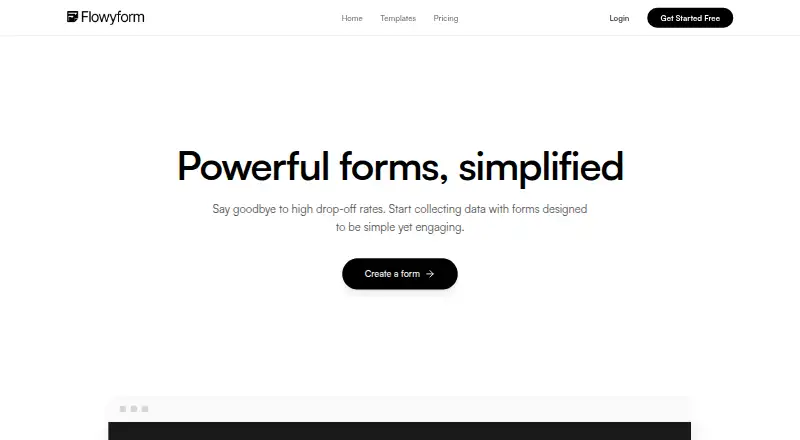
What FlowyForm is
FlowyForm is a web-based builder for forms and surveys used to gather information for lead generation, surveys, quizzes, registrations, and client intake. Forms can ask for contact details, signatures, file uploads, ratings, rankings, and date or time selections. Conditional logic, calculators, and answer piping can shape a form around earlier responses. The maker lists more than 300 templates, and forms can be embedded on websites with embed code. Integrations include Google Sheets, Slack, Zapier, and webhooks; the maker says Zapier connects FlowyForm to over 5,000 apps. The free Standard plan has unlimited forms and submissions, with conditional logic, uploads, signatures, spam protection, and Google Sheets sync among its features. Professional costs $29 per month and adds branding removal, partial submissions, advanced analytics, workspaces, team collaboration, and increased file upload limits. Data is encrypted in transit using TLS 1.2 and encrypted at rest. There is no free trial.
Who it suits
FlowyForm suits people who need to collect information through surveys, registrations, lead forms, or client intake. Its free plan may fit users who need unlimited forms and submissions, while teams seeking workspaces or collaboration can consider Professional.
What it does well
- Free plan includes unlimited forms and submissions
- Supports signatures and file uploads
- Conditional logic, calculators, and answer piping
- More than 300 templates
- Google Sheets, Slack, Zapier, and webhook integrations
What to know first
- Professional costs $29 per month
- No free trial
- Professional file upload limits are not quantified
Limits
Professional is the least expensive paid plan at $29 a month. Its increased file upload limits are listed without a numeric cap; branding removal, partial submissions, advanced analytics, workspaces, and team collaboration are paid-plan features.
Plans
| Plan | Billed and limits | Price |
|---|---|---|
| Standard | Unlimited forms · Unlimited submissions · e-signatures · file uploads · conditional logic · answer piping · Google Sheets sync · Zapier & Slack · webhooks | Free |
| Professional | Remove branding · partial submissions · custom SMTP and email branding · increased file upload limits · advanced analytics · workspaces · team collaboration | $29 a month |
As flowyform.com lists them, read 2 Oct 2026. The maker's own page has the final word.
Getting started
- Visit flowyform.com.
- Create an account using Google sign-in or email and password.
- Start with the free Standard plan or choose Professional.
- Build a form from a template or configure its questions and logic.
- Embed the form with its embed code or connect a listed integration.
FlowyForm is a web-based builder for forms and surveys, from lead capture to client intake. It suits people who need varied question types and conditional workflows without a submission cap on the free plan. Its breadth is compelling for free, while removing branding and adding team-oriented tools requires a $29-per-month upgrade.
Overview
FlowyForm combines form creation with survey features and response tools. It covers use cases such as quizzes, registrations and client intake, and lets creators collect signatures, uploads, ratings, rankings, contact details, and date or time selections. That range makes it useful beyond simple contact forms; teams needing more polished, branded forms or collaboration will need Professional.
Key features
Conditional logic can change a form’s flow, calculators can support computed results, and answer piping can carry an earlier response into a later question. Together these tools suit forms that need to adapt to a respondent rather than present the same sequence to everyone. More than 300 templates provide a starting point, though the breadth of templates does not by itself guarantee a fit for a particular workflow.
Forms can be embedded on websites using embed code, including sites built with major frameworks and site builders. Google Sheets sync, Slack, Zapier, and webhooks provide routes for moving responses into other tools; Zapier connects FlowyForm to over 5,000 apps. These options make it more practical to use forms as part of an existing workflow than as a standalone collection point.
The free Standard plan includes e-signatures, file uploads, conditional logic, answer piping, and spam protection, alongside unlimited forms and submissions. Professional raises file upload limits, but sets no numeric cap; anyone choosing a plan chiefly for a known upload quota should confirm that it fits before committing. Data is encrypted in transit using TLS 1.2 and at rest. Sign-in options are Google or email and password, with passwords required to be at least eight characters and include a number and special character.
Pricing
Standard costs nothing, with unlimited forms and submissions. It includes e-signatures, file uploads, conditional logic, answer piping, Google Sheets sync, Zapier, Slack, and webhooks. For individuals and small teams that can work with FlowyForm branding and do not need the paid plan’s additions, this is an unusually capable starting point.
Professional costs $29 a month. It adds branding removal, partial submissions, custom SMTP and email branding, increased file upload limits, advanced analytics, workspaces, and team collaboration. It is the relevant choice for teams that need a branded respondent experience or shared working tools; the free tier gives up those capabilities. There is no free trial, so the free plan is the way to assess the product before paying.
Platforms
FlowyForm is available on the web. Website embedding extends where its forms can appear, but does not change its platform availability.
Who it's for
FlowyForm is a strong fit for people building surveys, lead forms, quizzes, registrations, or intake forms who value flexible question types and conditional flows. Its free submission allowance also suits projects that need to collect responses without a plan-imposed count ceiling. Organizations that require a numeric upload ceiling, or need branding removal and collaboration without a monthly subscription, should weigh the paid-plan boundary carefully.
Pros and cons
- Pros: The free plan combines unlimited forms and submissions with conditional logic, uploads, signatures, and integrations, making it useful for substantial form workflows without an upfront fee.
- Pros: Multiple question types, calculators, answer piping, and over 300 templates support more than basic data capture.
- Cons: Branding removal, advanced analytics, workspaces, and team collaboration are reserved for the $29 a month Professional plan.
- Cons: The Professional plan gives no numeric file-upload cap, which can make it hard to judge whether its increased allowance will meet a specific workload.
Alternatives
For client intake, compare client intake software if you want to consider tools focused on that category. Intake may suit a client-intake workflow where its free allowance of up to 10 clients is sufficient. ClientLoop is another option to consider for intake, with a free tier capped at five clients and one team member.
FormsHQ may suit someone who wants to start with a more constrained free form allowance: its Starter Form plan includes one published form and 50 responses per month. For onboarding, Onvoy offers a free plan capped at five onboardings per month and one team member, while Portico allows three active onboardings per month on its free tier and includes e-signatures capped at three per month.
PlatoForms is worth considering if a free plan capped at one live form and 100 submissions per month suits the project. Synerdeck offers a free tier for up to 10 clients with two templates and 500 MB of storage. For a paid option with a stated user allowance, Captorra Intake offers a plan for up to five users and an enterprise plan for unlimited users, both with custom pricing.
Verdict
Choose FlowyForm if you need a flexible web form builder with varied question types, conditional workflows, and unlimited free submissions. Its free plan is the clearest reason to choose it; the main reason to look elsewhere is a need for a defined upload quota or a different client-intake or onboarding focus. Professional makes sense when removing branding and enabling collaboration justify $29 a month.
Verdict
FlowyForm covers a broad set of form types and response tools, with a free tier that includes unlimited forms and submissions. Professional costs $29 per month, and the maker does not specify a numeric upload limit for that plan.
Questions
Is FlowyForm free?
Yes. Standard is free and includes unlimited forms and submissions, e-signatures, uploads, conditional logic, answer piping, Google Sheets sync, Zapier, Slack, and webhooks.
How much does Professional cost?
Professional costs $29 a month.
Does FlowyForm offer a free trial?
No, a free trial is not offered. The Standard plan is free.
Which platforms does FlowyForm support?
FlowyForm is available on the web.
Which integrations are listed?
The integrations page lists Google Sheets, Slack, Zapier, and webhooks. The maker says Zapier connects FlowyForm to over 5,000 apps.
What security measures are described?
The maker says data is encrypted in transit using TLS 1.2 and encrypted at rest. Sign-in is available through Google or email and password.
Facts from FlowyForm's own pages
- Authentication
- The security article describes Google sign-in and email/password authentication, with passwords required to be at least eight characters and include a number and a special character. · flowyform.com, 2 Oct 2026
- Company location
- The privacy policy identifies Alberta, Canada as the country associated with FlowyForm. · flowyform.com, 2 Oct 2026
- Embedding
- Forms can be embedded on websites using embed code, including sites built with major frameworks and site builders. · flowyform.com, 2 Oct 2026
- Free usage
- The pricing page says the free Standard plan has unlimited forms and submissions and includes core features such as conditional logic, file uploads, signatures, and spam protection. · flowyform.com, 2 Oct 2026
- Integrations
- The integrations page lists Google Sheets, Slack, Zapier, and webhooks; it says Zapier connects FlowyForm to over 5,000 apps. · flowyform.com, 2 Oct 2026
- Product
- FlowyForm is a form and survey builder designed to collect data through engaging forms. · flowyform.com, 2 Oct 2026
- Professional limits
- The Professional plan lists increased file upload limits, but the pricing page does not specify a numeric cap. · flowyform.com, 2 Oct 2026
- Question types
- Forms can collect contact details, signatures, file uploads, ratings and rankings, and date and time selections. · flowyform.com, 2 Oct 2026
- Security
- The security help article says data is encrypted in transit using TLS 1.2 and encrypted at rest. · flowyform.com, 2 Oct 2026
- Smart forms
- The builder supports conditional logic, calculators, and piping answers from earlier questions into later ones. · flowyform.com, 2 Oct 2026
- Support
- The maker provides a Help Center with guides on form building, workflows, embedding, security, refunds, and fair usage. · flowyform.com, 2 Oct 2026
- Templates
- The homepage says FlowyForm offers over 300 templates. · flowyform.com, 2 Oct 2026
- Use cases
- The maker describes uses including lead generation, surveys, quizzes, registrations, and client intake. · flowyform.com, 2 Oct 2026
Where FlowyForm stands on Freedom251
- Client Intake Software#4 of 27