Freedom251 › Configuration Management Tools
LCFG
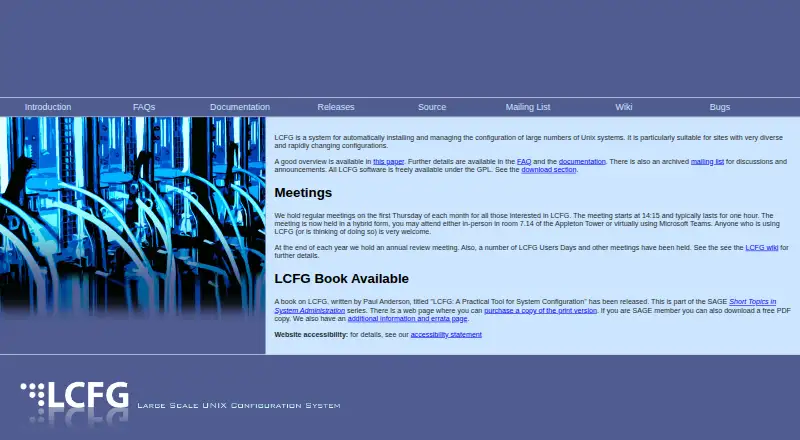
What LCFG is
LCFG is a free, GPL-licensed system for automatically installing and managing configurations across large groups of Unix machines, particularly at sites with varied setups that change often. Administrators keep configuration source files on a central server; LCFG compiles them into XML profiles that client machines download when profiles change. Client components respond to resource changes by creating configuration files and reconfiguring associated daemons. A package component aligns each machine’s installed packages with its profile. New machines can be installed over a network file system, using a boot floppy or PXE after their source files have been created. LCFG is self-hosted and agent-based, with patch management. Its documentation covers system configuration, dynamic networking, and tools for developing components and software. The project lists Ubuntu 20.04, 22.04, and 24.04 as supported platforms. Its FAQ also names Fedora Core 3, 5, and 6 and Scientific Linux 5. The same FAQ describes Solaris as less supported and not packaged for distribution, the Mac OS X port as experimental and not production quality, and the demonstration Windows client as lacking real components. The project offers an archived mailing list and regular meetings open to users and prospective users.
Who it suits
LCFG may suit administrators at sites managing many Unix machines with varied, changing configurations. It is especially relevant where self-hosted, profile-based configuration and package management fit the operating environment.
What it does well
- Freely available under the GPL.
- Manages configurations through central XML profiles.
- Synchronizes installed packages with machine profiles.
- Supports network-based installation using PXE or a boot floppy.
- Documentation covers dynamic network configuration.
What to know first
- Solaris support is less complete and not packaged.
- Mac OS X port is experimental.
- Demonstration Windows client has no real components.
- Listed Fedora releases are older versions.
Limits
LCFG is listed as free, with all software available under the GPL. The FAQ describes the Mac OS X port as experimental, Solaris as less well supported and not packaged for distribution, and the demonstration Windows client as having no real components.
Plans
| Plan | Billed and limits | Price |
|---|---|---|
| LCFG | All software freely available under the GPL | Free |
As lcfg.org lists them, read 8 Oct 2026. The maker's own page has the final word.
Getting started
- Visit https://www.lcfg.org/.
- Review the system configuration guide and build tool documentation.
- Prepare configuration source files for the machines on a central server.
- Compile the source into XML profiles for client machines.
- Install new machines over a network file system using a boot floppy or PXE.
- Use the archived mailing list or attend a regular meeting for project discussion.
Verdict
LCFG provides a profile-driven way to configure and maintain large Unix environments, with package synchronization and network installation. Check its platform notes carefully, since support differs across operating systems.
Questions
How much does LCFG cost?
The LCFG plan is listed as free, and the software is freely available under the GPL.
Which platforms does LCFG support?
Listed supported platforms are Ubuntu 20.04, Ubuntu 22.04 and Ubuntu 24.04. The FAQ also names Fedora Core 3, 5 and 6 and Scientific Linux 5.
Can LCFG manage Windows or macOS systems?
The FAQ describes a demonstration Windows client that can retrieve profile resource values but has no real components. The Mac OS X port is experimental and not production quality.
How does LCFG apply configuration changes?
Administrators maintain source files centrally; LCFG compiles them into XML profiles that client machines download when profiles change. Client components then create configuration files and reconfigure associated daemons.
Can LCFG install new machines automatically?
Yes. After source files are created, new machines can boot from a network file system using a boot floppy or PXE.
Who created LCFG, and when?
LCFG was originally designed by Paul Anderson at the University of Edinburgh around 1993.
Facts from LCFG's own pages
- Architecture history
- LCFG was originally designed by Paul Anderson at the University of Edinburgh around 1993, and its current generation uses HTTP for resource transport. · lcfg.org, 8 Oct 2026
- Automated installation
- New machines can be installed by booting from a network file system using a boot floppy or PXE, after their source files are created. · lcfg.org, 8 Oct 2026
- Build tools
- The documentation describes a suite of tools to aid development of LCFG components and software. · lcfg.org, 8 Oct 2026
- Community and support
- The project offers an archived mailing list and holds regular meetings open to people using or considering LCFG. · lcfg.org, 8 Oct 2026
- Configuration model
- Site configuration is stored in source files on a central server, compiled into XML profiles, and downloaded by client machines when profiles change. · lcfg.org, 8 Oct 2026
- Documentation
- The project documentation includes a practical system configuration book, a guide, build tool documentation, and material on dynamic network configuration. · lcfg.org, 8 Oct 2026
- Dynamic networking
- The documentation describes facilities for configuring nodes dynamically for use on different networks, including laptops on remote networks. · lcfg.org, 8 Oct 2026
- Founded
- 1993 · lcfg.org, 28 Sept 2026
- License
- The LCFG software is freely available under the GPL. · lcfg.org, 8 Oct 2026
- Linux platforms
- The FAQ lists Fedora Core 3, 5, and 6 and Scientific Linux 5 as supported; it says ports to distributions such as Debian were not incorporated. · lcfg.org, 8 Oct 2026
- Modular components
- Client component scripts respond to resource changes by generating configuration files and reconfiguring associated daemons. · lcfg.org, 8 Oct 2026
- Package management
- An LCFG component synchronizes installed packages with the package list specified in each machine's profile. · lcfg.org, 8 Oct 2026
- Platform limitations
- The FAQ says the Mac OS X port is experimental and not production quality, while the demonstration Windows client has no real components. · lcfg.org, 8 Oct 2026
- Platform limits
- The FAQ says the Solaris port was in production but not packaged for distribution and less well supported; the Mac OS X port was experimental and not production quality. · lcfg.org, 8 Oct 2026
- Purpose
- LCFG automatically installs and manages configurations for large numbers of Unix systems, particularly at sites with diverse and rapidly changing configurations. · lcfg.org, 8 Oct 2026
- Recent platform work
- A September 2026 project update says work on the Ubuntu Resolute platform was continuing and notes configuration churn. · blogs.ed.ac.uk, 8 Oct 2026
- Security updates
- A September 2026 project update says a new LCFG header was made available to mitigate the CVE-2026-68121 kernel security issue. · blogs.ed.ac.uk, 8 Oct 2026
- Support
- LCFG provides an archived mailing list for discussion and announcements, and its package documentation directs bug reports and feedback to [email protected]. · lcfg.org, 8 Oct 2026
- Supported systems
- The FAQ lists Fedora Core 3, 5, and 6 and Scientific Linux 5 as supported releases, while warning that Solaris is less supported and un-packaged for distribution. · lcfg.org, 8 Oct 2026
- Target users
- The project welcomes people who use or are considering using LCFG to its regular meetings, and describes the system as suitable for sites with diverse, rapidly changing configurations. · lcfg.org, 8 Oct 2026
- Windows limit
- The FAQ describes a demonstration Windows client that can retrieve profile resource values, but says no real components had been written. · lcfg.org, 8 Oct 2026
Where LCFG stands on Freedom251
- Configuration Management Tools#12 of 26