Layers
What Layers is
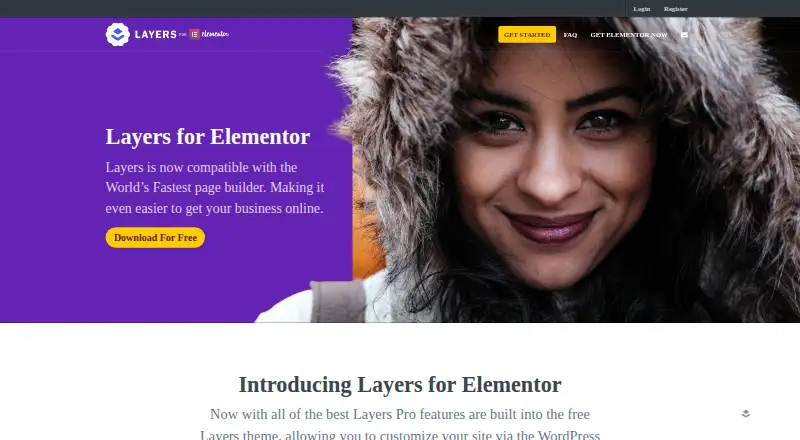
Layers is a WordPress theme for building custom pages and site layouts. It uses WordPress’s native editing interface, including the built-in Customizer, and lets users assemble pages from draggable widgets. A Design Bar provides styling controls for widget elements. Layers includes responsive controls, and its maker describes its framework and layouts as mobile-friendly. The theme also supports dynamic content and is WooCommerce-ready. StoreKit adds WooCommerce widgets and controls for shop and product pages. The feature page lists integrations with Google Fonts, Typekit, and Google Analytics. Layers is released under the GPL 2.0 license and can be installed on as many websites as desired. The free theme is available as a download. Optional extensions include StoreKit for WooCommerce and Showcase for portfolios. The maker directs technical support requests to its support forums. Elementor announced that it acquired Layers WP in January 2019 and made the theme free.
Who it suits
Layers suits WordPress users who want to build responsive page layouts with draggable widgets and the native Customizer. StoreKit may suit users who want additional WooCommerce widgets and controls for shop and product pages.
What it does well
- Free WordPress theme download.
- Build pages from draggable widgets.
- Includes responsive controls and dynamic content.
- WooCommerce-ready, with extra shop controls in StoreKit.
- GPL 2.0 license permits installation on unlimited websites.
What to know first
- Cannot be installed on WordPress.com.
- Compatibility with third-party plugins, child themes, and extensions is not guaranteed.
- Technical support is directed through the forums.
Plans
| Plan | Billed and limits | Price |
|---|---|---|
| Layers | Free · WordPress theme · free download | Free |
| StoreKit | $29.00 – $99.00 · WooCommerce extension · license options: Extended, Multi Domain, Single | $29, paid once |
| Showcase | $39.00 – $159.00 · Portfolio extension · license options: Single, Multi Domain, Extended | $39, paid once |
As layerswp.com lists them, read 8 Oct 2026. The maker's own page has the final word.
Getting started
- Open the Layers website.
- Download the free Layers theme.
- Install it on a self-hosted WordPress site.
- Use WordPress’s Customizer and draggable widgets to build layouts.
- Choose StoreKit or Showcase if you need those extensions.
Layers is a WordPress theme for site owners who want to build custom layouts with widgets inside WordPress’s own Customizer. Its free, multi-site GPL license makes it an inexpensive starting point, but its legacy compatibility boundary and separately priced extensions narrow its appeal.
Overview
Instead of adding a separate editing environment, Layers uses WordPress’s native interface and Customizer. Pages are built by arranging draggable widgets, while a Design Bar provides styling controls for widget elements. That suits WordPress users who want more control over page structure without adopting a separate builder workflow.
Released under GPL 2.0, Layers can be installed on as many websites as desired. Elementor acquired Layers WP in January 2019 and made the theme free. The broad installation allowance is useful for developers and owners of multiple sites, though it does not guarantee that third-party additions will work.
Key features
Layouts and responsive controls
Layers includes theme-building tools, responsive controls, and support for dynamic content. Its maker describes a mobile-friendly framework with responsive layouts, giving site owners controls to shape pages for different screen sizes. Dynamic content can help layouts incorporate changing site content, although the published feature set does not explain particular content sources or workflows.
Commerce and integrations
The theme is WooCommerce-ready, and the separate StoreKit extension adds WooCommerce widgets and controls for shop and product pages. That division keeps the core theme free, but a shop owner who needs those additional controls must budget for an extension. The feature page also names Google Fonts, Typekit, and Google Analytics integrations.
Compatibility and support
Layers was developed for WordPress 4.3 or higher, and compatibility with third-party plugins, child themes, and extensions is not guaranteed. The theme cannot be installed on WordPress.com, which restricts themes and plugins outside its marketplace; it is for self-hosted WordPress sites instead. Technical support is directed through the support forums, not the contact form, so users should expect to seek help there.
Pricing
The Layers theme costs nothing as a free download. Its GPL 2.0 license and permission to install it on any number of websites make the core a strong fit for users who can work within its compatibility limits.
StoreKit costs $29, paid once, with license options listed as Extended, Multi Domain, and Single and a stated billing range of $29.00 – $99.00. It is the relevant paid add-on for WooCommerce shops needing its extra widgets and shop- and product-page controls. Showcase costs $39, paid once, with Single, Multi Domain, and Extended license options and a stated range of $39.00 – $159.00; it is a separate portfolio extension. The listed amounts are ranges rather than one price for every license option.
For purchases from its website, a refund may be requested within 14 days if the product is defective and support has been sought. That condition is narrower than a general change-of-mind refund.
Platforms
Layers is for self-hosted WordPress and is also categorized for the web. It cannot be installed on WordPress.com, so users on that hosted platform should choose a theme available through its marketplace instead.
Who it's for
Layers is a sensible choice for WordPress site owners who want widget-based page building, responsive layout controls, and a free license usable across multiple sites. It is less suitable for people who need guaranteed compatibility with third-party extensions, want to build on WordPress.com, or require StoreKit’s shop controls without paying for a separate extension.
Pros and cons
- Pro: The free GPL 2.0 theme can be installed on as many websites as desired, which is useful for multi-site owners and developers.
- Pro: Draggable widgets, a styling bar, and responsive controls give WordPress users layout flexibility within the native Customizer.
- Con: Compatibility with third-party plugins, child themes, and extensions is not guaranteed, making it a riskier choice for sites dependent on a particular add-on stack.
- Con: WordPress.com does not support installing Layers, and the additional WooCommerce and portfolio extensions are paid separately.
Alternatives
Blocksy is another freemium theme for self-hosted WordPress, with a free plan and a paid Personal plan. ColorMag offers a free version with essential features and a paid Pro single-theme plan. Genesis Framework has a free download for WordPress.org self-hosted sites and a paid Genesis Pro plan; StudioPress labels the framework open source.
Neve is another freemium self-hosted WordPress theme. OceanWP offers a free WordPress theme, while Qi Theme has a free version with 100 website demos and a paid single-website option. Sydney is also a freemium theme for self-hosted WordPress. Twenty Twenty-Five is a free theme for WordPress 6.7 and PHP 7.2.
For broader browsing, see WordPress Themes or WordPress page builders.
Verdict
Choose Layers if you want a free, GPL-licensed WordPress theme with widget-based page building and responsive controls. Its strongest advantage is a flexible core that can be reused across sites at no theme cost. Look elsewhere if WordPress.com support or dependable compatibility with third-party additions is essential; shop owners needing extra WooCommerce controls should account for StoreKit as a separate paid extension.
Verdict
Choose Layers if you want a free, GPL-licensed WordPress theme with widget-based page building and responsive controls. Look at StoreKit if you need its additional WooCommerce widgets and shop-page controls; it is a separate paid extension.
Questions
Is Layers free?
Yes. The Layers theme plan is free, billed Free. StoreKit is listed at $29, paid once, and Showcase at $39, paid once.
Which platforms support Layers?
Layers is listed for self-hosted and web platforms. It cannot be installed on WordPress.com.
Is Layers open source?
The maker says Layers is released under the GPL 2.0 license.
Can I use Layers on more than one website?
Yes. The maker says it can be installed on as many websites as desired.
Which integrations are listed?
The feature page lists Google Fonts, Typekit, and Google Analytics.
Where can I get technical support?
Technical support is directed through the support forums; the maker says it does not provide technical support through the contact form.
Facts from Layers's own pages
- Acquisition
- Elementor announced that it acquired Layers WP in January 2019 and made the Layers theme free. · elementor.com, 8 Oct 2026
- Builder
- It uses WordPress’s native interface and customization experience, including the built-in Customizer. · layerswp.com, 8 Oct 2026
- Commerce
- The theme is WooCommerce-ready, and StoreKit adds WooCommerce widgets and controls for shop and product pages. · layerswp.com, 8 Oct 2026
- Compatibility
- The FAQ says Layers is developed for WordPress 4.3 or higher and does not guarantee compatibility for third-party plugins, child themes, or extensions. · layerswp.com, 8 Oct 2026
- Dynamic content
- Yes · layerswp.com, 22 Sept 2026
- Free plan
- Yes · layerswp.com, 22 Sept 2026
- Integrations
- The feature page lists Google Fonts, Typekit, and Google Analytics integrations. · layerswp.com, 8 Oct 2026
- License
- The maker says Layers is released under the GPL 2.0 license and can be installed on as many websites as desired. · layerswp.com, 8 Oct 2026
- Page building
- Pages can be assembled from draggable widgets, with a Design Bar for styling widget elements. · layerswp.com, 8 Oct 2026
- Platform limitation
- The FAQ says Layers cannot be installed on WordPress.com because that platform restricts themes and plugins outside its marketplace. · layerswp.com, 8 Oct 2026
- Product
- Layers is a free WordPress theme with tools and templates for building custom page and site layouts. · layerswp.com, 8 Oct 2026
- Refund limit
- For purchases from its website, the FAQ says a refund may be requested within 14 days if the product is defective and support has been sought. · layerswp.com, 8 Oct 2026
- Responsive
- The maker says Layers has a mobile-friendly framework and responsive layouts. · layerswp.com, 8 Oct 2026
- Responsive controls
- Yes · layerswp.com, 22 Sept 2026
- Support
- Technical support is directed through the support forums, and the maker says technical support is not provided through the contact form. · layerswp.com, 8 Oct 2026
- Theme builder
- Yes · layerswp.com, 22 Sept 2026
- WooCommerce tools
- Yes · layerswp.com, 22 Sept 2026
Where Layers stands on Freedom251
- WordPress Themes#8 of 34
- WordPress page builders#27 of 32