
Blocksy
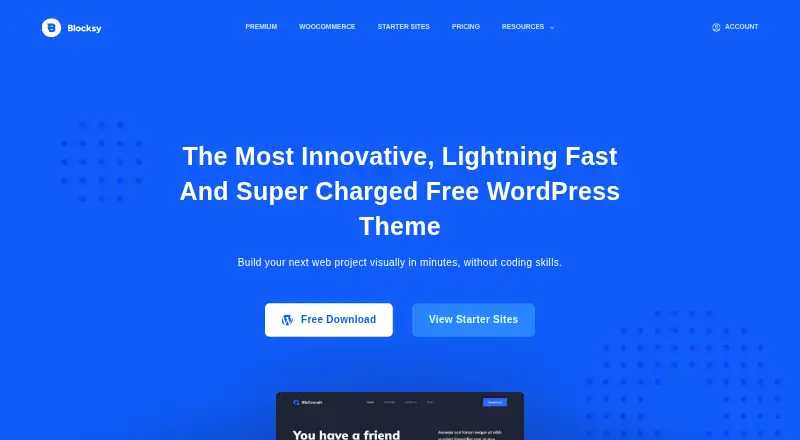
What Blocksy is
Blocksy is a WordPress theme built for the Gutenberg block editor and site customization. Its live Customizer previews and controls let site owners adjust colors, typography, layouts, headers, and footers. It also supports Elementor, Brizy, and Beaver Builder, and is designed for mobile screens. WooCommerce users get shop customization controls, with additional shop features available through Pro extensions. Blocksy Companion supplies importable starter sites for supported builders, including Gutenberg and Elementor. Built-in options include Google Analytics, Schema.org markup, and OpenGraph metadata; the Cookies Consent extension can wait for visitor consent before enabling Analytics. Free extensions include Cookies Consent and Newsletter Subscribe, while Pro extensions include Adobe Fonts, custom code snippets, custom fonts, and Local Google Fonts. The maker describes code splitting that loads JavaScript behavior when needed. A free theme is available, and paid plans start at $69/yr. Annual licenses need renewal for updates, premium templates, and support; refund requests may be made within 14 days.
Who it suits
Blocksy suits WordPress site owners who want theme-level layout and style controls, especially those using Gutenberg or WooCommerce. It also supports users building with Elementor, Brizy, or Beaver Builder.
What it does well
- Live previews cover colors, typography, layouts, headers, and footers.
- Supports Gutenberg, Elementor, Brizy, and Beaver Builder.
- Includes WooCommerce shop customization controls.
- Cookies Consent can gate Analytics on visitor consent.
What to know first
- No free trial is listed.
- Annual licenses need renewal for updates, premium templates, and support.
- Additional WooCommerce shop features require Pro extensions.
Limits
The free theme and free extensions do not include the Pro extensions or additional shop features available through Pro. Annual licenses need renewal for updates, premium templates, and support.
Plans
| Plan | Billed and limits | Price |
|---|---|---|
| Free | Free theme and features listed in the comparison table | Free |
| Agency | annual · Unlimited production sites · 1 year updates · 1 year support · all Pro starter sites · Shop Extra · Post Types Extra · White Label | $149 a year |
| Personal | lifetime · 1 production site · lifetime updates · lifetime support · all Pro starter sites · Shop Extra · Post Types Extra · White Label | $199, paid once |
| Business | lifetime · 10 production sites · lifetime updates · lifetime support · all Pro starter sites · Shop Extra · Post Types Extra · White Label | $299, paid once |
| Agency | lifetime · Unlimited production sites · lifetime updates · lifetime support · all Pro starter sites · Shop Extra · Post Types Extra · White Label | $499, paid once |
| Personal | annual · 1 production site · 1 year updates · 1 year support · all Pro starter sites · Shop Extra · Post Types Extra · White Label | $69 a year |
| Business | annual · 10 production sites · 1 year updates · 1 year support · all Pro starter sites · Shop Extra · Post Types Extra · White Label | $99 a year |
As creativethemes.com lists them, read 30 Sept 2026. The maker's own page has the final word.
Getting started
- Open the Blocksy website.
- Choose the free theme or a paid plan.
- Install the theme on a WordPress site.
- Use the live Customizer to adjust the site’s colors, typography, layouts, headers, or footers.
- Add Blocksy Companion to import a starter site if desired.
- Select a supported page builder and configure WooCommerce controls if needed.
Blocksy is a WordPress theme for site owners who want visual control over design and a choice of page builders. Its free theme is a sensible starting point; shops or teams needing Pro extensions should weigh the site limits and annual renewals.
Overview
Blocksy combines Gutenberg support with live controls for colors, typography, layouts, headers, and footers. The Customizer preview makes those theme-level choices visible as you make them, while support for Elementor, Brizy, and Beaver Builder avoids tying a site to Gutenberg alone. Blocksy Companion adds importable starter sites, including templates for Gutenberg and Elementor.
The theme is responsive and uses code splitting to load JavaScript behavior when needed. Those choices are relevant to mobile visitors and sites seeking to limit unnecessary script loading, but the maker’s claim that Blocksy is lightning fast is not a guarantee of any individual site's performance.
Key features
- Design controls: Live previews and settings for headers, footers, layouts, colors, and typography make Blocksy a good fit for owners who want theme-level customization without building every design decision from scratch.
- Shop support: Blocksy works with WooCommerce and includes shop customization controls. Additional shop features require Pro extensions, so a store should check whether the free theme covers its needs before committing to a paid license.
- Analytics and metadata: Built-in options cover Google Analytics, Schema.org markup, and OpenGraph metadata. The Cookies Consent extension can gate Analytics on visitor consent, a useful option for site owners managing analytics choices.
- Extensions and integrations: Free extensions include Cookies Consent and Newsletter Subscribe. Pro adds Adobe Fonts, custom code snippets, custom fonts, and local Google Fonts. Breadcrumb integrations include Rank Math, Yoast SEO, SEOPress, and Breadcrumb NavXT.
- Support: The support page estimates a 24-hour weekday response and says most agents reply within 2–3 hours. That offers a stated expectation for help, rather than a guarantee of a specific response time.
Pricing
Blocksy is freemium, with no free trial. The Free plan costs nothing and provides the free theme and features in the comparison table. It suits sites that can work within the free feature set, but it does not include the Pro starter sites and extensions offered by the paid plans.
Personal costs $69,199 a year and covers 1 site; Business costs $99,299 a year and covers 10 sites; Agency costs $149,499 a year and covers unlimited sites. Each paid plan includes Pro starter sites and extensions. Annual licenses include one year of updates and support; lifetime licenses include lifetime updates and support. The pricing names annual and lifetime billing, but gives no separate lifetime price.
Choose Personal for one site, Business for a portfolio of up to 10, and Agency when the site limit would otherwise constrain your work. Annual licenses need renewal for updates, premium templates, and support, so the initial term is not the whole cost of continued access to those benefits. Refunds may be requested within 14 days.
Platforms
Blocksy is for self-hosted WordPress sites and the web. It supports the block editor, child themes, right-to-left layouts, accessibility readiness, and WooCommerce, making it relevant to a range of WordPress site structures and audiences.
Who it's for
Blocksy is best suited to site owners who want to shape a WordPress site's appearance in the Customizer, use one of several supported builders, or launch from a starter site. WooCommerce users may find its shop controls useful, but should budget for Pro if the free options do not cover the required shop features. It is less suitable for buyers who want a free trial or need Pro extensions without an ongoing annual license.
Pros and cons
- Pro: The live Customizer covers core visual decisions, and builder support spans Gutenberg, Elementor, Brizy, and Beaver Builder.
- Pro: Starter sites and free extensions provide a route to launch and add features without starting with a paid plan.
- Con: Additional WooCommerce features and several extensions are reserved for Pro.
- Con: Annual licenses require renewal for updates, premium templates, and support; the paid plans also differ by site count.
- Con: There is no free trial, so users must judge the free theme before deciding whether to pay.
Alternatives
WordPress Themes is a useful place to compare themes across the category. Consider Genesis Framework if you want a free download by request for a self-hosted WordPress site, or Genesis Pro if you are considering a paid option. Neve is another freemium self-hosted WordPress theme if you want to compare a free starting point. OceanWP offers a free WordPress theme, while Twenty Twenty-Five is a free theme for WordPress 6.7 and PHP 7.2.
Zakra may suit buyers looking for a free plan with minimal features and free demo sites, or a Pro option whose annual plan is $69 a year. Astra is worth comparing if a paid addon plan for up to 3 websites at $69 a year fits your needs. Responsive offers a Personal annual plan at $29.50 a year for 3 website licenses. GeneratePress is another freemium option, with GP Premium at $59 a year and 60+ starter sites.
Verdict
Choose Blocksy if you want WordPress theme customization in the live Customizer, builder flexibility, and a free way to start. Its breadth of visual controls and integrations is the main reason to choose it; look elsewhere if your budget depends on knowing the paid lifetime price or if you want Pro features without recurring annual renewals.
Verdict
Blocksy combines WordPress customization controls with support for multiple builders and WooCommerce. Consider whether the free theme covers your needs or whether Pro extensions and ongoing annual renewals are required.
Questions
Is Blocksy free?
Yes. A free theme and features are listed. Paid plans start at $69/yr.
Which platforms does Blocksy support?
Blocksy is for self-hosted WordPress sites and is also listed for web.
Which page builders does it support?
It supports Gutenberg, Elementor, Brizy, and Beaver Builder.
Does Blocksy work with WooCommerce?
Yes. It supports WooCommerce and provides shop customization controls. Additional shop features are available through Pro extensions.
Are paid licenses annual or lifetime?
Paid plans are listed with annual or lifetime options. Annual licenses need renewal for updates, premium templates, and support; lifetime licenses include lifetime updates and support.
Who makes Blocksy?
The maker identifies its team as Sergiu Radu and Andrei Glingeanu.
Facts from Blocksy's own pages
- Active installations
- The WordPress.org listing reports more than 300,000 active installations. · wordpress.org, 15 Oct 2026
- Analytics and metadata
- Blocksy has built-in Google Analytics, Schema.org markup, and OpenGraph metadata options; its Cookies Consent extension can gate Analytics on visitor consent. · creativethemes.com, 30 Sept 2026
- Block editor
- Blocksy supports Gutenberg blocks, wide and full alignments, and four single-page layout types. · creativethemes.com, 15 Oct 2026
- Company
- The maker identifies its team as Sergiu Radu and Andrei Glingeanu and says they met in 2010; it does not state an HQ or company founding year on the about page. · creativethemes.com, 30 Sept 2026
- Company facts
- LinkedIn lists Creative Themes as privately held, founded in 2009, headquartered in Austin, Texas and employing 51–200 people. · linkedin.com, 15 Oct 2026
- Company founders
- CreativeThemes says Blocksy was created by Sergiu Radu and Andrei Glingeanu, who met at a local IT event in 2010. · creativethemes.com, 15 Oct 2026
- Core features
- Officially listed features include SEO optimization, GDPR assistance, schema markup, live customization, one-click importing, lazy loading, live search and responsive design. · creativethemes.com, 15 Oct 2026
- Customization
- The theme includes live Customizer previews and controls for colors, typography, layouts, headers, and footers. · creativethemes.com, 30 Sept 2026
- Developer documentation
- The documentation has a Developers section with 35 articles covering filters, actions and other extension techniques. · creativethemes.com, 15 Oct 2026
- Documentation depth
- Official documentation is organized into general setup, theme options, post types, header and footer builders, extensions, modules, blocks, WooCommerce, integrations, troubleshooting and developer topics. · creativethemes.com, 15 Oct 2026
- Extensibility
- Content Blocks Hooks let developers or editors place content at predefined theme locations, set priority and apply conditions by pages, taxonomies, roles and other criteria. · creativethemes.com, 15 Oct 2026
- Extensions
- Blocksy Companion extensions include cookie consent, newsletter signup, product reviews and trending posts; Pro adds Adobe Fonts, custom fonts, local Google Fonts, advanced menus and multiple sidebars. · creativethemes.com, 15 Oct 2026
- Footer and layout controls
- Customizer controls cover footer styles, widget areas, sidebars, pagination, colors and typography. · creativethemes.com, 15 Oct 2026
- Header builder
- The official site describes a drag-and-drop header builder with nine header elements and device-specific controls. · creativethemes.com, 15 Oct 2026
- Licence
- The public theme repository identifies Blocksy as GNU General Public License version 2 or later. · github.com, 15 Oct 2026
- Licence activation limits
- Personal allows one production site, Business up to ten and Agency unlimited; recognized staging and development domains do not consume seats. · creativethemes.com, 15 Oct 2026
- Limit: companion dependency
- Reviewers note that starter sites, extensions and several blocks require installing the separate Blocksy Companion plugin. · nexterwp.com, 15 Oct 2026
- Limit: paid feature split
- Independent hands-on testing reports that advanced conditions, many shop controls, dark mode and other extensions require Pro, with the Personal plan excluding key shop features. · wpsymposium.com, 15 Oct 2026
- Limit: smaller ecosystem
- ThemeBurn says Blocksy is younger than Astra and has fewer third-party tutorials and community answers. · themeburn.com, 15 Oct 2026
- Limit: starter-site side effects
- A hands-on review reported that starter-site imports can add extra plugins and, in one shop import, duplicate WooCommerce pages. · wpsymposium.com, 15 Oct 2026
- Limit: support complaint
- A Trustpilot reviewer gave two stars after finding CreativeThemes dismissive when explaining that a Stackable feature required a separate third-party licence. · trustpilot.com, 15 Oct 2026
- Notable news
- The changelog records Blocksy theme version 2.1.60 released on October 15, 2026. · creativethemes.com, 15 Oct 2026
- Page-builder integrations
- The maker lists Gutenberg, Elementor, Brizy Builder and Beaver Builder as supported builders. · creativethemes.com, 15 Oct 2026
- Page builders
- The maker lists Gutenberg, Elementor, Brizy, and Beaver Builder as supported page builders. · creativethemes.com, 30 Sept 2026
Where Blocksy stands on Freedom251
- WordPress Themes#1 of 34