Freedom251 › Barcode Labeling Software

Labbely
What Labbely is
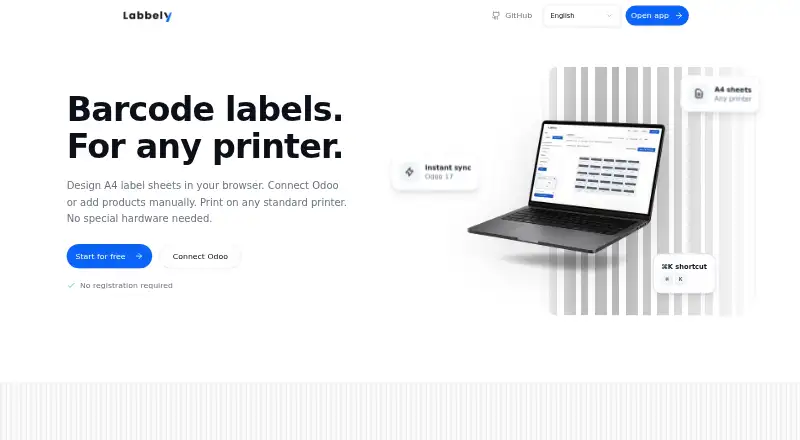
Labbely is a browser-based barcode label generator for laying out and printing A4 label sheets. Products can be entered manually with a name and barcode, allowing label creation without an Odoo connection. For teams using Odoo 17, Labbely connects through JSON-RPC to search and import products by name, barcode, or internal reference.
The workflow uses a label grid: select the labels to use, assign products, then fill label patterns with one click. Finished sheets print on standard printers with A4 paper, so the stated workflow does not require special printing hardware. The site describes batch printing for larger runs after validating a test sheet and completing a short scan check.
Labbely is intended for warehouses, shops, and inventory teams, including small to medium warehouses. It is MIT licensed and can be forked, customized, and self-hosted. Getting started does not require registration, and the product is offered as a free plan at no cost. Its Odoo sessions are held in memory: restarting the server logs users out, and multiple server instances are unsupported. The site directs users to GitHub issues to report problems.
Who it suits
Labbely suits warehouse, shop, and inventory teams that need to create barcode labels on A4 sheets. It is especially relevant to teams that want manual product entry or an Odoo 17 connection, and to users who want to self-host or customize MIT-licensed software.
What it does well
- Free plan costs nothing.
- Manual product entry works without connecting Odoo.
- Odoo 17 product search supports name, barcode, or internal reference.
- A4 sheets print on standard printers without special hardware.
- MIT licensed and available to fork, customize, and self-host.
- No registration is required to get started.
What to know first
- Odoo sessions end when the server restarts.
- Multiple server instances are unsupported.
Limits
The free plan is free forever. Odoo sessions are stored in memory, so a server restart logs users out; multiple server instances are unsupported.
Plans
| Plan | Billed and limits | Price |
|---|---|---|
| Free | Free forever · MIT licensed · No registration required | Free |
As labbely.com lists them, read 9 Oct 2026. The maker's own page has the final word.
Getting started
- Open the Labbely website in a browser.
- Start without registering.
- Enter product names and barcodes manually, or connect to Odoo 17 through JSON-RPC.
- Select labels on the grid and assign products.
- Fill the label patterns, validate a test sheet, and complete a short scan check before batch printing.
- Print the sheet on a standard printer using A4 paper, or fork and self-host the MIT-licensed software.
Verdict
Pick Labbely if you need a free way to design barcode labels for A4 sheets, especially with manual entry or Odoo 17 product import. Look elsewhere if your deployment requires multiple server instances or persistent Odoo sessions across restarts.
Questions
How much does Labbely cost?
Its Free plan costs nothing and is described as free forever.
Do I need an account to begin?
No registration is required to get started.
Can I use it without Odoo?
Yes. Products can be added manually with a name and barcode.
Which Odoo version does it connect to?
Labbely connects to Odoo 17 through JSON-RPC and searches by product name, barcode, or internal reference.
Can I self-host or customize Labbely?
Yes. It is MIT licensed and available to fork, customize, and self-host.
What happens to Odoo sessions when the server restarts?
Sessions are stored in memory, so a server restart logs users out. Multiple server instances are unsupported.
Facts from Labbely's own pages
- Account requirement
- The site says no registration is required to get started. · labbely.com, 9 Oct 2026
- Batch printing
- The site says users can print large batches after validating a test sheet and doing a short scan check. · labbely.com, 9 Oct 2026
- Intended users
- The site describes warehouses, shops, and inventory teams as its intended users, including small to medium warehouses. · labbely.com, 9 Oct 2026
- Label editing
- Users select labels on a grid, assign products, and fill label patterns with one click. · labbely.com, 9 Oct 2026
- Manual mode
- Products can be added manually with a name and barcode, without connecting Odoo. · labbely.com, 9 Oct 2026
- Odoo integration
- Labbely connects to Odoo 17 via JSON-RPC to search and import products. · labbely.com, 9 Oct 2026
- Open source
- Labbely is described as MIT licensed and available to fork, customize, and self-host. · labbely.com, 9 Oct 2026
- Printing
- Label sheets can be printed on standard printers using A4 paper, without special hardware. · labbely.com, 9 Oct 2026
- Product
- Labbely is a browser-based barcode label generator for designing and printing A4 label sheets. · labbely.com, 9 Oct 2026
- Product search
- The Odoo integration searches by product name, barcode, or internal reference. · labbely.com, 9 Oct 2026
- Session storage limit
- The GitHub README says Odoo sessions are stored in memory, so a server restart logs users out and multiple server instances are unsupported. · github.com, 9 Oct 2026
- Support
- The site links to GitHub issues for reporting issues. · labbely.com, 9 Oct 2026
Where Labbely stands on Freedom251
- Barcode Labeling Software#13 of 35