Freedom251 › Kubernetes Management Platforms
KubeStellar
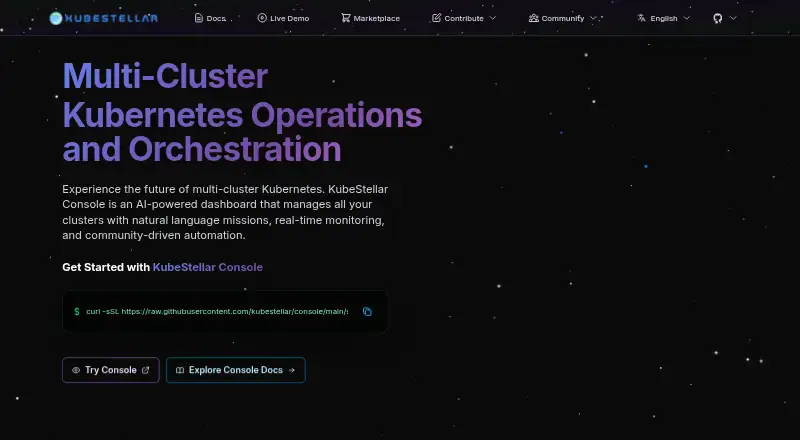
What KubeStellar is
KubeStellar Console brings Kubernetes clusters into one dashboard for monitoring and operations. It shows real-time cluster health and cross-cluster resources, and lets users organize clusters into groups and tailor dashboard layouts. Clusters can be discovered through a user’s kubeconfig, with OpenShift, EKS, GKE, kind, and k3s among the examples named by the maker. The Console supports workload deployment, cluster provisioning, and policy enforcement across cloud, on-premises, hybrid, and edge environments.
AI Missions accept natural-language requests to investigate issues, analyze conditions, troubleshoot, repair, upgrade, or deploy across clusters. Users can approve or reject suggested actions, and the Console tracks mission progress. An optional Anthropic API key enables AI Missions. For fleet views and extensions, the documentation describes more than 20 dashboards, 110 card types, and 93 stats blocks. Users can build cards with AI, JSON definitions, or TSX code, and install community dashboards, card presets, and themes from the marketplace. MCP and A2A protocols connect AI agents and automation. The security dashboard includes CIS, NSA, and PCI compliance scoring, RBAC analysis, and privileged-container detection. KubeStellar is free, licensed under Apache 2.0, and available for Linux and macOS, with self-hosted and web access. Installation options include a curl installer, Docker, Helm, and a Kubernetes deploy script.
Who it suits
KubeStellar suits teams that manage clusters across cloud, on-premises, hybrid, or edge environments and want shared fleet views, workload operations, and policy enforcement. It also fits operators who want natural-language AI Missions, customizable dashboards, or security analysis in one Console.
What it does well
- Monitors cluster health and resources across clusters in real time.
- Supports workload deployment, cluster provisioning, and policy enforcement.
- AI Missions can investigate, repair, upgrade, and deploy across clusters.
- Marketplace provides dashboards, card presets, and themes.
- Security dashboard includes compliance scoring and RBAC analysis.
- Apache 2.0 licensed and free to use.
What to know first
- AI Missions require an Anthropic API key.
- Multi-user authentication uses optional GitHub OAuth.
Limits
AI Missions require an optional Anthropic API key. The installation guide says GitHub OAuth can be skipped for local development; it is optional for multi-user authentication.
Getting started
- Open https://kubestellar.io/en.
- Choose an installation route: curl installer, Docker, Helm, or Kubernetes deploy script.
- For the installer, use macOS or Linux on arm64 or amd64.
- Connect clusters through your kubeconfig.
- Configure GitHub OAuth if you need multi-user authentication; it can be skipped for local development.
- Configure an Anthropic API key as CLAUDE_API_KEY to enable AI Missions.
Verdict
Choose KubeStellar if you need a free Console for multi-cluster visibility and operations, with customizable dashboards and optional AI Missions. Consider the AI setup requirement if natural-language missions are central to your workflow; multi-user authentication can also involve GitHub OAuth.
Questions
How much does KubeStellar cost?
KubeStellar is free and has a free plan.
Which platforms does it support?
It runs on Linux and macOS and is available as self-hosted software or on the web. The installer supports arm64 and amd64.
What cluster types can it discover?
It discovers clusters through a user’s kubeconfig. Examples named by the maker include OpenShift, EKS, GKE, kind, and k3s.
Does it support AI operations?
Yes. AI Missions accept natural-language requests for tasks such as troubleshooting, repair, upgrades, and deployment. They require an optional Anthropic API key, and users can approve or reject suggested actions.
Is KubeStellar open source?
The site states that KubeStellar Console is licensed under Apache 2.0.
How can users install it?
Documented methods include a curl installer, Docker, Helm, and a Kubernetes deploy script.
Facts from KubeStellar's own pages
- Access control
- The site describes team and organization access with role-based permissions and configurable controls. · kubestellar.io, 8 Oct 2026
- AI integrations
- The Console supports MCP and A2A protocols for connecting AI agents and automation. · kubestellar.io, 8 Oct 2026
- AI missions
- AI Missions can troubleshoot, analyze, repair, upgrade, and deploy across clusters, with users approving or rejecting suggested actions. · kubestellar.io, 8 Oct 2026
- AI requirement
- AI Missions require an optional Anthropic API key configured as CLAUDE_API_KEY in the installation guide. · kubestellar.io, 8 Oct 2026
- AI setup requirement
- The installation page lists an Anthropic API key as an optional setting that enables AI Missions. · kubestellar.io, 8 Oct 2026
- Authentication
- GitHub OAuth is optional for multi-user authentication; the installation guide says it can be skipped for local development. · kubestellar.io, 8 Oct 2026
- Cluster operations
- The Console provides multi-cluster workload views, cluster groups, workload deployment, and real-time mission tracking. · kubestellar.io, 8 Oct 2026
- Custom cards
- Users can build cards with AI, JSON definitions, or TSX code. · kubestellar.io, 8 Oct 2026
- Dashboards and cards
- The docs list 20+ dashboards, 110+ card types, and 93+ stats blocks. · kubestellar.io, 8 Oct 2026
- Data access
- The docs say an agent proxies kubeconfig so users see only what they have access to, and that dashboards, cards, and settings are personal to each user. · kubestellar.io, 8 Oct 2026
- Deployment options
- The installation page documents macOS and Linux binaries, Docker, and Kubernetes deployment using Helm or a deploy script. · kubestellar.io, 8 Oct 2026
- Extensions
- The marketplace supports dashboards, card presets, and themes, and lets users create and share customizations. · kubestellar.io, 8 Oct 2026
- Fleet visibility
- The dashboard provides real-time cluster health monitoring, cross-cluster resource views, and customizable layouts. · kubestellar.io, 8 Oct 2026
- Install methods
- The maker documents a curl installer, Docker, Helm deployment, and a Kubernetes deploy script. · kubestellar.io, 8 Oct 2026
- Integrations
- The maker lists ArgoCD, FluxCD, Kyverno, MVI, OpenZiti, and Turbonomic among its partners. · kubestellar.io, 8 Oct 2026
- License
- The site states that KubeStellar Console is licensed under Apache 2.0. · kubestellar.io, 8 Oct 2026
- Marketplace
- The marketplace offers community dashboards, card presets, and themes for installation in a local Console. · kubestellar.io, 8 Oct 2026
- Natural language operations
- AI Missions let users ask questions, deploy workloads, troubleshoot issues, and get recommendations using natural language. · kubestellar.io, 8 Oct 2026
- Operating systems
- The installer detects macOS or Linux and supports arm64 and amd64 architectures. · kubestellar.io, 8 Oct 2026
- Protocols
- The Console supports connecting AI agents through MCP and A2A protocols. · kubestellar.io, 8 Oct 2026
- Purpose
- KubeStellar Console is an AI-powered dashboard for managing multiple Kubernetes clusters. · kubestellar.io, 8 Oct 2026
- Security features
- The security dashboard includes CIS, NSA, and PCI compliance scoring, RBAC analysis, and privileged-container detection. · kubestellar.io, 8 Oct 2026
- Support
- The maker offers direct email support at [email protected] and community support through Slack. · kubestellar.io, 8 Oct 2026
- Supported clusters
- The maker names OpenShift, EKS, GKE, kind, and k3s as examples of clusters discoverable through a user's kubeconfig. · kubestellar.io, 8 Oct 2026
Where KubeStellar stands on Freedom251
- Kubernetes Management Platforms#14 of 29