Freedom251 › Library Management
Koha
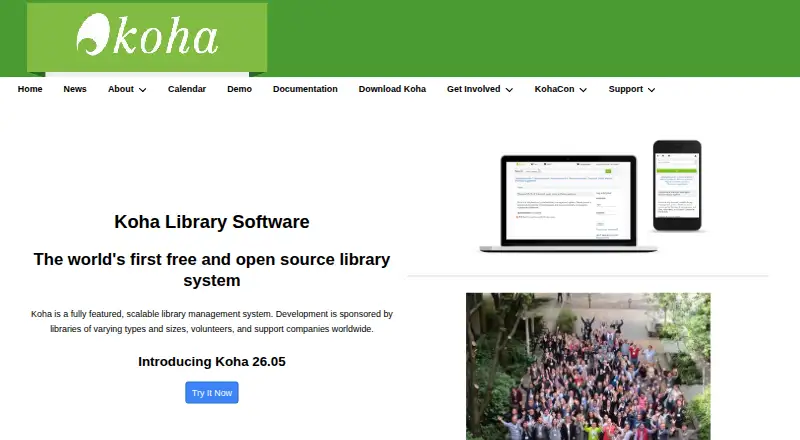
What Koha is
Koha is a free library management system for single-branch and multi-branch libraries, as well as consortia. Its workflows include acquisitions, circulation, cataloging, serials management, authorities, reporting, label printing, notices, and offline circulation. Koha is multilingual and can be translated, with additional languages made available over time. Its web-based OPAC, circulation, management, and self-checkout interfaces use XHTML, CSS, and JavaScript. Catalogs can draw on content from sources including Amazon, Google, LibraryThing, Open Library, and Syndetics. Koha supports library standards and protocols such as MARC 21, UNIMARC, z39.50, SRU/SW, SIP2, and SIP/NCIP. It is distributed under GNU GPL version 3 or later. The project recommends installation on a Linux server, with immediate-use requirements including root access. Libraries can support the system themselves or seek installation, migration, data integrity testing, training, maintenance, and development services from support companies. The listed Koha open-source software plan costs nothing; self-installation requires command-line and Apache/MySQL skills.
Who it suits
Koha suits libraries ranging from one branch to multi-branch networks and consortia. It is especially suited to organizations prepared to manage a Linux server themselves or arrange outside support.
What it does well
- Covers acquisitions, circulation, cataloging, serials, and reporting.
- Supports single-branch, multi-branch, and consortium use.
- Multilingual and translatable.
- Supports MARC 21, UNIMARC, and other library protocols.
- Free software under GNU GPL version 3 or later.
What to know first
- Self-installation requires a Linux server and root access.
- Installation requires command-line and Apache/MySQL skills.
- No free trial is listed.
Limits
The free plan is free software, but self-installation requires a Linux server and root access.
Plans
| Plan | Billed and limits | Price |
|---|---|---|
| Koha (open-source software) | Free software under GNU GPL v3 or later · self-installation requires Linux server, root access, and command-line/Apache/MySQL skills | Free |
As koha-community.org lists them, read 4 Oct 2026. The maker's own page has the final word.
Getting started
- Visit the Koha website.
- Prepare a Linux server with root access.
- Use a package for a modern Debian-based distribution where feasible.
- Install with Debian, Apache, MariaDB or MySQL, and Perl.
- Self-support the system or contact a support company for installation or other services.
Overview
Koha is a library management system for public, academic, school, and other libraries that need to coordinate day-to-day collection and borrower work. It is most compelling for organisations with several branches or complex workflows; the trade-off is that free software still requires a capable operator or outside support.
Libraries can use Koha for a single branch, a multi-branch operation, or a consortium. That range makes it a credible option as an organisation grows, though a smaller library with only basic catalog and checkout needs may not need its breadth.
Key features
Acquisitions, circulation, cataloging, serials management, authorities, reporting, label printing, notices, and offline circulation sit within the same system. Keeping these workflows together can simplify coordination for libraries with varied operations. Circulation tools, borrower portals, custom reporting, and MARC records also support both staff work and reader access.
The OPAC, circulation, management, and self-checkout interfaces are web-based and built with XHTML, CSS, and JavaScript. Catalogs can incorporate content from Amazon, Google, LibraryThing, Open Library, and Syndetics, among others. Koha is multilingual and translatable, which is useful for libraries serving readers across language communities.
Support for MARC 21, UNIMARC, z39.50, SRU/SW, SIP2, and SIP/NCIP gives libraries using established cataloging and exchange standards a strong reason to consider Koha. This breadth is less decisive for a library whose needs are limited to a simple inventory and checkout process.
Pricing
Koha (open-source software): free. The plan is free software under GNU GPL version 3 or later, with no free-trial period. There are no published seat or record caps in the plan terms. The cost is operational rather than a subscription: self-installation requires a Linux server, root access, and command-line and Apache/MySQL skills. Libraries that cannot provide that expertise can seek paid support from companies offering installation, migration, data-integrity testing, training, maintenance, and development.
The maker recommends a Linux server and identifies Debian, Apache, MariaDB or MySQL, Perl, and root access among the immediate-use requirements. Packages are available for modern Debian-based distributions, and packages are preferred where feasible. That route can suit technically equipped libraries, but Koha is not the right fit for teams that need a turnkey hosted service without managing deployment.
Platforms
Koha is available for Linux, web, API, and self-hosted use. The web interfaces cover public catalog access as well as circulation, management, and self-checkout; the self-hosted deployment places server administration with the library or its support provider.
Who it's for
Koha is best suited to libraries that want broad operational coverage, need standards-based interoperability, and can manage a Linux installation or budget for specialist support. Its support for consortia and multi-branch libraries makes it particularly relevant to organisations coordinating work across locations. A small library without systems expertise, or one seeking a fully managed product, should weigh the setup burden carefully.
Pros and cons
- Broad library workflows: Acquisitions, serials, authorities, reporting, notices, and offline circulation join core circulation and cataloging, reducing the need to piece together separate tools.
- Strong standards support: MARC 21, UNIMARC, z39.50, SRU/SW, SIP2, and SIP/NCIP suit libraries that exchange data with established systems.
- Free and adaptable deployment: The GPL-licensed software can be self-hosted, and multilingual, translatable support accommodates diverse communities.
- Technical setup burden: Self-installation calls for Linux server access, root privileges, and command-line and web/database administration skills, which can make adoption difficult for a small team.
- Support may add cost: Libraries can self-support, but those needing installation, training, migration, or maintenance may need to engage a support company.
Alternatives
Librarika is worth considering for libraries that want a free hosted-access option across web and mobile platforms: its free Basic plan includes 2,000 records, unlimited patrons and staff, unlimited check-outs, an OPAC, and email reminders. Choose Koha instead when broader workflows, consortium support, or standards compatibility matter more than that defined free-plan bundle.
ABCD is another free option for libraries and documentation centres, with Linux, web, and Windows platforms. SLiMS is free and web-based, with support for Windows, macOS, and Linux. Pinakes is free and supports web and Android. Each is an alternative to compare if its platform scope better matches your environment.
Oliver is a paid, quote-priced library software option for web and API use. Atriuum is paid and offers Android, iOS, and web access; its ASP managed-hosting plan includes a perpetual license with managed server, updates, backups, and dedicated server resources. If managed hosting is more important than self-hosting, Atriuum may be the better direction to explore.
Sonet Examination Management System is a paid web-based alternative. DS School Library Management System is also paid and web-based; school library management software is another category to compare.
Verdict
Choose Koha if your library needs a substantial set of workflows, established standards support, and the flexibility to run one system across branches or a consortium. Its free, open-source license is a major advantage, but libraries without Linux administration capacity should look elsewhere or plan for specialist support.
Verdict
Koha brings a broad set of library workflows together and supports common library standards and protocols. Its software is free, but self-installation calls for Linux server access and technical skills.
Questions
How much does Koha cost?
The listed plan is free. Koha is distributed under GNU GPL version 3 or later.
Is there a free trial?
No. The listed free trial status is no.
What platforms does Koha support?
The listed platforms are API, Linux, self-hosted, and web. Its OPAC, circulation, management, and self-checkout interfaces are web-based.
Can Koha support multiple library branches?
Yes. It supports single-branch and multi-branch libraries, as well as consortia.
What does Koha require for self-installation?
The project recommends a Linux server and lists Debian, Apache, MariaDB or MySQL, Perl, and root access among immediate-use requirements.
Who makes Koha?
Koha is a library management system; its website is koha-community.org.
Facts from Koha's own pages
- Catalog content
- The catalog can use content from Amazon, Google, LibraryThing, Open Library, and Syndetics, among others. · koha-community.org, 4 Oct 2026
- Deployment
- The maker recommends a Linux server and lists Debian, Apache, MariaDB or MySQL, Perl, and root access among immediate-use installation requirements. · koha-community.org, 4 Oct 2026
- Founded
- 1999 · koha-community.org, 28 Sept 2026
- Interfaces
- The OPAC, circulation, management, and self-checkout interfaces are web-based and use XHTML, CSS, and JavaScript. · koha-community.org, 4 Oct 2026
- Interoperability
- Koha supports library standards and protocols including MARC 21, UNIMARC, z39.50, SRU/SW, SIP2, and SIP/NCIP. · koha-community.org, 4 Oct 2026
- Languages
- Koha is multilingual and translatable, with available languages and more added over time. · koha-community.org, 4 Oct 2026
- Library types
- Koha supports consortia, multi-branch libraries, and single-branch libraries. · koha-community.org, 4 Oct 2026
- Library workflows
- It includes acquisitions, circulation, cataloging, serials management, authorities, reporting, label printing, notices, and offline circulation modules. · koha-community.org, 4 Oct 2026
- License
- Koha is free software distributed under GNU General Public License version 3 or later. · koha-community.org, 4 Oct 2026
- Packages
- Koha packages are available for modern Debian-based distributions, and the maker prefers packages where feasible. · koha-community.org, 4 Oct 2026
- Product
- Koha is a fully featured, scalable library management system. · koha-community.org, 4 Oct 2026
- Security reporting
- Security reports are visible only to the reporter and Koha security group members, and the project asks reporters to allow volunteers time to respond and arrange a security release. · koha-community.org, 4 Oct 2026
- Support
- Libraries can self-support or obtain help from support companies, which offer services such as installation, migration, data integrity testing, training, maintenance, and development. · koha-community.org, 4 Oct 2026
Where Koha stands on Freedom251
- Library Management#1 of 17
- School Library Management Software#2 of 22
- Library Automation#2 of 21