Freedom251 › Educational Games
Kodu Game Lab
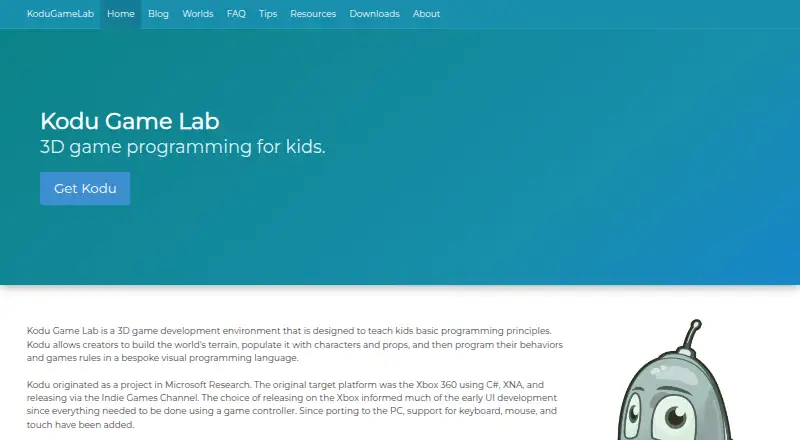
What Kodu Game Lab is
Kodu Game Lab is a free 3D game development environment that teaches basic programming principles through creating games. Its tile-based visual language lets learners program characters and game rules, with code evaluated continuously as the game world changes. Creators can shape terrain and populate worlds with characters and props; the maker says it can be used by young children and adults without design or programming skills. Kodu uses project-based learning, covers computer science topics, and provides instant feedback in a mixed learning format. It is available on the web and Windows, and the PC version supports keyboard, mouse, and touch input. The site offers training videos, sample lessons, starter worlds, and educator resources. Kodu tiles can interact with BBC micro:bit features including its accelerometer, buttons, display, and IO pin. The resources page also describes Mars activities involving exploration and programming an autonomous rover. Users can download and use Kodu without signing in or providing personal information. Optional usage information can include hardware configuration, usage, and crash details, and the setting can be changed in Kodu’s Options Menu. Games can be shared through its Community feature, which includes creator name, description, version, and tags with shared level details.
Who it suits
Kodu Game Lab suits children and adults who want to learn basic programming by building 3D game worlds with visual code. It also serves educators looking for sample lessons, starter worlds, and training materials, including activities involving BBC micro:bit.
What it does well
- Tile-based code sets character behavior and game rules.
- Terrain, characters, and props can be used to build worlds.
- Instant feedback accompanies project-based learning.
- Web and Windows access, with keyboard, mouse, and touch on PC.
- Kodu tiles can interact with BBC micro:bit features.
What to know first
- There are no mobile apps.
- Windows installation requires DirectX 9.0c-compatible graphics, .NET Framework 4.0 or higher, and XNA Framework 4.0 Redistributable.
- Community-shared level details include creator name, description, version, and tags.
Limits
Kodu has no mobile apps. The Windows download requires DirectX 9.0c-compatible graphics, .NET Framework 4.0 or higher, and XNA Framework 4.0 Redistributable.
Plans
| Plan | Billed and limits | Price |
|---|---|---|
| Kodu Game Lab for PC | Windows PC download · .EXE or .MSI installer | Free |
As kodugamelab.com lists them, read 8 Oct 2026. The maker's own page has the final word.
Getting started
- Visit the Kodu Game Lab website and choose the web version or Windows download.
- For Windows, select the EXE installer, which includes the XNA redistributable, or the MSI intended for system administrators installing through SCCM.
- Check that the Windows PC meets the listed graphics, .NET Framework, and XNA requirements.
- Download and use Kodu without signing in or providing personal information.
- Start with a sample lesson, starter world, or training video from the site.
Verdict
Choose Kodu Game Lab if you want a free visual programming environment centered on making 3D games, or need classroom resources for project-based learning. Look elsewhere if you need a mobile app; the listed platforms are web and Windows.
Questions
How much does Kodu Game Lab cost?
The Kodu Game Lab for PC plan is free. Kodu is also described as having a free plan.
Which platforms can I use?
Kodu is available on the web and Windows. The PC version supports keyboard, mouse, and touch input.
Do I need to sign in to use Kodu?
No. The privacy statement says users can download and use Kodu without signing in or providing personal information.
What are the Windows requirements?
The download page lists Windows 11, 10, 8, 7, and Vista, plus DirectX 9.0c-compatible graphics, .NET Framework 4.0 or higher, and XNA Framework 4.0 Redistributable.
Can Kodu work with BBC micro:bit?
Yes. Kodu tiles can interact with micro:bit features including its accelerometer, buttons, display, and IO pin.
What installer options are available for Windows?
The EXE includes the XNA redistributable. The MSI is intended for system administrators installing through SCCM.
Facts from Kodu Game Lab's own pages
- Audience
- The maker says Kodu can be used by young children and adults without design or programming skills. · kodugamelab.com, 8 Oct 2026
- Classroom resources
- The site offers training videos, sample lessons, starter worlds, and resources for educators. · kodugamelab.com, 8 Oct 2026
- Community sharing
- Users can share games through the Community feature; the maker says shared level details include creator name, description, version, and tags. · kodugamelab.com, 8 Oct 2026
- Input methods
- The PC version supports keyboard, mouse, and touch; Kodu also originated on Xbox 360. · kodugamelab.com, 8 Oct 2026
- Installer options
- The desktop download page says the EXE includes the XNA redistributable and the MSI is intended for system administrators installing through SCCM. · kodugamelab.com, 8 Oct 2026
- micro:bit integration
- Kodu tiles can interact with BBC micro:bit features including its accelerometer, buttons, display, and IO pin. · kodugamelab.com, 8 Oct 2026
- NASA resource
- The resources page describes Kodu: Mars Edition activities for exploring Mars and programming an autonomous rover. · kodugamelab.com, 8 Oct 2026
- Optional usage data
- The maker says the optional usage information setting collects hardware configuration, usage, and crash information, and can be changed in Kodu’s Options Menu. · kodugamelab.com, 8 Oct 2026
- Privacy
- The privacy statement says users can download and use Kodu without signing in or providing personal information. · kodugamelab.com, 8 Oct 2026
- Purpose
- Kodu is a 3D game development environment designed to teach children basic programming principles. · kodugamelab.com, 8 Oct 2026
- Support
- The maker directs users with questions or support issues to [email protected]. · kodugamelab.com, 8 Oct 2026
- Visual programming
- Its tile-based visual language lets creators program characters and game rules, and the code is evaluated continuously as the game world changes. · kodugamelab.com, 8 Oct 2026
- Windows requirements
- The download page lists Windows 11, 10, 8, 7, and Vista, and requires DirectX 9.0c-compatible graphics, .NET Framework 4.0 or higher, and XNA Framework 4.0 Redistributable. · kodugamelab.com, 8 Oct 2026
- World building
- Creators can build terrain and populate their worlds with characters and props. · kodugamelab.com, 8 Oct 2026
Where Kodu Game Lab stands on Freedom251
- Educational Games#10 of 31
- Game Visual Scripting Software#10 of 26
- Coding Learning Software#22 of 42