Freedom251 › Key Management Software
Kleopatra
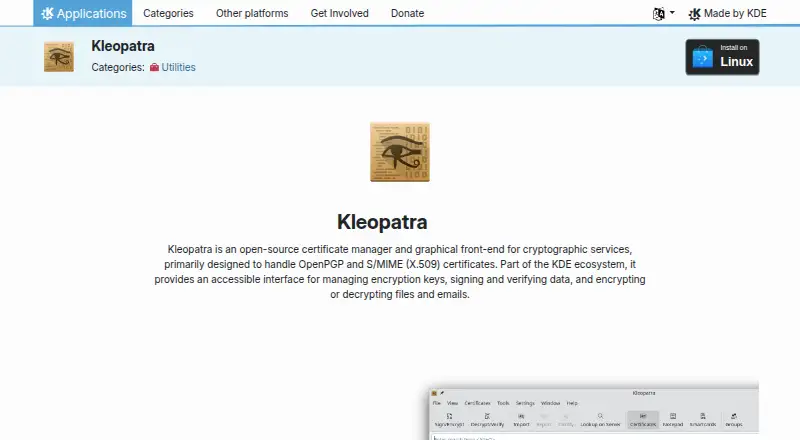
What Kleopatra is
Kleopatra is a free, open-source certificate manager and graphical front end for cryptographic services, focused mainly on OpenPGP and S/MIME certificates. It is available for Linux and Windows and is listed under the GPL-2.0+ license. Users can create, import, export, and manage encryption keys, including trust levels and expiration dates. Certificates can be retrieved from public key servers, LDAP, and Web Key Directory servers. Kleopatra encrypts and decrypts files and text, signs files or notes, and verifies signatures. It also manages OpenPGP and PIV smartcards, with tools for changing PINs and PUKs, copying keys, and generating keys on-card. The KDE page says it is compatible with Yubikey, Gnuk, and other cards without extra device drivers. File managers can provide direct file encryption, signing, and verification actions. Its Notepad can encrypt, decrypt, and verify text for copying into messaging or chat services. Windows users get it bundled with Gpg4win; on Linux it integrates with KDE Plasma and applications such as KMail. Its graphical interface is described as useful for people unfamiliar with command-line tools such as GPG.
Who it suits
Kleopatra suits people managing OpenPGP or S/MIME certificates who prefer a graphical interface to command-line tools. It also fits users who need smartcard management on Linux or Windows.
What it does well
- Creates, imports, exports, and manages keys.
- Encrypts files and text and verifies signatures.
- Manages OpenPGP and PIV smartcards.
- Works with Yubikey and Gnuk without extra drivers.
What to know first
- Available platforms are Linux and Windows only.
- Windows installation is bundled with Gpg4win.
Plans
| Plan | Billed and limits | Price |
|---|---|---|
| Free | Open-source certificate manager; Linux installation listed | Free |
As apps.kde.org lists them, read 9 Oct 2026. The maker's own page has the final word.
Getting started
- Visit the Kleopatra website.
- Choose Linux or Windows as your platform.
- Install it through the Linux installation route or the Windows Gpg4win bundle.
- Use its key tools to create or import certificates.
Overview
Kleopatra is an open-source certificate manager and graphical front end for OpenPGP and S/MIME cryptographic services. It suits people who need desktop certificate and encryption workflows, especially those who prefer a graphical interface to command-line tools.
Its strength is bringing key management, file and text operations, and smartcard tasks together at no cost. It is a focused choice for certificate work, not a general-purpose secrets platform.
Key features
Keys, encryption, and signatures
Kleopatra can create, import, and export asymmetric keys, while letting users manage trust levels and expiration dates. It can also find certificates through public key servers, LDAP, and Web Key Directory servers. These capabilities make it useful for people managing their own certificates as well as organizations with established certificate workflows.
It encrypts and decrypts files and text, signs files or notes, and verifies signatures. File-manager actions let users apply encryption, signing, or verification directly to files. Its Notepad handles text encryption, decryption, and verification before users copy content into a messaging or chat service. That convenience supports desktop and clipboard-based workflows, but the tool is not a replacement for encryption built into a messaging service.
Smartcards and integration
Kleopatra manages OpenPGP and PIV smartcards, including changing PINs and PUKs, copying keys, and generating keys on-card. Compatibility with Yubikey, Gnuk, and other cards without extra device drivers can simplify smartcard use. On Windows it is bundled with Gpg4win; on Linux it integrates with KDE Plasma and applications such as KMail. Central configuration lets organizations set requirements, though the product's desktop focus makes it a narrower fit than a broad key-management platform.
The application is licensed under GPL-2.0+. Support channels include the Kleopatra Handbook, KDE forum, kdepim-users mailing list, and Libera.chat.
Pricing
Kleopatra is free, with a Free plan at no cost. It is open-source and includes a Linux installation. There is no free trial because the application is free; no paid plan or separate seat or usage cap is stated. The trade-off is scope rather than price: this is a desktop certificate manager, not a wider secrets-management service.
Platforms
Kleopatra supports Linux and Windows. Windows users get it bundled with Gpg4win, while Linux users can integrate it with KDE Plasma and applications such as KMail. Those needing API, web, macOS, mobile, or self-hosted service platforms should consider another tool.
Who it's for
Kleopatra is a strong fit for individuals and organizations that need graphical access to OpenPGP or S/MIME certificates, file and text encryption, signatures, or smartcard management. It is particularly relevant to users unfamiliar with GPG command-line tools. It is less suited to teams seeking a general-purpose secrets platform or a service that runs across API and web environments.
Pros and cons
- Pros: Key creation, import, export, discovery, trust, and expiration controls are gathered in one graphical application.
- Pros: File-manager actions and Notepad cover both files and copied text, with signing and verification alongside encryption.
- Pros: OpenPGP and PIV smartcard management includes PIN and PUK changes and on-card key generation; the KDE page says supported cards need no extra device drivers.
- Cons: Its platform support is limited to Linux and Windows, which excludes users seeking mobile, web, or macOS use.
- Cons: Its focus is certificate and desktop cryptography work, so it is not the right fit for broader secrets management or key orchestration.
Alternatives
Browse key management software if you want to compare tools beyond Kleopatra's desktop certificate focus.
- Thales CipherTrust Data Security Platform is worth considering for API, Linux, self-hosted, or web deployments; its free Community Edition has a free trial as well as a free plan.
- Oracle Cloud Infrastructure Secret Management is an alternative for API and web use, with 5,000 secrets per tenancy and 30 active secret versions per secret.
- KeyRack offers a free, self-deployed open-source core for API and self-hosted use, with commercial extensions separate.
- OpenStack Barbican is a free option for API, Linux, or self-hosted deployments.
- Entrust Certificate Manager is a paid alternative spanning web, self-hosted, mobile, Linux, and API platforms.
- Cryptsoft KMIP Server is a paid API, Linux, self-hosted, web, and Windows option offered as a C or Java SDK.
- Eviden KMS is a paid alternative for API, Linux, macOS, self-hosted, web, and Windows, with per-CPU pricing and all connectors included.
- Fornetix Key Orchestration Platform is a paid key-orchestration option with a full-featured 30-day trial and support for API, Linux, self-hosted, web, and Windows.
Verdict
Choose Kleopatra if you want a free graphical tool for managing OpenPGP or S/MIME certificates, encrypting and signing files or text, and working with smartcards on Linux or Windows. Its breadth of desktop cryptographic tasks is the main reason to pick it; look elsewhere if your priority is a broader secrets platform or support beyond those two operating systems.
Verdict
Kleopatra brings key, certificate, file, and smartcard tasks into a graphical application. Its listed platform support is limited to Linux and Windows.
Questions
How much does Kleopatra cost?
The listed Free plan costs nothing.
Is Kleopatra open source?
Yes. The application page lists it under the GPL-2.0+ license.
Which platforms does it support?
Kleopatra is available for Linux and Windows.
Does Kleopatra have a free trial?
No. The listed free trial status is no.
What does Kleopatra integrate with?
On Windows, it is bundled with Gpg4win. On Linux, it integrates with KDE Plasma and applications such as KMail.
Who makes Kleopatra?
Kleopatra is listed on the KDE apps website.
Facts from Kleopatra's own pages
- Encryption and signatures
- It encrypts and decrypts files and text, and can sign files or notes and verify signatures. · apps.kde.org, 9 Oct 2026
- File manager actions
- It supports direct file encryption, signing, and verification from file managers. · apps.kde.org, 9 Oct 2026
- Hardware compatibility
- The KDE page says Kleopatra is compatible with Yubikey, Gnuk, and other cards without extra device drivers. · apps.kde.org, 9 Oct 2026
- Integrations
- On Windows, Kleopatra is bundled with Gpg4win; on Linux, it integrates with KDE Plasma and applications such as KMail. · apps.kde.org, 9 Oct 2026
- Intended users
- The page describes the graphical interface as useful for people unfamiliar with command-line tools such as GPG. · apps.kde.org, 9 Oct 2026
- Key discovery
- It can fetch certificates from public key servers, LDAP, and Web Key Directory servers. · apps.kde.org, 9 Oct 2026
- Key management
- It can create, import, export, and manage encryption keys, trust levels, and expiration dates. · apps.kde.org, 9 Oct 2026
- Latest listed release
- The page lists version 26.08.2 dated 2026-10-08. · apps.kde.org, 9 Oct 2026
- License
- The application page lists Kleopatra under the GPL-2.0+ license. · apps.kde.org, 9 Oct 2026
- Notepad
- Its Notepad can encrypt, decrypt, and verify text for copying into messaging or chat services. · apps.kde.org, 9 Oct 2026
- Organization settings
- Kleopatra can be configured centrally to meet organizational requirements. · apps.kde.org, 9 Oct 2026
- Purpose
- Kleopatra is an open-source certificate manager and graphical front end for cryptographic services, primarily handling OpenPGP and S/MIME certificates. · apps.kde.org, 9 Oct 2026
- Smartcards
- It manages OpenPGP and PIV smartcards, including changing PINs and PUKs, copying keys, and generating keys on-card. · apps.kde.org, 9 Oct 2026
- Support
- The page links to the Kleopatra Handbook, KDE forum, kdepim-users mailing list, and Libera.chat channel. · apps.kde.org, 9 Oct 2026
Where Kleopatra stands on Freedom251
- Key Management Software#4 of 25