Freedom251 › Early Childhood Education Software

KinderCloud
by KinderCloud
What KinderCloud is
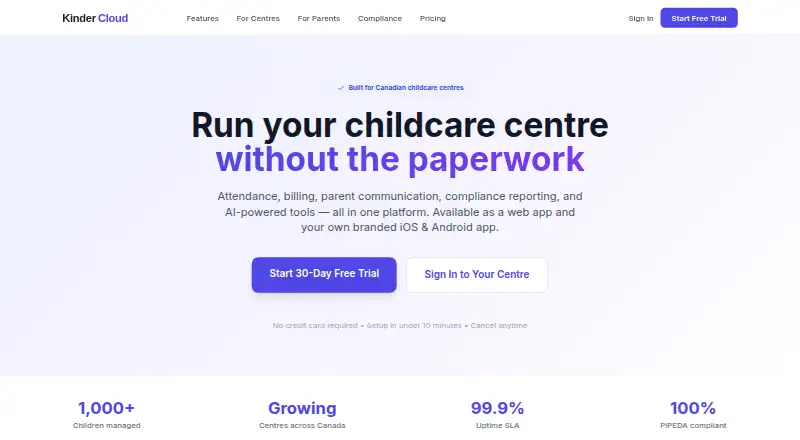
KinderCloud is a childcare management service available through the web, iOS, and Android apps. Its listed tools cover enrollment management, family communication, attendance and check-in, billing and payments, and lesson planning. These functions address administrative, payment, attendance, planning, and family-facing work within one service. KinderCloud organizes its plans around child and staff capacity. Basic is listed for 30 children and five staff. Standard supports 100 children and unlimited staff. Professional supports unlimited children. KinderCloud has no free plan, but it offers a 30-day trial. The service is made by KinderCloud, headquartered in Fredericton, New Brunswick, Canada. Mobile apps are available for both iOS and Android, alongside browser access. Centers can select a plan by matching their enrollment size and staff requirements to the stated capacities. Basic is suited to smaller groups with a five-person staff limit, while Standard raises the child allowance and removes the staff cap. Professional is intended for organizations that need unlimited child capacity.
Who it suits
KinderCloud suits childcare centers needing enrollment, attendance, billing, communication, and lesson-planning tools together. It is relevant to organizations choosing between child and staff capacity limits and needing web, iOS, or Android access.
What it does well
- Enrollment management included
- Family communication tools
- Attendance and check-in support
- Billing and payments included
- Lesson planning available
- Web, iOS, and Android access
What to know first
- No free plan
- Basic is limited to 30 children and five staff
- Standard is limited to 100 children
Limits
Basic supports 30 children and five staff. Standard supports 100 children with unlimited staff, while Professional provides unlimited child capacity.
Plans
| Plan | Billed and limits | Price |
|---|---|---|
| Basic | 30 children · 5 staff | On request |
| Standard | 100 children · Unlimited staff | On request |
| Professional | Unlimited children | On request |
As kindercloud.ca lists them, read 20 Sept 2026. The maker's own page has the final word.
Getting started
- Open the KinderCloud website
- Choose the 30-day trial
- Select Basic, Standard, or Professional based on child and staff capacity
- Access the service through the web, iOS app, or Android app
Verdict
Choose KinderCloud if your childcare operation wants enrollment, family communication, attendance, billing, and lesson planning in one service. Look elsewhere if you require a free plan or need capacity beyond a plan’s stated limits without moving to Professional.
Questions
Which platforms support KinderCloud?
KinderCloud is available on the web, iOS, and Android.
Is there a free plan?
No. KinderCloud offers a 30-day trial instead.
What does Basic include for capacity?
Basic is listed for 30 children and five staff.
How does Standard differ in capacity?
Standard supports 100 children and unlimited staff.
Which plan allows unlimited children?
The Professional plan is listed with unlimited children.
What tools does KinderCloud provide?
Its listed functions include enrollment management, family communication, attendance and check-in, billing and payments, and lesson planning.
Facts from KinderCloud's own pages
- Attendance and check-in
- Yes · kindercloud.ca, 20 Sept 2026
- Billing and payments
- Yes · kindercloud.ca, 20 Sept 2026
- Child capacity
- 30 · kindercloud.ca, 20 Sept 2026
- Enrollment management
- Yes · kindercloud.ca, 20 Sept 2026
- Family communication
- Yes · kindercloud.ca, 20 Sept 2026
- Free plan
- No · kindercloud.ca, 20 Sept 2026
- Headquarters
- Fredericton, New Brunswick, Canada · kindercloud.ca, 28 Sept 2026
- Lesson planning
- Yes · kindercloud.ca, 20 Sept 2026
- Mobile apps
- both · kindercloud.ca, 20 Sept 2026
Where KinderCloud stands on Freedom251
- Early Childhood Education Software#45 of 86
- Daycare Management Software#22 of 32