Freedom251 › Keyword Clustering Tools
Keyword Clustering
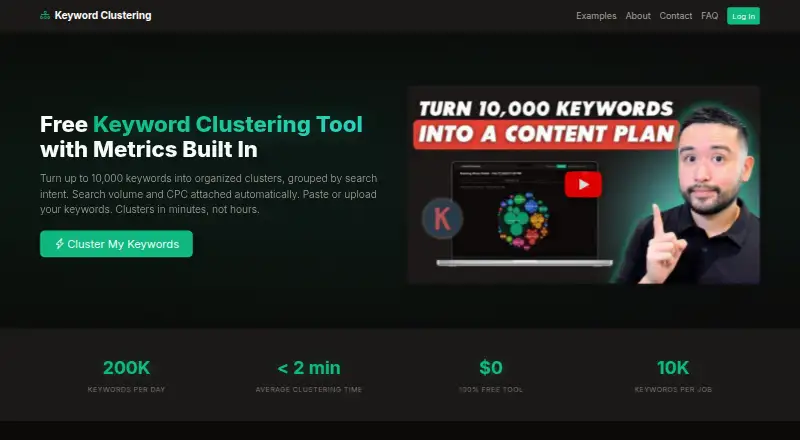
What Keyword Clustering is
Keyword Clustering is a web tool that groups keywords by meaning and search intent to help plan pages for a website. It uses OpenAI’s GPT model to arrange keywords into clusters, deciding the number and size of groups automatically. It can attach monthly search volume and cost-per-click figures from Keywords Everywhere, including total volume and average CPC for each cluster. Add terms by pasting them, uploading CSV, TXT, or Excel files, or importing Keywords Everywhere Favorites. The tool also proposes a page title and meta description for each cluster. Results export to CSV or Excel, and read-only share links can expire after 24 hours, 7 days, or 30 days. The free plan allows up to 10,000 keywords per job; the daily limit depends on the Keywords Everywhere plan, from 5,000 to 200,000 keywords. Sign-in requires a Keywords Everywhere API key, and free and paid accounts are supported. Generated clusters cannot be edited, but you can start another job. Jobs are deleted after one year.
Who it suits
Keyword Clustering suits agencies, freelancers, and in-house teams planning keyword maps and website content. It is for people who can sign in with a Keywords Everywhere API key.
What it does well
- Groups keywords by semantic similarity and search intent
- Adds volume and CPC data from Keywords Everywhere
- Accepts pasted keywords and three file formats
- Exports results to CSV or Excel
- Free plan supports up to 10,000 keywords per job
What to know first
- Requires a Keywords Everywhere API key to log in
- Generated clusters cannot be edited
- Daily limit depends on Keywords Everywhere plan
Limits
The Free plan allows up to 10,000 keywords per job. The daily limit depends on the Keywords Everywhere plan and ranges from 5,000 to 200,000 keywords.
Plans
| Plan | Billed and limits | Price |
|---|---|---|
| Free | No subscription fees or premium tiers · Up to 10,000 keywords per job · Daily limit depends on Keywords Everywhere plan (5,000–200,000 keywords) | Free |
As keywordclustering.net lists them, read 8 Oct 2026. The maker's own page has the final word.
Getting started
- Open https://keywordclustering.net/.
- Log in with a Keywords Everywhere API key; free and paid Keywords Everywhere plans are supported.
- Paste keywords, upload a CSV, TXT, or Excel file, or import from Keywords Everywhere Favorites.
- Generate clusters and review the page title, meta description, and available metrics.
- Export as CSV or Excel, or create a read-only share link with an expiration period.
Overview
Keyword Clustering is a web tool for turning keyword lists into semantic, search-intent groups, with a suggested page title and meta description for each group. It is best suited to agencies, freelancers, and in-house teams planning how website content should cover a keyword set. Its free per-job allowance is substantial, but the Keywords Everywhere login requirement and inability to edit completed clusters are meaningful workflow constraints.
Key features
OpenAI’s GPT model groups keywords and chooses cluster sizes automatically. That makes the tool useful for an initial content map when you want to organize a large list without defining the grouping structure yourself. The trade-off is that a misplaced term cannot be moved into another cluster: you have to create a new job. It also lacks SERP analysis, so it is a poor fit when search-result overlap should determine which terms belong together.
Inputs include pasted keywords, CSV, TXT, and Excel files, as well as imports from Keywords Everywhere Favorites. The tool can add monthly search volume and cost-per-click data from Keywords Everywhere, with total volume and average CPC calculated for each cluster. These metrics help prioritize topics, but require access to Keywords Everywhere. Page titles and meta descriptions for each cluster offer a starting point for briefs; they are suggestions, not a substitute for deciding what a page should target.
CSV and Excel exports suit teams that want to carry the results into another planning workflow. Read-only share links can expire after 24 hours, 7 days, or 30 days, which is useful for time-limited review without opening up editing. Jobs remain stored for one year before automatic deletion.
Logging in requires a Keywords Everywhere API key, and both free and paid Keywords Everywhere plans are supported. The privacy policy says the service does not use analytics or advertising trackers and does not sell user data. It sends keywords to OpenAI for clustering, uses Keywords Everywhere for metrics, and uses SendGrid for transactional emails. The policy says connections use HTTPS, API calls use TLS, and the key stays in session memory rather than the database.
Pricing
Free: free, with no subscription fees or premium tiers. Each job accepts up to 10,000 keywords. The daily allowance depends on the Keywords Everywhere plan, ranging from 5,000 to 200,000 keywords, so the per-job cap is not a promise of unlimited daily processing. There is no free trial because the product is free. This is a strong fit for occasional or recurring mapping work if the daily allowance meets your volume and you already have, or are willing to obtain, a Keywords Everywhere API key.
There are no paid tiers or seat counts to weigh. The main limits are the daily quota tied to Keywords Everywhere, the API-key requirement, and the need to rerun a job to change its clusters.
Platforms
Keyword Clustering runs on the web. Its supported inputs and spreadsheet exports make it practical for browser-based keyword planning, but it is not a SERP-analysis tool.
Who it's for
Choose it for a free, semantic first pass at mapping a large keyword list to planned pages, especially if you work in an agency, freelance practice, or in-house content team and use Keywords Everywhere. Look elsewhere if you need to refine clusters in place, base decisions on SERP overlap, or avoid sending keywords to OpenAI.
Pros and cons
- Pros: Up to 10,000 keywords per job supports sizeable mapping tasks without a subscription fee.
- Pros: Volume and CPC totals at cluster level help compare topic opportunities, provided you have Keywords Everywhere access.
- Pros: CSV and Excel exports plus expiring, read-only links support handoff and review without granting editing rights.
- Cons: Generated clusters cannot be edited, so correcting a grouping means starting another job.
- Cons: Daily processing depends on the Keywords Everywhere plan, and an API key is required even when using Keyword Clustering for free.
- Cons: No SERP analysis means it cannot support workflows that group terms by observed search-result overlap.
Alternatives
For other options, browse Keyword Clustering Tools.
- Absolute Cluster is a better fit if SERP-based clustering, content briefs, a roadmap, and an internal linking map matter more than a 10,000-keyword job allowance; its free plan caps work at one project and 1,000 keywords.
- beserp Keyword Clustering may suit smaller trials without a card: its free signup includes 500 credits that never expire, while a one-time 10.00 USD purchase buys 1,000 credits.
- Cluster Army Keyword Clusterizer is another free web option.
- ContentGecko Keyword Clustering is worth considering for a smaller free run of up to 200 keywords or a paid monthly allowance of 50,000 keyword credits for €19.90 a month.
- NeedMyLink Keyword Clustering Tool is a free web alternative capped at 500 keywords a month, or 1,000 total with email.
- Pro SERP Cluster is a free option for runs of up to 500 keywords with CSV import and export.
- RankYak Keyword Clustering Tool is a web and API alternative with a free tier of up to 50 keywords.
- SEO Algorithm Keyword Clustering offers a no-signup free stem-based option for up to 200 keywords, alongside paid-credit SERP-based and AI semantic methods with custom pricing.
Verdict
Keyword Clustering is a sensible choice for teams that want a free, substantial-volume semantic grouping pass with cluster metrics and page suggestions. Its strongest case is the 10,000-keyword job cap without subscription fees; its clearest reasons to look elsewhere are the Keywords Everywhere dependency, uneditable results, and lack of SERP analysis.
Verdict
Keyword Clustering combines keyword grouping, cluster metrics, and page suggestions in a free web tool. Check the daily limit tied to your Keywords Everywhere plan and note that changing a cluster requires a new job.
Questions
How much does Keyword Clustering cost?
The Free plan costs nothing, with no subscription fees or premium tiers.
What is the keyword limit?
A job can include up to 10,000 keywords. The daily limit depends on the Keywords Everywhere plan, from 5,000 to 200,000 keywords.
Which platforms and input formats are supported?
It is a web tool. You can paste keywords or provide CSV, TXT, or Excel files, and import from Keywords Everywhere Favorites.
Do I need a Keywords Everywhere account?
Logging in requires a Keywords Everywhere API key. Both free and paid Keywords Everywhere plans are supported.
Can I edit clusters or share results?
Clusters cannot be edited after generation, but you can create another job. Read-only share links can expire after 24 hours, 7 days, or 30 days.
Facts from Keyword Clustering's own pages
- Account requirement
- Requires a Keywords Everywhere API key to log in; both free and paid Keywords Everywhere plans are supported. · keywordclustering.net, 8 Oct 2026
- AI clustering
- Uses OpenAI's GPT model to group keywords semantically, with the number and size of clusters determined automatically. · keywordclustering.net, 8 Oct 2026
- Data retention
- Clustering jobs are stored for one year and then automatically deleted. · keywordclustering.net, 8 Oct 2026
- Editing limit
- Clusters cannot currently be edited after generation; users can create a new clustering job instead. · keywordclustering.net, 8 Oct 2026
- Exports and sharing
- Exports results as CSV or Excel and supports read-only share links that expire after 24 hours, 7 days, or 30 days. · keywordclustering.net, 8 Oct 2026
- Inputs
- Accepts pasted keywords, CSV, TXT, or Excel files, and imports from Keywords Everywhere Favorites. · keywordclustering.net, 8 Oct 2026
- Intended users
- The maker describes the tool as built for agencies, freelancers, and in-house teams working on keyword mapping and content planning. · keywordclustering.net, 8 Oct 2026
- Metrics
- Adds monthly search volume and cost-per-click data from Keywords Everywhere, including cluster-level total volume and average CPC. · keywordclustering.net, 8 Oct 2026
- Page suggestions
- Generates a page suggestion with a title and meta description for each cluster. · keywordclustering.net, 8 Oct 2026
- Privacy
- The privacy policy says the service does not use analytics or advertising trackers and does not sell user data. · keywordclustering.net, 8 Oct 2026
- Purpose
- Groups keywords by semantic similarity and search intent into clusters intended for pages on a website. · keywordclustering.net, 8 Oct 2026
- Security
- The privacy policy states that connections use HTTPS, API calls use TLS, and the API key is kept in session memory rather than stored in the database. · keywordclustering.net, 8 Oct 2026
- Support
- The terms page directs users to [email protected] for questions. · keywordclustering.net, 8 Oct 2026
- Third parties
- The service sends keywords to OpenAI for clustering, uses the Keywords Everywhere API for metrics, and uses SendGrid for transactional emails. · keywordclustering.net, 8 Oct 2026
Where Keyword Clustering stands on Freedom251
- Keyword Clustering Tools#7 of 27