Freedom251 › Keyboard and Mouse Customization Software
keymapper
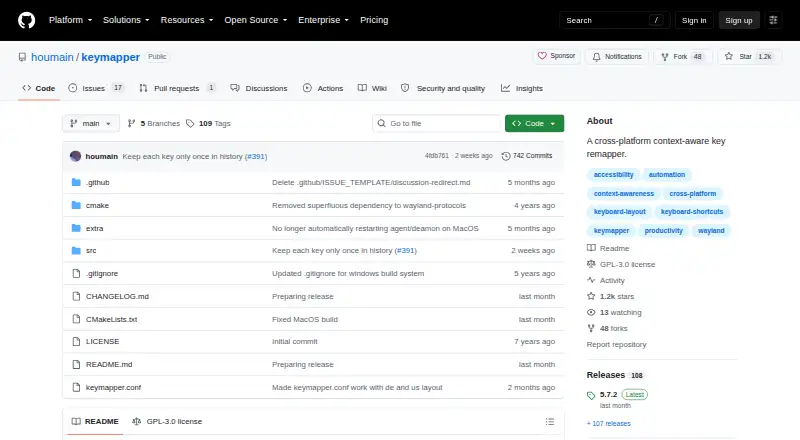
What keymapper is
keymapper is a free, open-source utility for remapping keyboards across Linux, macOS, and Windows. It can redefine layouts and shortcuts systemwide or only inside selected applications. A single configuration file stores mappings that can be shared across GNU/Linux, Windows, macOS, and FreeBSD systems. Rules can depend on the operating system, focused window title or class, process path, input device, or modifier state. Mappings accept keys, typed characters, mouse buttons, and wheel events, with support for sequences, simultaneous keys, held modifiers, virtual keys, and timeouts. Shortcuts can launch terminal commands, while the separate keymapperctl utility can control a running process from another application. Wayland context awareness depends on compositor support, with supplied GNOME Shell and KWin integrations. The macOS build requires a Karabiner virtual device driver. Windows has limitations for elevated applications, the Windows key, and device filters. It is GPLv3 software with no warranty.
Who it suits
It suits users who need context-aware keyboard or mouse remapping across Linux, macOS, or Windows. It is also useful for people sharing one configuration across several systems.
What it does well
- Free and open-source GPLv3 software
- Systemwide or per-application remapping
- Shared configuration across multiple systems
- Supports keyboard, mouse, and wheel mappings
- Can launch commands and control running processes
What to know first
- macOS requires a Karabiner virtual device driver
- Windows mappings can need elevated privileges
- Wayland context depends on compositor information
- Windows device filters require a virtual driver
Plans
| Plan | Billed and limits | Price |
|---|---|---|
| keymapper | GPLv3 software · no warranty | Free |
As github.com lists them, read 12 Oct 2026. The maker's own page has the final word.
Verdict
keymapper combines detailed context filters with broad keyboard and mouse mapping options. Platform-specific driver and privilege requirements should be checked before setup.
Facts from keymapper's own pages
- Automation
- Mappings can launch terminal commands, and the separate keymapperctl utility can control a running keymapper process from external applications. · github.com, 12 Oct 2026
- Commands
- Shortcuts can launch terminal commands, and the companion keymapperctl can control the running process from external applications. · github.com, 12 Oct 2026
- Configuration
- Keyboard shortcuts can be managed in a single configuration file and shared across systems. · github.com, 12 Oct 2026
- Context filters
- Mappings can be restricted by system, focused window title or class, process path, input device, or modifier state. · github.com, 12 Oct 2026
- Device-filter limitation
- On Windows, device context filters require a virtual device driver; the README warns that the described freely available Interception driver has a disconnection bug. · github.com, 12 Oct 2026
- Input and output
- Mappings support key sequences, simultaneous keys, held modifiers, typed characters, timeouts, virtual keys, and mouse buttons or wheel events. · github.com, 12 Oct 2026
- Installation options
- The README describes release packages for Linux and installer or portable builds for Windows, plus Homebrew installation instructions for macOS. · github.com, 12 Oct 2026
- Key and mouse mappings
- Mappings can use keys, typed characters, mouse buttons, and wheel events as input or output. · github.com, 12 Oct 2026
- License and warranty
- The software is released under GNU GPLv3 and comes with no warranty. · github.com, 12 Oct 2026
- Limitations
- Window title context is unavailable on macOS; process path may be unavailable on Wayland and for elevated processes; Windows device filters require a virtual device driver. · github.com, 12 Oct 2026
- Linux support
- Linux instructions cover prebuilt packages, Arch Linux packages, X11, Wayland, and compositor-specific context awareness. · github.com, 12 Oct 2026
- macOS dependency
- The macOS build depends on Karabiner-Element’s virtual device driver. · github.com, 12 Oct 2026
- macOS requirement
- The macOS build depends on Karabiner-Elements' virtual device driver or the standalone Karabiner DriverKit VirtualHIDDevice. · github.com, 12 Oct 2026
- Macro support
- Yes · github.com, 22 Sept 2026
- Per-app profiles
- Yes · github.com, 22 Sept 2026
- Purpose
- Keymapper is a cross-platform, context-aware key remapper. · github.com, 12 Oct 2026
- Remapping
- It can redefine keyboard layouts and shortcuts systemwide or per application. · github.com, 12 Oct 2026
- Security design
- The project says communication between its privileged device service and the user-facing process is kept minimal for security and efficiency. · github.com, 12 Oct 2026
- Shared configuration
- Keyboard shortcuts can be managed in one configuration file and shared across GNU/Linux, Windows, MacOS, and FreeBSD systems. · github.com, 12 Oct 2026
- Supported operating systems
- cross-platform · github.com, 22 Sept 2026
- Systemwide remapping
- It can redefine keyboard layouts and shortcuts systemwide or per application. · github.com, 12 Oct 2026
- Wayland integration
- For Wayland context awareness, the compositor must provide focused-window information; the project provides a GNOME Shell extension and a KWin script, while wlroots-based compositors work out of the box. · github.com, 12 Oct 2026
- Windows limitation
- Without elevated privileges, the Windows key may not map reliably and administrator-run applications may resist mappings. · github.com, 12 Oct 2026
- Windows support
- Windows offers installer and portable builds, with winget and Chocolatey installation instructions. · github.com, 12 Oct 2026