Freedom251 › Keyboard and Mouse Customization Software
Keychron Engine
What Keychron Engine is
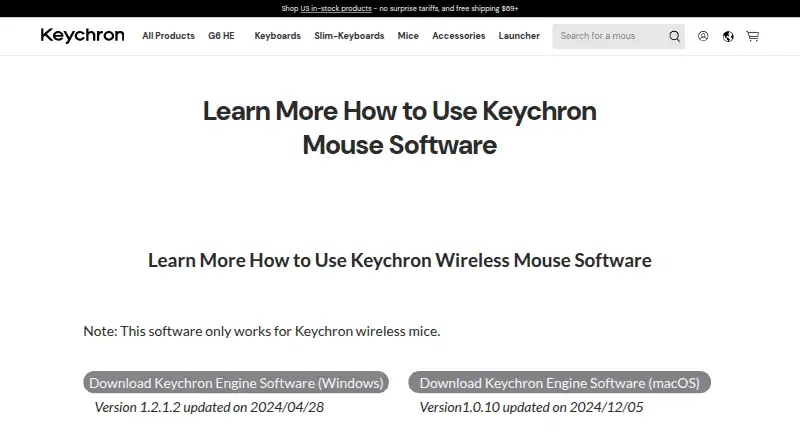
Keychron Engine is free software for configuring Keychron wireless mice on macOS and Windows. It lets users remap buttons to commonly used keys or shortcuts and create macros combining keyboard and mouse input. Pointer controls include DPI adjustment up to 26000 and three polling-rate levels. Settings can be saved in five profile slots, with onboard device memory available. RGB controls cover light color, breathing speed and color saturation. Additional sensor options adjust lift-off distance, movement correction and response latency, including the response interval used for button sensitivity. The mouse must connect through USB or 2.4 GHz wireless for recognition; Bluetooth pairing is not supported by the instructions. Compatibility is limited to Keychron wireless mice. Keychron lists Windows version 1.2.1.2, updated 2024/04/28, and macOS version 1.0.10, updated 2024/12/05. The maker identifies its headquarters as Hong Kong.
Who it suits
Keychron Engine suits owners of Keychron wireless mice who need remapping, macros, pointer tuning, lighting controls or stored profiles. It is intended for macOS and Windows users.
What it does well
- Remaps buttons and creates keyboard-mouse macros
- DPI adjustment up to 26000
- Three polling-rate levels
- Five profile slots with onboard memory
- Adjustable RGB and sensor settings
What to know first
- Works only with Keychron wireless mice
- Bluetooth pairing is not supported
- Requires USB or 2.4 GHz connection
Verdict
Keychron Engine concentrates detailed mouse configuration in a free macOS and Windows utility. Its main limitation is device and connection compatibility: only Keychron wireless mice connected by USB or 2.4 GHz are recognized.
Facts from Keychron Engine's own pages
- Bluetooth limit
- Bluetooth pairing with the software is not supported on the page’s instructions. · keychron.com, 4 Oct 2026
- Button customization
- Users can remap mouse buttons to commonly used keys or shortcut keys. · keychron.com, 4 Oct 2026
- Button mapping
- Users can change mouse button functions and assign commonly used keys or shortcut keys. · keychron.com, 4 Oct 2026
- Connection
- To use the software, connect the mouse by USB or 2.4 GHz wireless. · keychron.com, 4 Oct 2026
- Connection requirement
- The mouse must connect by USB or 2.4 GHz for the software to recognize it; Bluetooth pairing is not currently supported. · keychron.com, 4 Oct 2026
- Device compatibility
- The software only works with Keychron wireless mice. · keychron.com, 4 Oct 2026
- Device limit
- The software only works with Keychron wireless mice. · keychron.com, 4 Oct 2026
- Downloads
- The page lists Windows software version 1.2.1.2, updated 2024/04/28, and macOS version 1.0.10, updated 2024/12/05. · keychron.com, 4 Oct 2026
- DPI and polling
- The software adjusts DPI up to 26000 and offers three polling-rate levels. · keychron.com, 4 Oct 2026
- Free plan
- Yes · keychron.com, 22 Sept 2026
- Headquarters
- Hong Kong · keychron.com, 28 Sept 2026
- macOS version
- The listed macOS version is 1.0.10, updated on 2024/12/05. · keychron.com, 4 Oct 2026
- Macros
- Users can create macros that include keyboard input and mouse input. · keychron.com, 4 Oct 2026
- Macro support
- Yes · keychron.com, 22 Sept 2026
- Onboard device memory
- Yes · keychron.com, 22 Sept 2026
- Polling rate control
- Yes · keychron.com, 22 Sept 2026
- Profile slots
- 5 · keychron.com, 22 Sept 2026
- Purpose
- Keychron Engine is mouse control software for Keychron wireless mice. · keychron.com, 4 Oct 2026
- Response latency
- Users can adjust the response interval to change button-response sensitivity. · keychron.com, 4 Oct 2026
- RGB lighting
- Users can customize RGB light color, breathing speed, and color saturation. · keychron.com, 4 Oct 2026
- RGB settings
- Users can customize RGB light color, breathing speed, and color saturation. · keychron.com, 4 Oct 2026
- Sensitivity controls
- Yes · keychron.com, 22 Sept 2026
- Sensor settings
- The software provides lift-off distance, movement correction, and response latency settings. · keychron.com, 4 Oct 2026
- Supported operating systems
- Keychron provides software downloads for Windows and macOS. · keychron.com, 4 Oct 2026