
KDAN PDF
by KDAN PDF
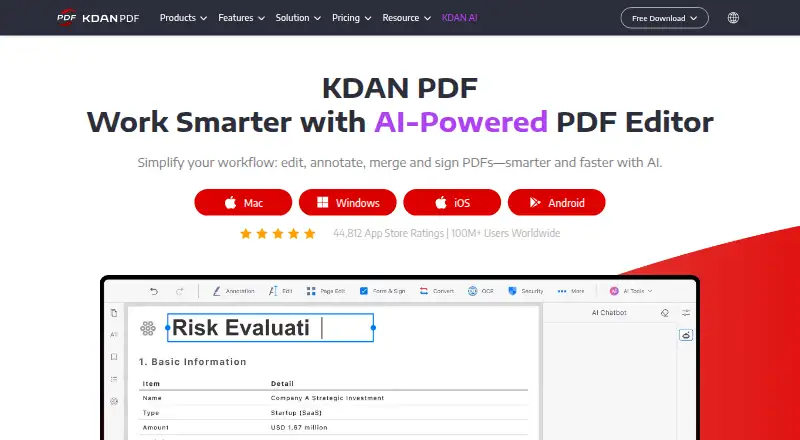
What KDAN PDF is
KDAN PDF is a PDF app for viewing, annotating, and filling documents on Android, iOS, Mac, and Windows. Its free plan includes viewing, annotations and notes, handwriting, signatures, and form filling. The free tier does not include text editing, form creation, OCR, or PDF conversion. Document 365 costs USD 59.99 per year and adds text editing, merging and splitting, Office-file conversion, OCR for scanned PDFs, and password protection. Document 365 AI+ costs USD 99.99 per year and includes those features alongside AI services such as auto-redaction, summarization, document review, and paragraph translation. Both subscriptions offer a seven-day free trial. Paid plans also provide read-aloud text-to-speech. A USD 119.99 lifetime license covers one desktop device and supports offline work without cloud uploads. Refunds can be requested within 14 days of purchase, subject to store exclusions. KDAN PDF is powered by KDAN Mobile Software Ltd., which was founded in 2009 and is based in Tainan City, Taiwan.
Who it suits
KDAN PDF suits people who need to read, annotate, or fill PDFs across mobile and desktop platforms. Its paid plans are for users who also need text editing, OCR, conversion, or the listed AI tools.
What it does well
- Free plan includes annotations, handwriting, and signatures
- Available on Android, iOS, Mac, and Windows
- Paid plans include OCR for scanned PDFs
- Lifetime license supports offline desktop work
- Subscriptions offer a seven-day free trial
What to know first
- Free plan excludes text editing and form creation
- Free plan excludes OCR and PDF conversion
- Lifetime license covers one desktop device
- Refund requests are subject to store exclusions
Limits
The free plan does not include text editing, form creation, OCR, or PDF conversion. Document 365 costs USD 59.99 per year, and Document 365 AI+ costs USD 99.99 per year; each subscription offers a seven-day free trial. The USD 119.99 lifetime license is for one device.
Plans
| Plan | Billed and limits | Price |
|---|---|---|
| KDAN PDF Free | View PDFs · Annotate and take notes · Free handwriting · Create signatures · Fill forms | Free |
| Document 365 | Annual · Edit PDF text · Merge and split PDFs · Convert PDFs to Office files · OCR scanned PDFs · Password-protect files | $59.99 a year |
| Document 365 AI+ | Annual · Document 365 features · AI auto-redaction · Summarization · Document review · PDF paragraph translation | $99.99 a year |
| Lifetime License | 1-device permanent license · 1 device | $119.99, paid once |
As pdf-reader.kdandoc.com lists them, read 28 Sept 2026. The maker's own page has the final word.
Getting started
- Visit the KDAN PDF website.
- Choose the Android, iOS, Mac, or Windows platform.
- Start with the free plan for viewing, annotation, handwriting, signatures, and form filling.
- Choose Document 365 or Document 365 AI+ for paid features and a seven-day free trial.
- Choose the lifetime license for one desktop device and offline work.
KDAN PDF is a cross-platform reader and document tool for Windows, macOS, iOS, and Android. It suits people who mainly need to review, mark up, sign, and complete PDFs, while paid tiers target users who edit, convert, or process scanned documents. Its strongest case is the combination of broad device support and a one-device offline license; its main drawback is how much practical editing is withheld from the free plan.
Overview
KDAN PDF covers routine reading and markup as well as text editing, OCR, conversion, form creation, and AI-assisted document work. The free offering works for commenting on existing files, handwriting notes, adding signatures, and filling forms. It is not a free PDF production suite: changing PDF text, creating forms, recognizing scanned pages, and converting files require a paid plan.
KDAN Mobile Software Ltd., founded in 2009 and headquartered in Tainan City, Taiwan, powers the product. KDAN PDF is described as GDPR-compliant. A lifetime desktop license can work offline without cloud uploads, which is a useful distinction for confidential documents or workflows that should remain local.
Key features
Reading, markup, and forms
KDAN PDF Free includes viewing, annotations and notes, freehand writing, signature creation, and form filling. That combination handles study material, reviews, approvals, and existing paperwork without a subscription. However, free users cannot edit document text or create a new form, so it is unsuitable for preparing reusable templates or correcting source content.
Editing, OCR, and conversion
Document 365 adds text editing, PDF merging and splitting, conversion to Office files, OCR, and password protection. OCR turns scanned PDFs into editable, searchable documents, making the subscription relevant to anyone dealing with scans rather than born-digital files. These are substantial workflow upgrades, but they are also the functions most likely to make the free tier feel restrictive.
AI and accessibility
Document 365 AI+ includes the Document 365 feature set plus automatic redaction, summarization, document review, paragraph translation, extraction, and document chat. Paid plans also provide read-aloud text-to-speech. Those tools are aimed at people handling long, multilingual, or sensitive documents; AI+ costs more than the standard subscription, so occasional readers may not benefit enough to justify it. KDAN PDF supports English and several major Asian and European languages.
Pricing
| Plan | Price | Best fit |
|---|---|---|
| KDAN PDF Free | USD 0.00 | Reading, annotation, signatures, and form filling |
| Document 365 | USD 59.99 per year | Regular editing, OCR, conversion, and file organization |
| Document 365 AI+ | USD 99.99 per year | Users who need AI redaction, summaries, review, or translation |
| Lifetime License | USD 119.99 once | One desktop device and offline work |
Document 365 and Document 365 AI+ include a seven-day free trial. Refunds can be requested within 14 days of purchase, subject to store exclusions. Credit cards and PayPal are accepted, while wire transfer is available for business and volume purchases. The lifetime option is permanent for one device, so it gives up the cross-platform coverage included with Document 365 in exchange for avoiding recurring billing. The published pricing note also describes paid access as starting at USD 59.99 per year; the plan table identifies that amount as the annual Document 365 price.
Platforms
KDAN PDF runs on Windows, macOS, iOS, and Android. Document 365 is presented as unlocking its features across all four platforms, while the lifetime license is a desktop, one-device purchase. That makes the subscription the practical choice for people who move between phone, tablet, and computer; the lifetime plan is narrower but better suited to a fixed workstation and offline use.
Who it's for
Choose KDAN PDF Free if your PDF work is primarily reading, commenting, signing, handwriting, and completing forms. Choose Document 365 when you routinely edit text, combine or split files, convert PDFs to Office formats, protect files with passwords, or OCR scans. AI+ is for document-heavy users who can make real use of redaction, extraction, summaries, review, translation, or chat. The lifetime license fits a user who wants permanent desktop access on one device and prefers documents to stay off the cloud.
Pros and cons
Pros
- Free viewing, annotation, handwriting, signatures, and form filling cover common paperwork without payment.
- Windows, macOS, iOS, and Android support makes the paid subscription suitable for multi-device workflows.
- OCR, Office conversion, merging, splitting, and text editing give Document 365 a meaningful upgrade path.
- The lifetime desktop license supports offline work without cloud uploads.
- AI+ adds redaction, summarization, extraction, review, translation, and document chat in one tier.
Cons
- The free plan excludes text editing, form creation, OCR, and PDF conversion, limiting it to basic document handling.
- The lifetime license covers one device, so it is a poor substitute for cross-platform access.
- AI+ costs USD 99.99 per year, making it difficult to justify for occasional AI use.
- The seven-day trials leave little time to evaluate a demanding workflow, even with the stated 14-day refund window and store exclusions.
Alternatives
For a broader directory of options, see PDF Readers and PDF editors. Pick MuPDF instead if you need Linux, web, or self-hosted availability alongside desktop and mobile platforms; its commercial plan is USD 299.00 per month per domain, with an annual discount mentioned but no annual amount shown.
Foxit PDF Reader is the better fit when a free reader with viewing, printing, annotation, collaboration, form filling, and signing is enough. Choose Kiosk for a free, open-source reader across desktop, mobile, web, extension, and self-hosted deployments. StarForce Reader is another free reader spanning Android, iOS, Linux, macOS, and Windows. Javelin PDF Reader suits readers wanting a free end-user reader on Windows, macOS, iOS, and Android. Choose Okular for free GPLv2+ software on Linux, macOS, and Windows, or Komodo PDF for a free GPLv3 reader with Windows, macOS, and Linux builds. Launchpad is aimed at open-source projects rather than general PDF editing.
Verdict
KDAN PDF is a sensible choice for multi-device users who want free markup and form completion, with a clear paid route to editing, OCR, conversion, and AI. Choose Document 365 for regular document production or the lifetime license for one-device offline work. Look elsewhere if you need a fully capable free editor, Linux support, or broader licensing without paying for the operations the free tier omits.
Verdict
KDAN PDF covers basic PDF reading, annotation, and form filling for free, with more editing and conversion tools in paid plans. The free tier excludes several core document operations, so check the plan details against the tasks you need.
Questions
Is KDAN PDF free?
Yes. The free plan includes PDF viewing, annotation and notes, handwriting, signatures, and form filling.
How much do the paid plans cost?
Document 365 costs USD 59.99 per year, and Document 365 AI+ costs USD 99.99 per year. The lifetime license costs USD 119.99 per device.
Which platforms does KDAN PDF support?
It supports Android, iOS, Mac, and Windows.
What does the free plan leave out?
It does not include text editing, form creation, OCR, or PDF conversion.
Is there a free trial?
Document 365 and Document 365 AI+ offer a seven-day free trial.
Who makes KDAN PDF?
It is powered by KDAN Mobile Software Ltd., founded in 2009 and headquartered in Tainan City, Taiwan.
Facts from KDAN PDF's own pages
- AI annual price
- Document 365 AI+ costs USD 99.99 per year. · pdf-reader.kdandoc.com, 28 Sept 2026
- AI capabilities
- AI features include summarization, extraction, translation, redaction, and document chat. · pdf-reader.kdandoc.com, 28 Sept 2026
- Annotation tools
- Yes · pdf-reader.kdandoc.com, 20 Sept 2026
- Annual subscription
- Document 365 costs USD 59.99 per year. · pdf-reader.kdandoc.com, 28 Sept 2026
- Company identity
- KDAN PDF is powered by KDAN Mobile Software Ltd., founded in 2009. · pdf-reader.kdandoc.com, 28 Sept 2026
- Form creation
- Yes · pdf-reader.kdandoc.com, 20 Sept 2026
- Founded
- 2009 · pdf-reader.kdandoc.com, 28 Sept 2026
- Free plan
- Yes · pdf-reader.kdandoc.com, 20 Sept 2026
- Free tier features
- The basic plan includes viewing, annotation, handwriting, signatures, and form filling. · pdf-reader.kdandoc.com, 28 Sept 2026
- Free tier limit
- The basic plan does not include text editing, form creation, OCR, or PDF conversion. · pdf-reader.kdandoc.com, 28 Sept 2026
- Headquarters
- Tainan City, Taiwan · pdf-reader.kdandoc.com, 28 Sept 2026
- Language support
- KDAN PDF supports English and several major Asian and European languages. · pdf-reader.kdandoc.com, 28 Sept 2026
- Lifetime license
- Lifetime License costs USD 119.99 per device. · pdf-reader.kdandoc.com, 28 Sept 2026
- OCR
- Yes · pdf-reader.kdandoc.com, 20 Sept 2026
- Offline security
- The lifetime desktop license supports offline work without cloud uploads. · pdf-reader.kdandoc.com, 28 Sept 2026
- Payment methods
- Credit cards and PayPal are accepted; wire transfer is available for business and volume purchases. · pdf-reader.kdandoc.com, 28 Sept 2026
- PDF conversion
- Paid plans convert PDFs to Office files and multiple image formats. · pdf-reader.kdandoc.com, 28 Sept 2026
- Refund window
- Refunds can be requested within 14 days after purchase, with store exclusions. · pdf-reader.kdandoc.com, 28 Sept 2026
- Security certification
- KDAN PDF is described as GDPR-compliant software. · pdf-reader.kdandoc.com, 28 Sept 2026
- Supported platforms
- KDAN PDF supports Android, iOS, Mac, and Windows. · pdf-reader.kdandoc.com, 28 Sept 2026
- Text editing
- Yes · pdf-reader.kdandoc.com, 20 Sept 2026
- Text to speech
- Read-aloud text-to-speech is available in paid plans. · pdf-reader.kdandoc.com, 28 Sept 2026
- Trial period
- Document 365 and Document 365 AI+ offer a seven-day free trial. · pdf-reader.kdandoc.com, 28 Sept 2026
Where KDAN PDF stands on Freedom251
- PDF editors#14 of 104
- PDF Readers#4 of 24