kat5200
What kat5200 is
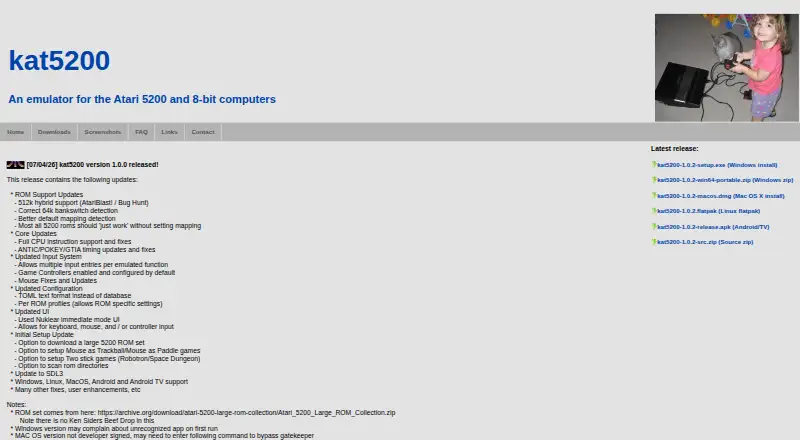
kat5200 is a free emulator for playing games from Atari 5200 and Atari 8-bit computer systems on Windows, macOS, Linux, and Android. It supports the Atari 5200, Atari 400, Atari 800, Atari 800 XL, and Atari 800 XE. Players can use game controllers, keyboards, or mice, and assign multiple inputs to an emulated function. Separate input profiles can be saved and assigned to games in the Launcher. For games that depend on controller-axis positions, Simulate Analog can help when using a keyboard or digital controller. Initial setup can scan a ROM directory and offers options for trackball, paddle, and two-stick control. Version 1.0.0 uses TOML configuration and supports profiles per ROM; a release update also added support for precompiled libretro shaders. The emulator does not include game ROM images or BIOS files, which users must obtain and configure separately. Desktop downloads include installer and portable Windows builds, a macOS disk image, and a Linux Flatpak. Android is distributed as an APK, not through the Play Store, so it must be sideloaded.
Who it suits
kat5200 suits players who want to run Atari 5200 or Atari 8-bit computer games on a personal computer and configure controls for individual games. Android users need to be comfortable sideloading an APK and supplying ROMs and BIOS files themselves.
What it does well
- Free emulator for Atari 5200 and 8-bit systems
- Available on Windows, macOS, Linux, and Android
- Supports controllers, keyboard, and mouse input
- Per-game input profiles can be assigned in Launcher
- ROM directory scanning is offered during setup
What to know first
- Game ROM images and BIOS files are not included
- Android version must be sideloaded
- No free trial is listed
Limits
The emulator does not include game ROM images or BIOS files, which users must obtain and configure separately. Android users must sideload the APK because the app is not in the Play Store.
Plans
| Plan | Billed and limits | Price |
|---|---|---|
| kat5200 | Atari 5200 and 8-bit computer emulator | Free |
As jillybunch.com lists them, read 3 Oct 2026. The maker's own page has the final word.
Getting started
- Visit the kat5200 website and choose a download for Windows, macOS, Linux, or Android.
- Install or open the build for your platform; Android users need to sideload the APK.
- Obtain and configure the required BIOS files and game ROM images.
- Use initial setup to scan a ROM directory and configure any needed trackball, paddle, or two-stick options.
- Set up controller, keyboard, or mouse input and assign profiles to games in the Launcher.
kat5200 is a free emulator for Atari 5200 and Atari 8-bit computer games, aimed at players preserving or revisiting those systems on modern computers and Android devices. It is best for users who already manage their own ROM and BIOS files and want controls that can be tailored per game. The trade-off is a more involved setup than a turnkey game library, especially on Android.
Overview
kat5200 emulates the Atari 5200 alongside the Atari 400, 800, 800 XL and 800 XE. That combination gives Atari fans one focused application for both the console and the related 8-bit computer family. It does not bundle game ROM images or BIOS files, so ownership and configuration of those files remain the user’s responsibility. That makes kat5200 a better fit for experienced emulation users than for someone expecting an instant catalog of playable titles.
The project is free, and a 2008 release note records that it became open source. Users can send bug reports or suggestions through the project’s issues list or by email, which provides a route for reporting problems but does not substitute for a built-in support service.
Key features
Input support is the emulator’s clearest practical strength. Controllers, keyboards and mice are supported, and multiple input entries can be assigned to one emulated function. This is useful when a title needs alternate bindings or when several physical controls should perform the same action.
Game-specific configuration goes further than a single global layout. Users can save separate input profiles and assign them to games in the Launcher, while version 1.0.0 adds per-ROM profiles and stores configuration in readable TOML text. These choices suit people who regularly switch between games with different control demands; casual players with only one or two titles may find the extra configuration unnecessary.
The Simulate Analog option is aimed at games that depend on controller-axis positions. It can make keyboard or digital-controller play more workable, although it cannot provide the continuous physical range of a true analog control. Initial setup can scan a ROM directory and offers configuration for mouse-as-trackball, mouse-as-paddle and two-stick games, helping users address unusual Atari control schemes before launching a title.
A release update added support for precompiled shaders from the libretro project. That gives graphics configuration another layer for users who care about presentation, while the per-game profile system keeps those adjustments from having to be repeated across every ROM.
Pricing
| Plan | Price | Includes |
|---|---|---|
| kat5200 | free | Atari 5200 and 8-bit computer emulator |
There is no paid tier and no free trial because the application is free. The price removes licensing cost, but it does not include ROMs or BIOS files, and those requirements can be the larger practical barrier. There are no published seat, quota or renewal limits to weigh.
Platforms
kat5200 supports Windows, macOS, Linux and Android. Downloads include a Windows installer and portable build, a macOS disk image, a Linux Flatpak, an Android/TV APK and a source zip for version 1.0.0. Windows users can choose between installation and portability, while Linux users get a distribution-friendly Flatpak option. Android is the least convenient route: the maker says it is not in the Play Store, so installation requires sideloading. Users who want a conventional store install should look elsewhere.
Who it's for
Choose kat5200 if you need Atari 5200 and Atari 400/800-family emulation in one free application, have legitimate access to the necessary ROM and BIOS files, and value per-game control profiles. It is particularly suitable for players using mixed input devices, unusual Atari peripherals or a keyboard in games designed around analog axes.
It is a weaker choice for beginners seeking bundled content, automatic system files or a frictionless Android installation. Those users will need to handle more setup before the emulator becomes useful.
Pros and cons
Pros
- Broad Atari coverage: one emulator handles the Atari 5200 plus five Atari 8-bit computer models.
- Flexible controls: controller, keyboard and mouse input, multiple bindings and remappable functions accommodate varied hardware.
- Per-game profiles: Launcher assignments and per-ROM settings avoid repeatedly rebuilding controls.
- Free and open source: there is no purchase price, and the project’s open-source status is documented.
- Multiple distribution formats: installer, portable, disk image, Flatpak, APK and source downloads cover different workflows.
Cons
- ROMs and BIOS are external: users must obtain and configure the files before playing.
- Android sideloading: the APK is not offered through the Play Store, adding installation friction and responsibility.
- Analog simulation is limited: keyboard and digital controls still lack the physical range of an analog stick.
- Focused scope: it is designed for Atari 5200 and 8-bit computers, not a broad multi-system library.
Alternatives
For a wider starting point, browse Atari Emulators.
Pick Virtual Jaguar instead for Atari Jaguar emulation across Android, iOS, Linux, macOS, web and Windows; it requires a libretro frontend such as RetroArch.
Atari800 is the closer alternative when you want a freely distributable Atari 8-bit emulator with source under GPL version 2.
Choose BigPEmu for a free emulator download with listed Windows and Linux x64/ARM64 builds, or EMU7800 for Atari 2600 and 7800 emulation.
Javatari provides online Atari 2600 access, while Stella focuses on Atari 2600 VCS emulation with voluntary donations. z26 is another open-source Atari 2600 option under GNU GPL version 2. Teller is a universal secret manager for developers rather than an Atari emulator.
Verdict
kat5200 is a strong choice for Atari enthusiasts who want free Atari 5200 and 8-bit computer emulation with detailed, game-specific input control across four platform families. Its main reason to choose it is the combination of broad system coverage and configurable profiles. Look elsewhere if you need included ROMs and BIOS files, a store-based Android install or a broader non-Atari emulator library.
Verdict
kat5200 offers broad control options and per-game profiles across four listed platforms. Users must source and configure ROMs and BIOS files themselves, and Android installation requires sideloading.
Questions
How much does kat5200 cost?
The kat5200 plan is free.
Which platforms are supported?
Builds are listed for Windows, macOS, Linux, and Android.
Which Atari systems can it emulate?
It supports Atari 5200, Atari 400, Atari 800, Atari 800 XL, and Atari 800 XE.
Does kat5200 include games or BIOS files?
No. Users must obtain and configure game ROM images and BIOS files separately.
Is kat5200 open source?
A 2008 release note states that kat5200 became open source.
How is the Android version installed?
The Android/TV APK must be sideloaded because the maker says it is not in the Play Store.
Facts from kat5200's own pages
- Analog controls
- The Simulate Analog option helps games that rely on controller axis positions when played with a keyboard or digital controller. · jillybunch.com, 3 Oct 2026
- Compatibility note
- The maker says the Android version is not in the Play Store and must be sideloaded. · jillybunch.com, 3 Oct 2026
- Configuration
- Version 1.0.0 changed configuration storage to TOML text format and added per-ROM profiles. · jillybunch.com, 3 Oct 2026
- Downloads
- The downloads page lists Windows installer and portable builds, a macOS disk image, a Linux Flatpak, an Android/TV APK, and a source zip for version 1.0.0. · jillybunch.com, 3 Oct 2026
- Graphics
- A release update added support for precompiled shaders from the libretro project. · jillybunch.com, 3 Oct 2026
- Input
- The emulator supports game controllers, keyboard and mouse input, and allows multiple input entries per emulated function. · jillybunch.com, 3 Oct 2026
- License status
- A 2008 release note states that kat5200 became open source. · jillybunch.com, 3 Oct 2026
- Per-game settings
- Users can save different input profiles and assign them to games in the Launcher. · jillybunch.com, 3 Oct 2026
- Purpose
- kat5200 emulates the Atari 5200 and Atari 800/XL/XE computers so users can play games from those systems on a personal computer. · jillybunch.com, 3 Oct 2026
- ROMs and BIOS
- The emulator does not include game ROM images or BIOS files; users must obtain and configure them separately. · jillybunch.com, 3 Oct 2026
- Setup
- The initial setup offers ROM directory scanning and options to configure mouse-as-trackball, mouse-as-paddle, and two-stick games. · jillybunch.com, 3 Oct 2026
- Support
- The maker asks users to report bugs or suggestions through the issues list or by email, as described in an older release note. · jillybunch.com, 3 Oct 2026
Where kat5200 stands on Freedom251
- Atari Emulators#9 of 25