Freedom251 › Business Card Scanner Software
KardBlink
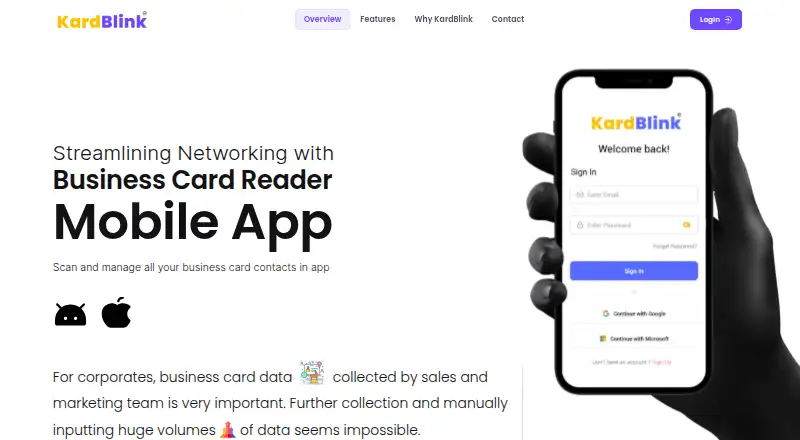
What KardBlink is
KardBlink is a mobile business card reader that uses OCR to turn card photos into searchable contacts. It captures names, company names, phone numbers, email addresses, and mailing addresses. Scanned details are saved on the user’s phone and synced to a company’s centralized CRM. Contacts can also sync with a phone address book, Google Contacts, and company directories. Users can label contacts by event, industry, or custom category, then search by name, company, or keyword. A gallery of scanned cards provides a virtual Rolodex. For teams, KardBlink offers an MIS dashboard to track scans, while managers can generate MIS reports and monitor networking activity. The maker says information is held on a private cloud or on-premise and protected with encryption, role-based access, audit logs, and multi-layer authentication. KardBlink is described as aligned with India’s DPDP Act 2023. The maker positions it for individuals and organizations, especially sales and marketing teams collecting business card leads. Android and iOS users can get the scanner app free, and a free demo is available. The product page is published by CFCS Cloud Solutions Pvt Ltd, which lists an address in Sector 135, Noida, Uttar Pradesh, India.
Who it suits
KardBlink suits individuals and organizations that need to convert business cards into searchable contacts. Its CRM sync, scan reporting, and centralized contact data are aimed in particular at sales and marketing teams collecting business card leads.
What it does well
- OCR captures names, companies, phone numbers, emails, and addresses.
- Syncs contacts with phone address books and Google Contacts.
- Tags and searches contacts by labels, name, company, or keyword.
- Includes an MIS dashboard and reporting for teams.
- Offers private cloud or on-premise deployment with access controls.
- Free scanner app is available for Android and iOS.
What to know first
- The free scanner app is described for Android and iOS only.
- Team reporting and centralized CRM are organization-focused capabilities.
- The maker offers a demo as the listed route for prospective teams.
Getting started
- Open the KardBlink website.
- Download the free scanner app for Android or iOS.
- Scan business cards to capture contact details.
- Sync scanned contacts with a phone address book, Google Contacts, or a company directory.
- For an organization, arrange a free demo to explore team use and deployment.
Verdict
Choose KardBlink if you want to scan business cards into searchable contacts and sync them with a phone address book or company CRM. Teams may also find its scan dashboard and MIS reports useful.
Questions
Is KardBlink free?
The maker describes the Android and iOS scanner app as free and offers a free demo.
Which platforms does KardBlink support?
Its listed platforms are Android, iOS, web, API, and self-hosted. The free scanner app is for Android and iOS.
What contact details can it capture?
It captures names, company names, phone numbers, email addresses, and mailing addresses from card photos.
Can KardBlink sync contacts with other tools?
Yes. It can sync with phone address books, Google Contacts, and company directories, and it integrates with CFCS Cloud Solutions.
Can an organization host KardBlink itself?
The maker lists private cloud and on-premise deployment.
Who publishes KardBlink?
The product page is published by CFCS Cloud Solutions Pvt Ltd, which lists an address in Sector 135, Noida, Uttar Pradesh, India.
Facts from KardBlink's own pages
- Audience
- The maker positions KardBlink for individuals and organizations, highlighting sales and marketing teams that collect business card leads. · cfcs.co.in, 5 Oct 2026
- Captured details
- It captures names, company names, phone numbers, email addresses, and mailing addresses from card photos. · cfcs.co.in, 5 Oct 2026
- Captured fields
- The app captures names, companies, phone numbers, email addresses, and physical addresses from card photos. · cfcs.co.in, 7 Oct 2026
- Card gallery
- The app provides a gallery of scanned cards as a virtual Rolodex. · cfcs.co.in, 5 Oct 2026
- Centralized CRM
- Scanned contact data is saved on the user’s phone and synced to a company’s centralized CRM. · cfcs.co.in, 7 Oct 2026
- Compliance
- The maker describes KardBlink as DPDP Act 2023 aligned. · cfcs.co.in, 7 Oct 2026
- Contact integrations
- KardBlink can sync scanned contacts with a phone’s address book, Google Contacts, and company directories. · cfcs.co.in, 7 Oct 2026
- Contact sync
- KardBlink says it can automatically sync scanned contacts with a phone address book and Google Contacts. · cfcs.co.in, 5 Oct 2026
- Deployment and controls
- The maker lists private cloud or on-premise deployment, role-based access, audit logs, end-to-end encryption, and multi-layer authentication. · cfcs.co.in, 5 Oct 2026
- Free access
- The maker describes the Android and iOS scanner app as free and offers a free demo; it does not publish plan prices on the pages opened. · cfcs.co.in, 5 Oct 2026
- Free availability
- The maker says Android and iOS users can get started with its free scanner app. · cfcs.co.in, 7 Oct 2026
- Headquarters
- Noida, Uttar Pradesh, India · kardblink.com, 28 Sept 2026
- Integrations
- The maker says KardBlink integrates with CFCS Cloud Solutions and company directories, in addition to phone address books and Google Contacts. · cfcs.co.in, 5 Oct 2026
- Maker
- The KardBlink page is published by CFCS Cloud Solutions Pvt Ltd, which lists an address in Sector 135, Noida, Uttar Pradesh, India. · kardblink.com, 7 Oct 2026
- Organization
- Users can tag contacts by events, industries, or other custom labels and search by name, company, or keyword. · cfcs.co.in, 7 Oct 2026
- Platforms
- The maker says the app is available on Android and iOS and provides an account-creation page for its admin portal. · cfcs.co.in, 7 Oct 2026
- Product
- KardBlink is a mobile business card reader that uses OCR to digitize and organize contacts. · cfcs.co.in, 5 Oct 2026
- Purpose
- KardBlink scans business cards and turns their details into searchable digital contacts using OCR. · cfcs.co.in, 7 Oct 2026
- Reporting
- The maker says teams can track scans in an MIS dashboard and managers can generate MIS reports and monitor networking activity. · cfcs.co.in, 5 Oct 2026
- Security
- The maker says data is stored on a secure private cloud and protected with encryption and access controls. · cfcs.co.in, 5 Oct 2026
- Security and hosting
- The maker says data is stored on a private cloud or on-premise, with encryption, role-based access, audit logs, and multi-layer authentication. · cfcs.co.in, 7 Oct 2026
- Support and sales
- The maker offers a free demo and lists phone numbers 0120-5185871 and +91 9810082139. · cfcs.co.in, 7 Oct 2026
- Team reporting
- The maker says teams can use an MIS dashboard to track scans and management can generate MIS reports from centralized contact data. · cfcs.co.in, 7 Oct 2026
Where KardBlink stands on Freedom251
- Business Card Scanner Software#11 of 24